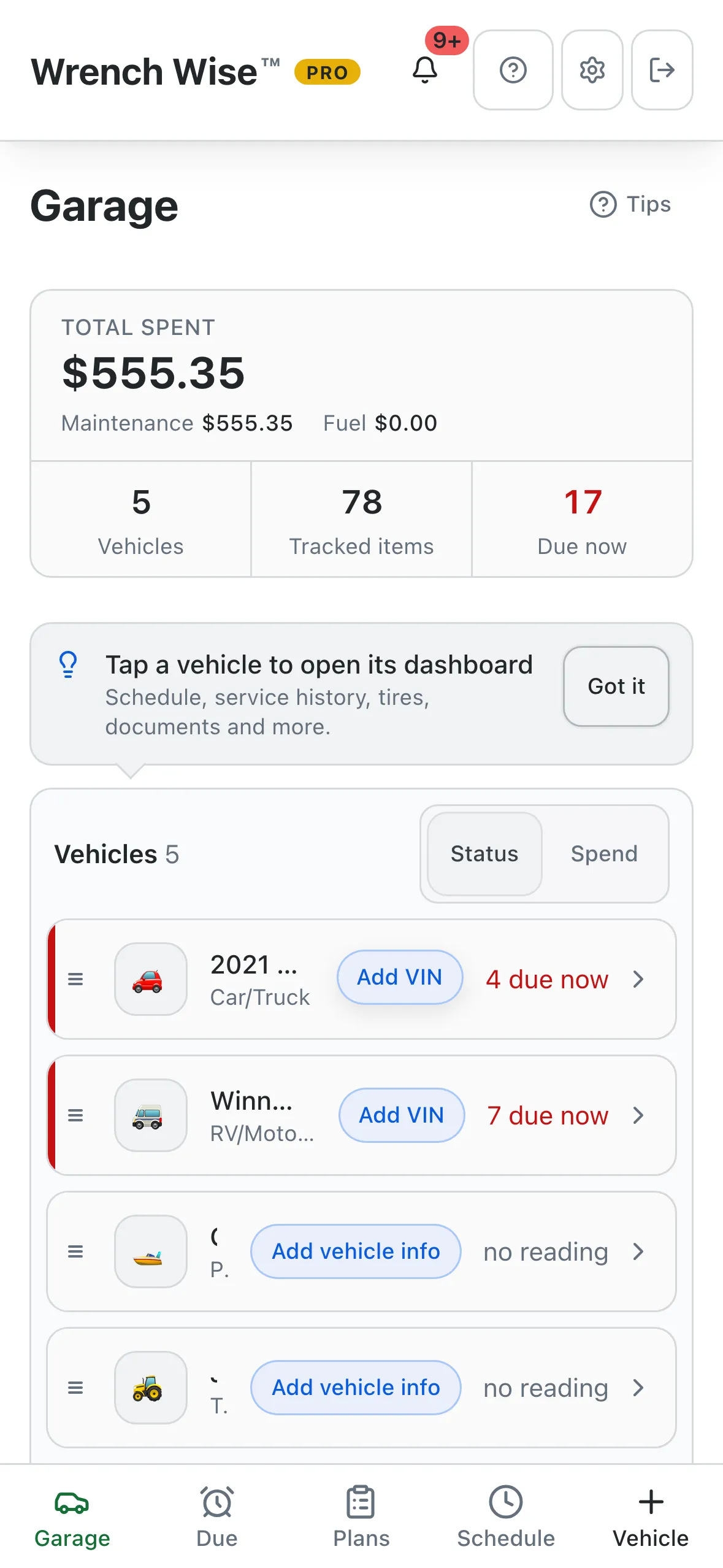
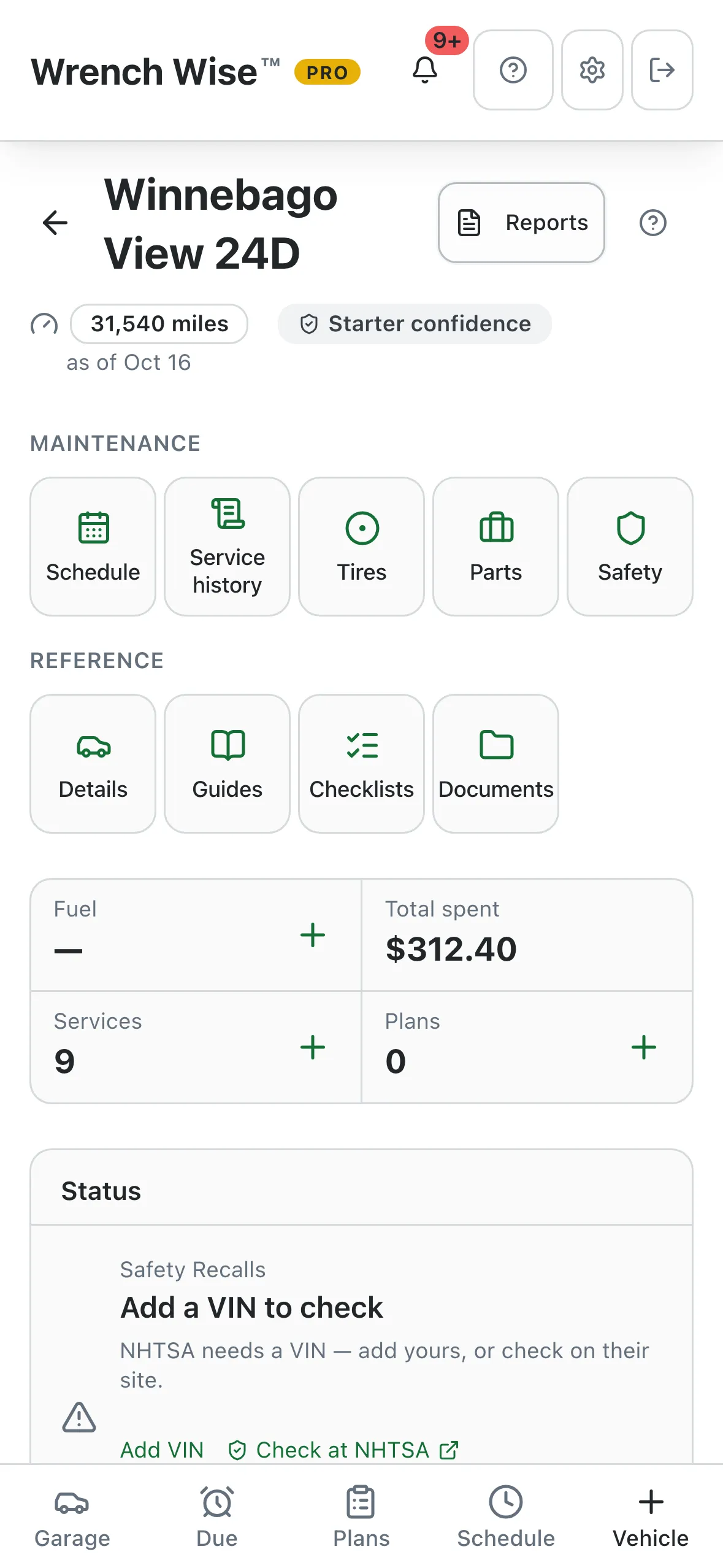
Every vehicle. Every service. On schedule.

Know what’s due on everything you own.

Cars and trucks, RVs, boats, motorcycles, tractors, generators, and soon airplanes. Wrench Wise™ gives each one a maintenance schedule in seconds, counts the miles and the engine hours, and tells you what’s due before it turns into a repair bill.

5.0 on the App Store · 6 ratings
  • Free to start, no account needed
  • Works offline
  • iPhone, iPad, Android & web
  • 12 vehicle types
Wrench Wise™PRO

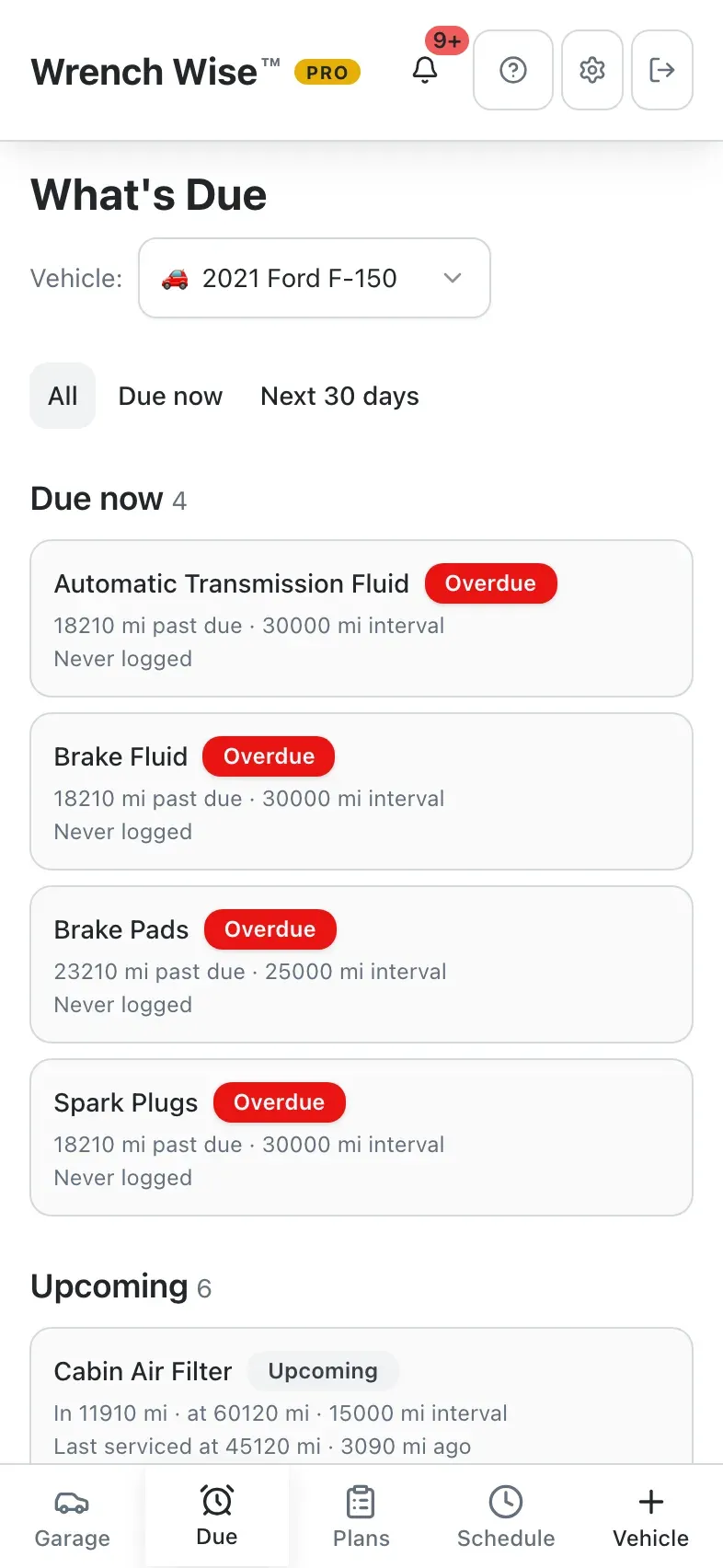
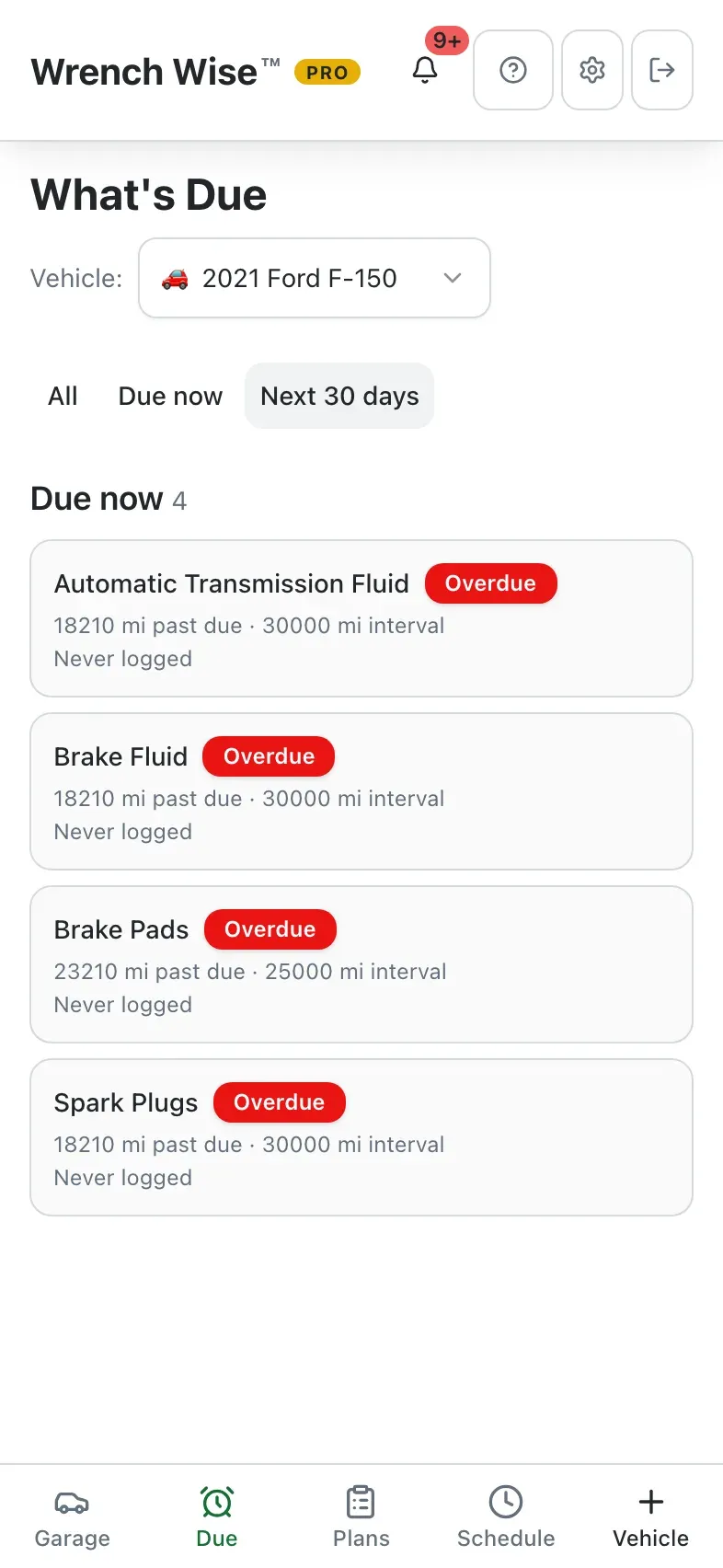
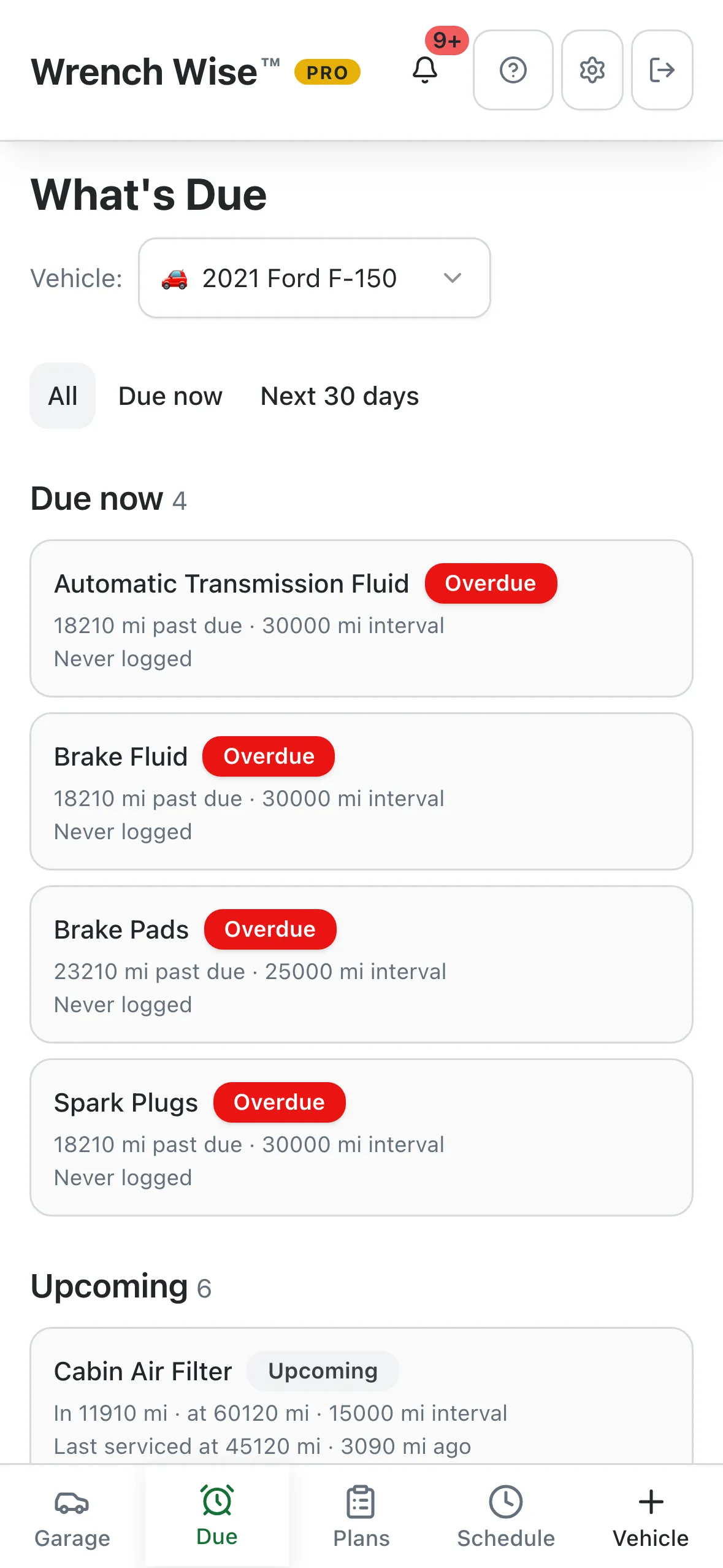
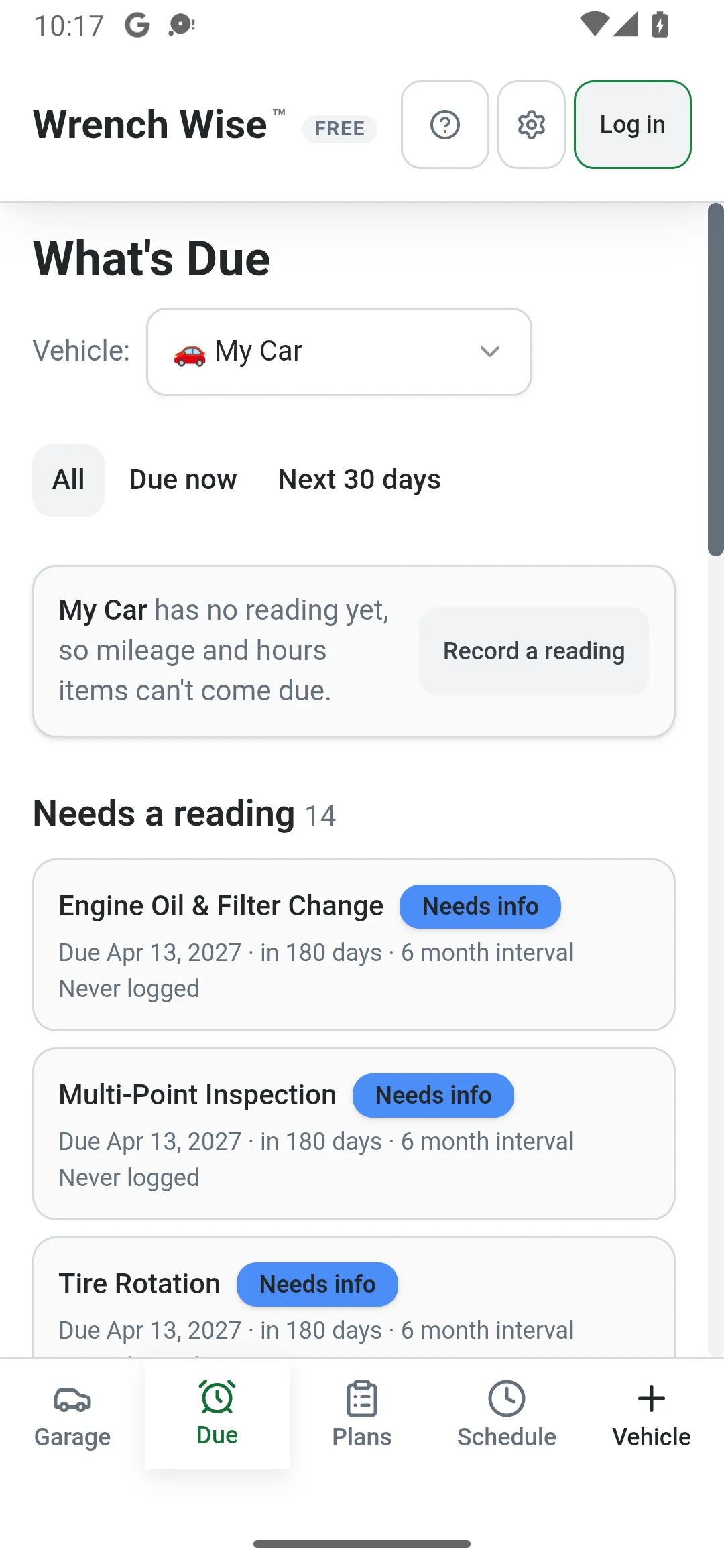
What’s Due

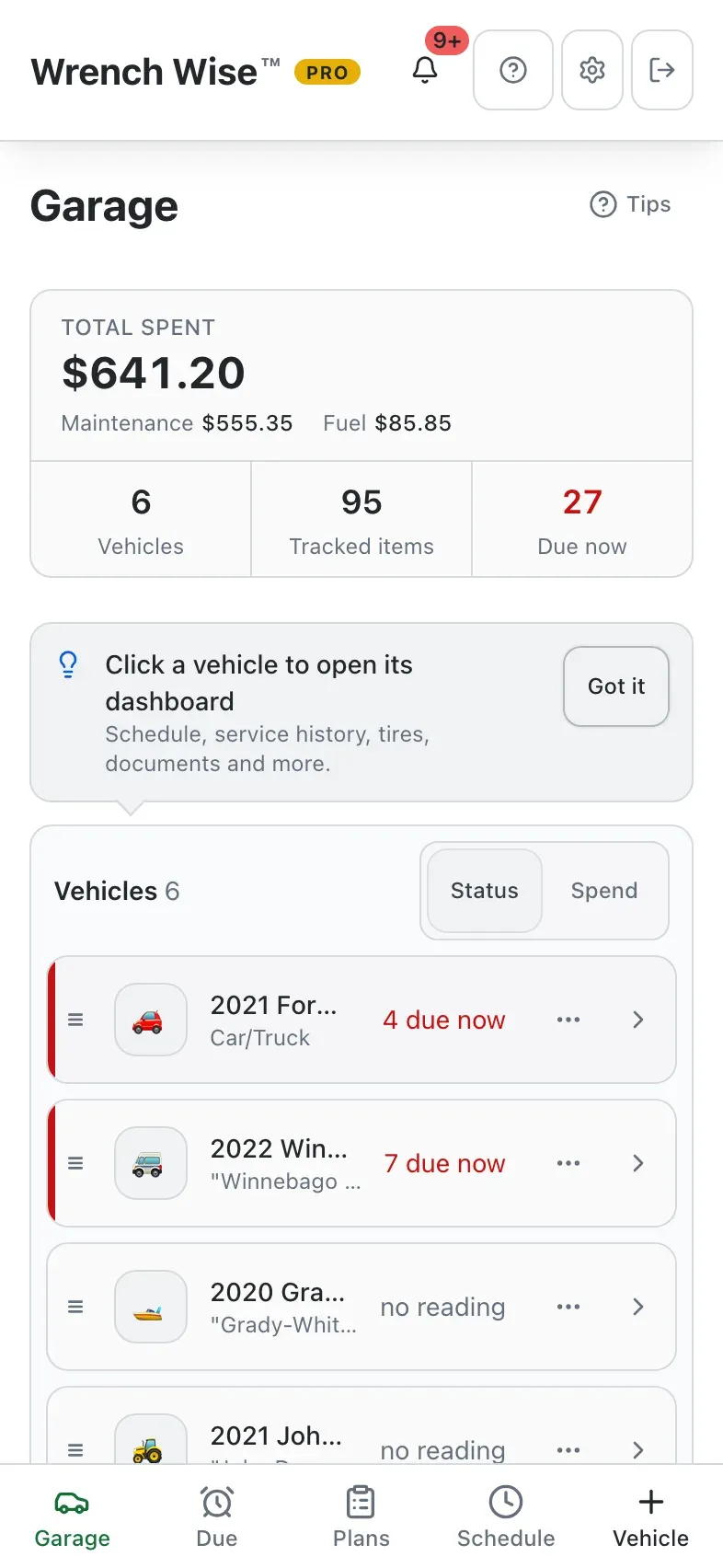
Across your whole garage

Engine Oil & Filter Change2021 Ford F-150Due in 320 mi
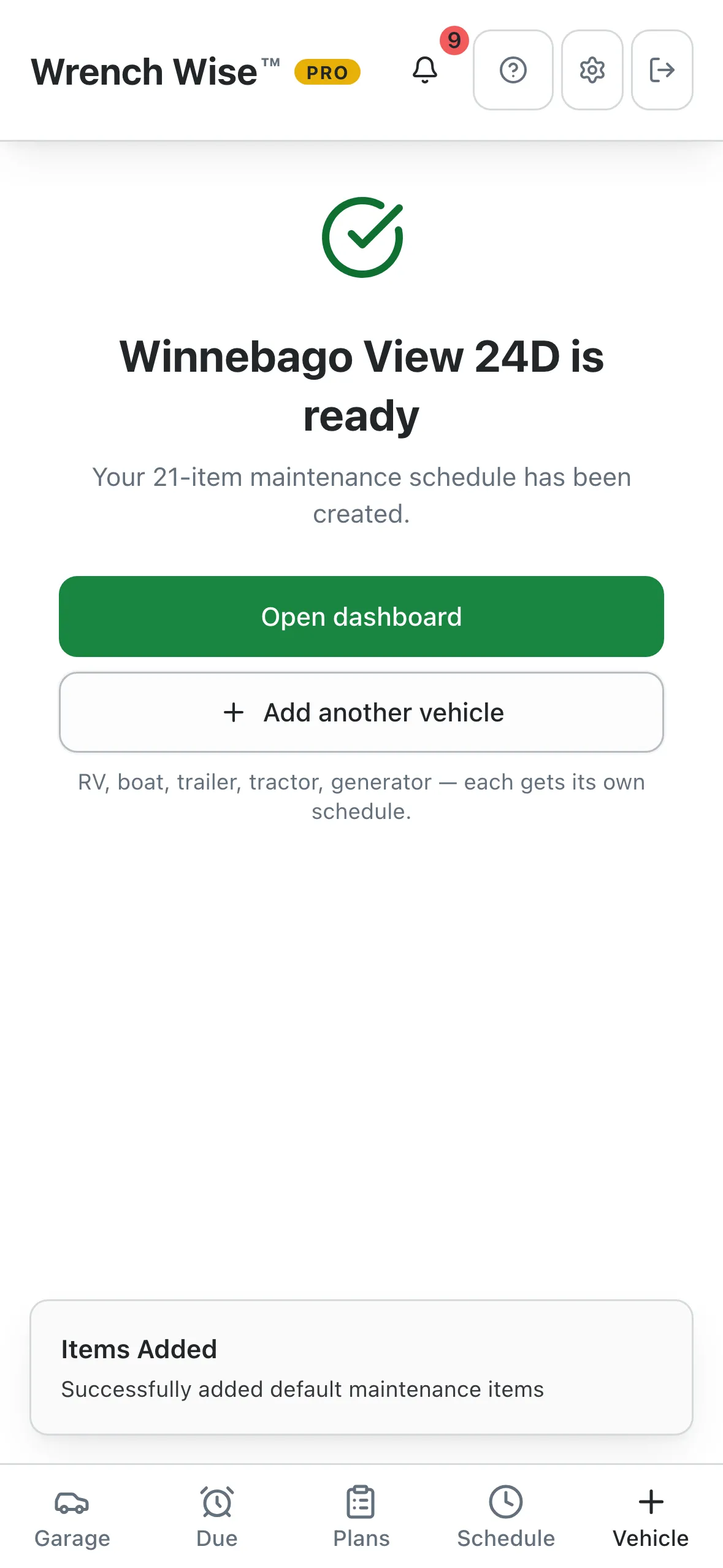
Generator Oil ChangeWinnebago View 24DDue in 8 hrs
Water Pump Impeller ReplacementGrady-White · Port engineDue in 14 hrs
Chain Lubrication & AdjustmentHarley Road GlideOverdue
Blade Sharpening & BalanceJohn Deere 3038EDue in 4 hrs
Roof Inspection & Seal CheckWinnebago View 24DDue in 12 days
Generator Load TestingHonda EU7000iSDue Nov 2026
Trailer Wheel Bearing Repack7×14 Enclosed CargoUp to date

Built for what you drive

Not just cars. Everything with an engine, or a trailer hitch.

Most maintenance apps stop at the car in your driveway. Wrench Wise™ starts every type of vehicle with a schedule built for it, counted in miles, engine hours or months.

Tracks miles or km

Your car’s maintenance schedule, without the guesswork.

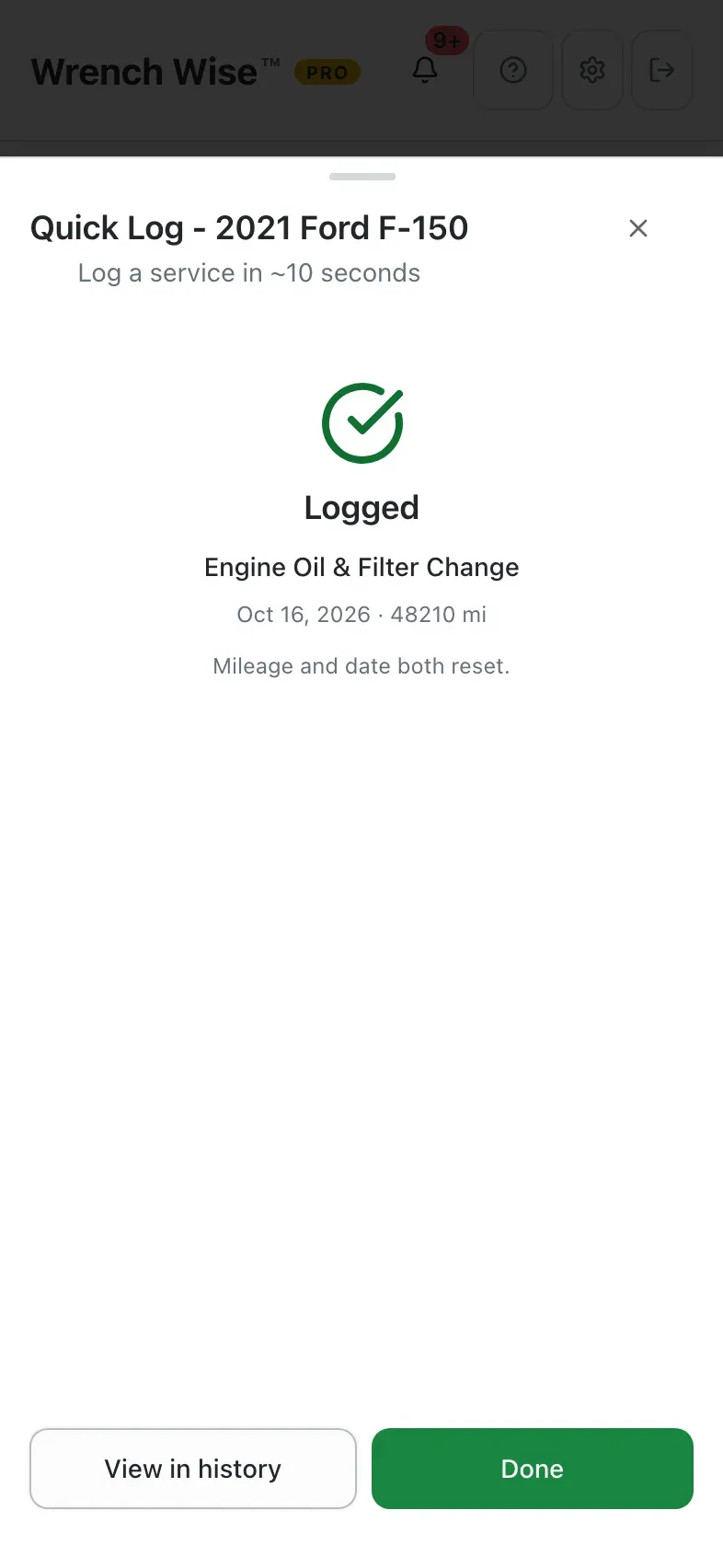
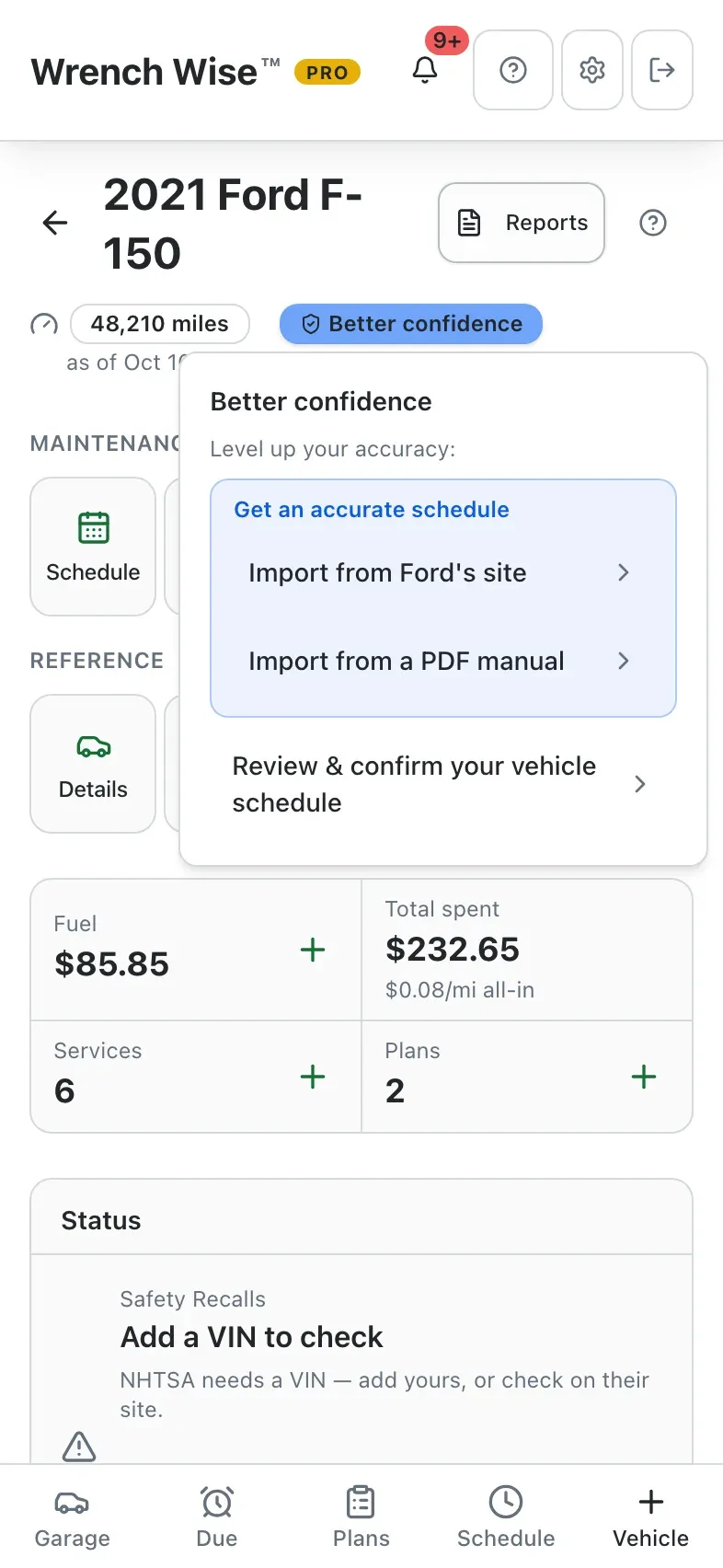
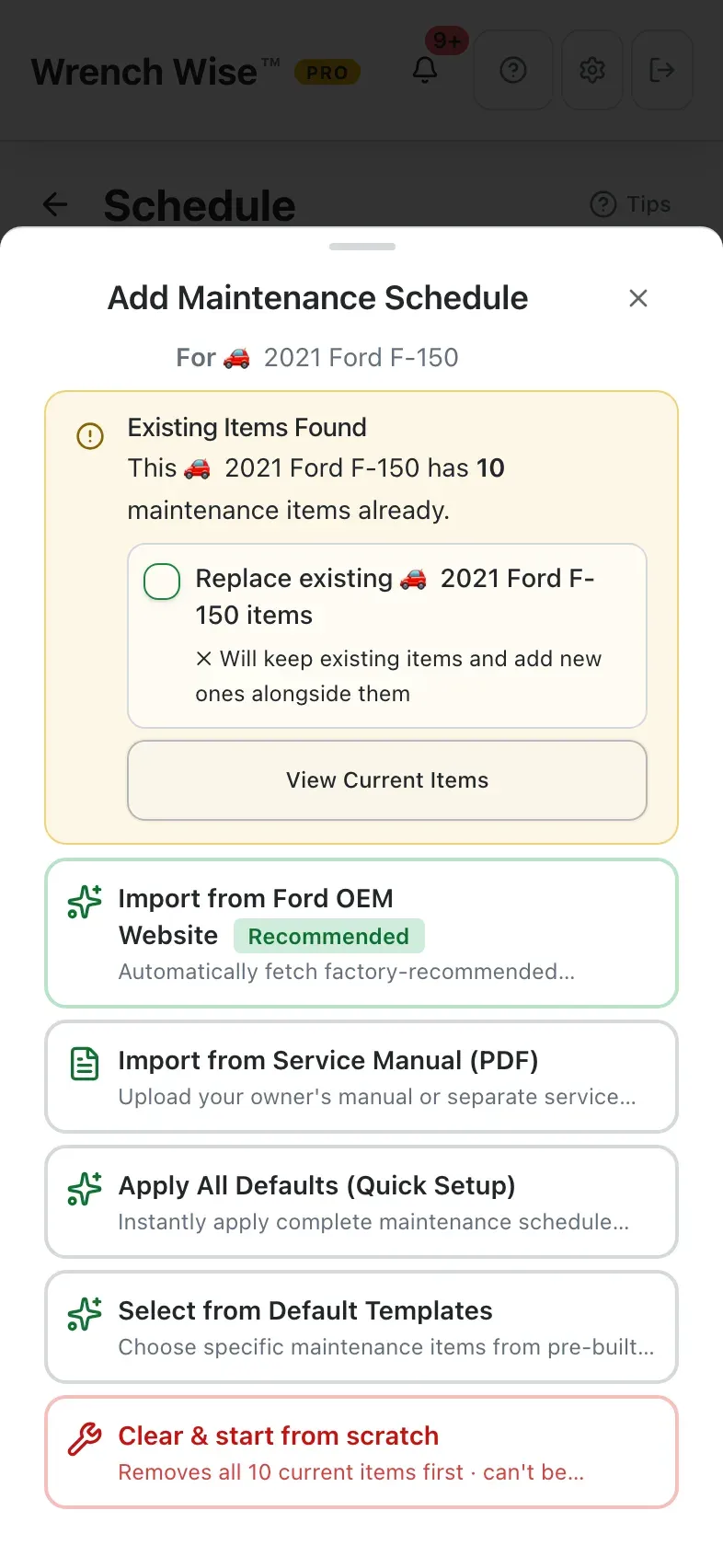
Add your car, truck or SUV and get a starter maintenance schedule in seconds, then log each service as you do it. With Pro, import your owner’s manual or, for supported makes, the manufacturer’s factory schedule when you want the exact intervals.

  • VIN decode & camera scan. Scan or type the VIN to fill in year, make, model and engine.
  • Normal or severe service. Importing your owner’s manual? Choose normal or severe/heavy-duty intervals, whichever matches how you drive. Pro
  • Oil-life monitor. Enter the oil-life percentage from your dash and Wrench Wise™ tracks the next change from it.
  • Recalls (US). Checks NHTSA for open safety recalls on the vehicle and its tires. Pro
Car, Truck & SUV maintenance in detail →
Wrench Wise™PRO
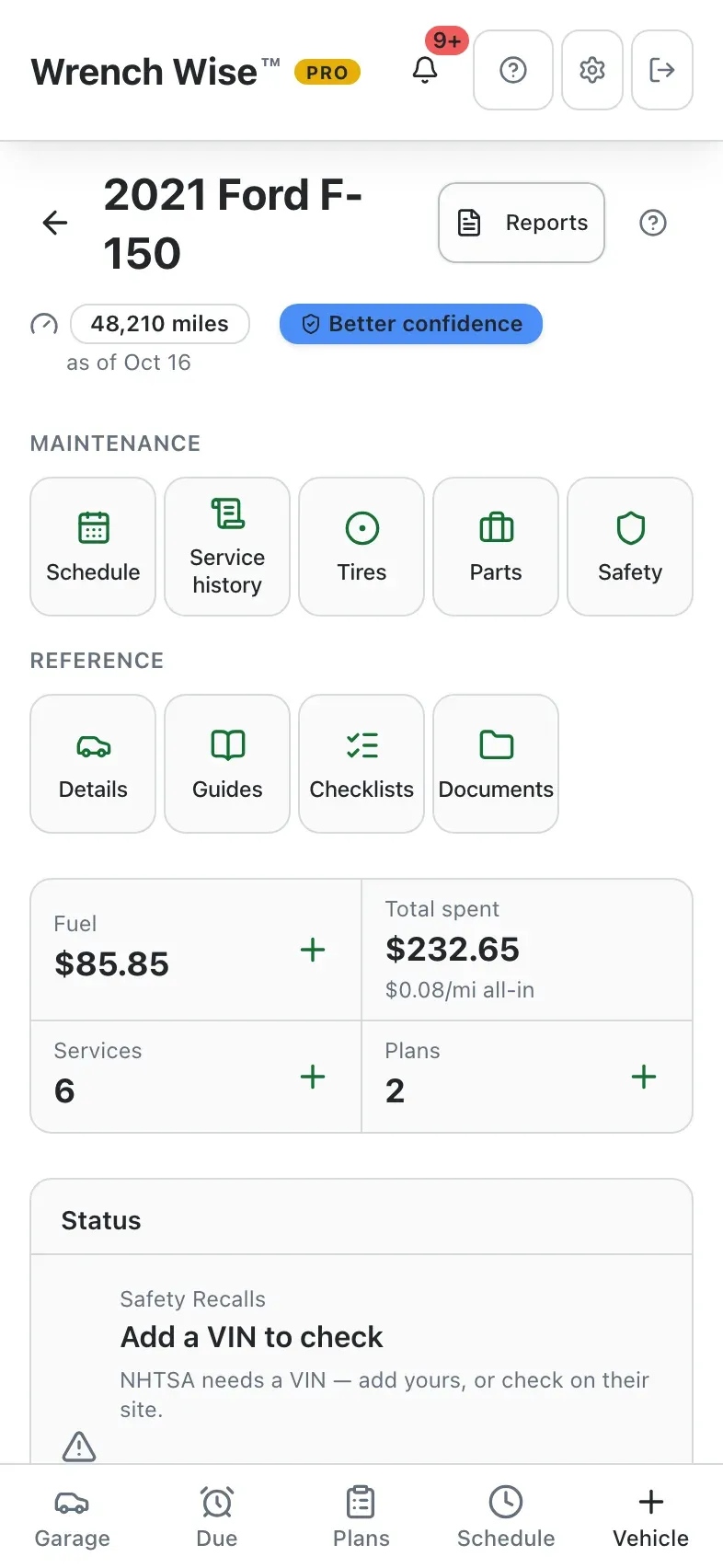
2021 Ford F-15048,210 mi
Tracks miles or km

Starter schedule

Engine Oil & Filter Change
Every 5,000 mi
Spark Plugs
Every 30,000 mi
Engine Air Filter
Every 15,000 mi
Automatic Transmission Fluid
Every 30,000 mi
Brake Pads
Every 25,000 mi
Brake Fluid
Every 30,000 mi
Tire Rotation
Every 5,000 mi

Built for how you live

Whoever keeps things running, it’s built for you.

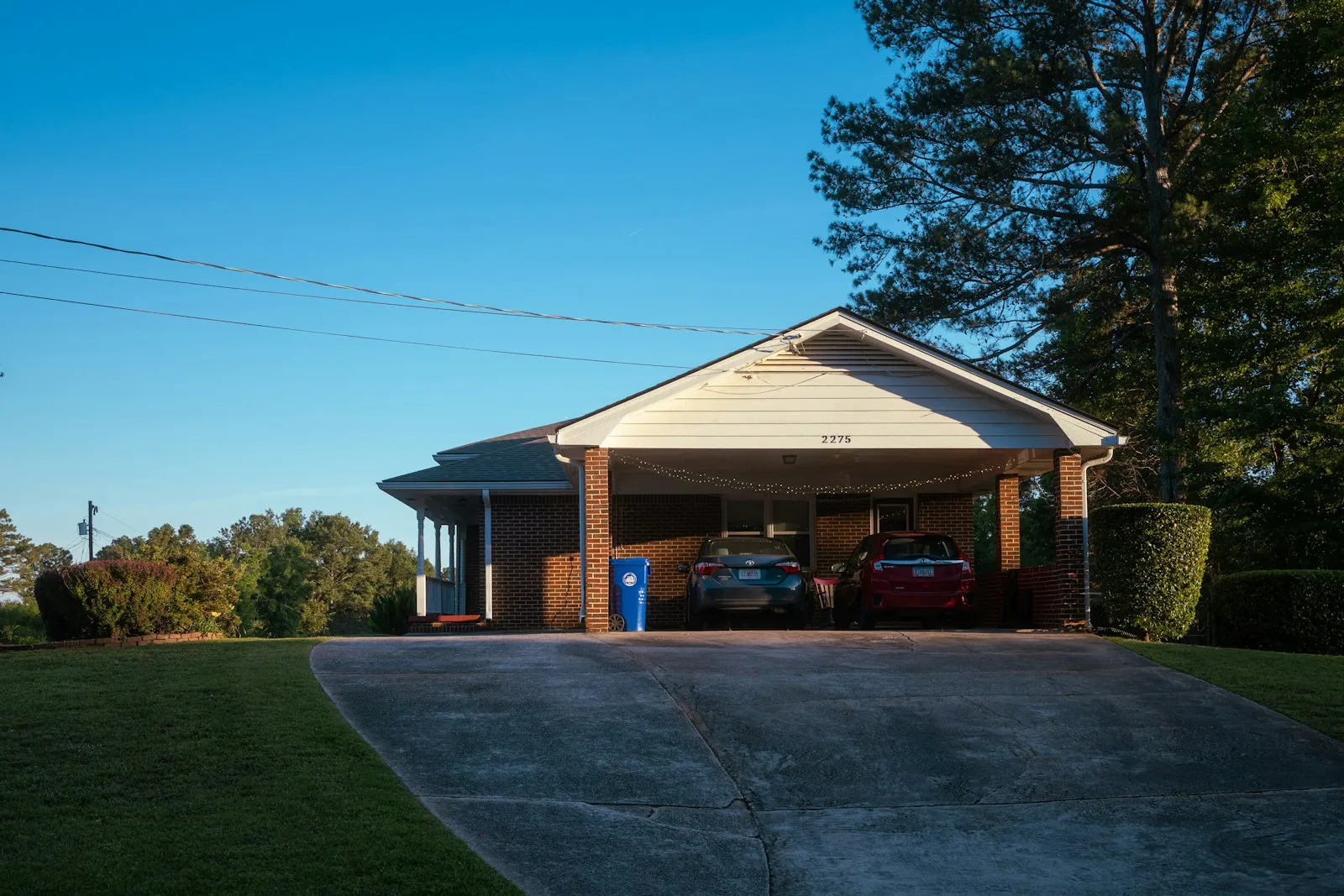
Two cars under a carport at a family home

Families

The family mechanic’s garage.

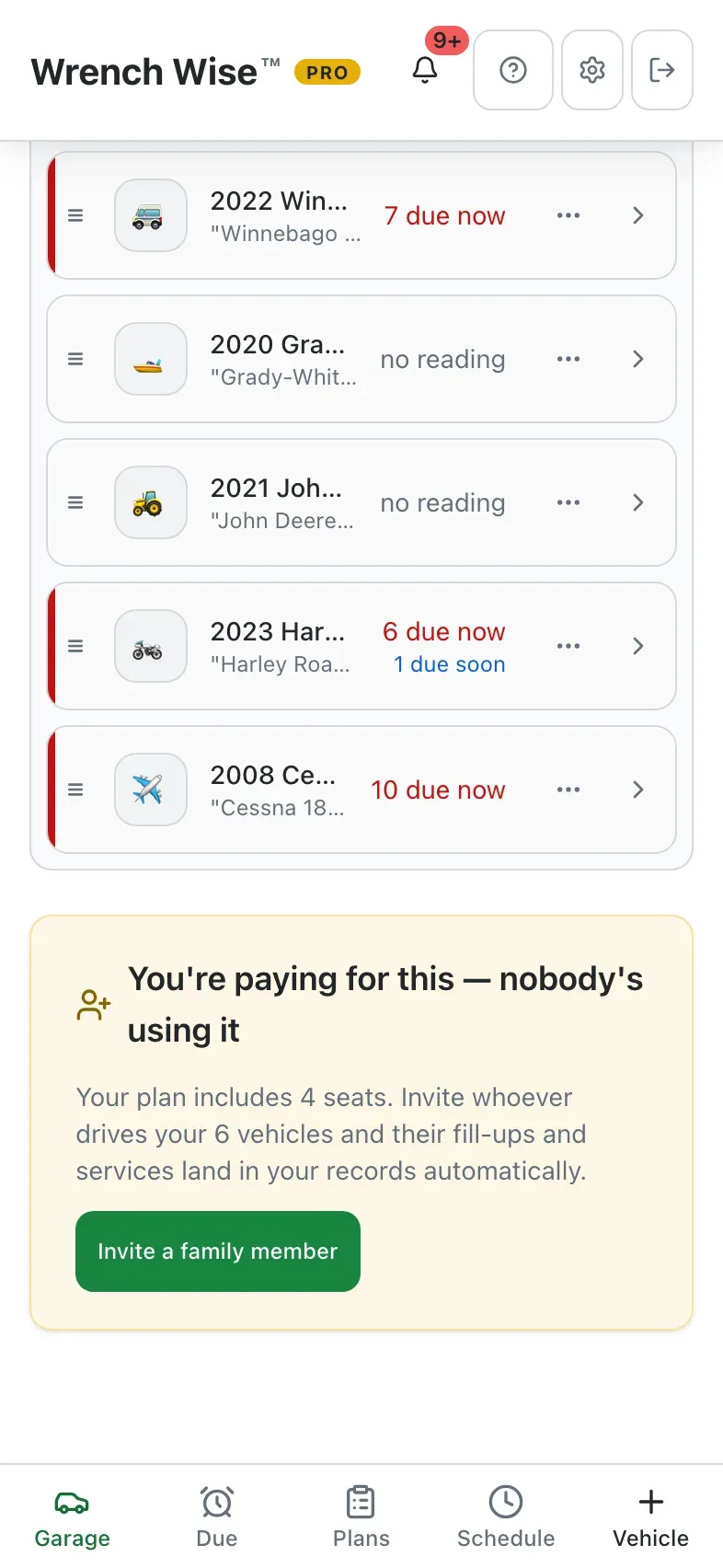
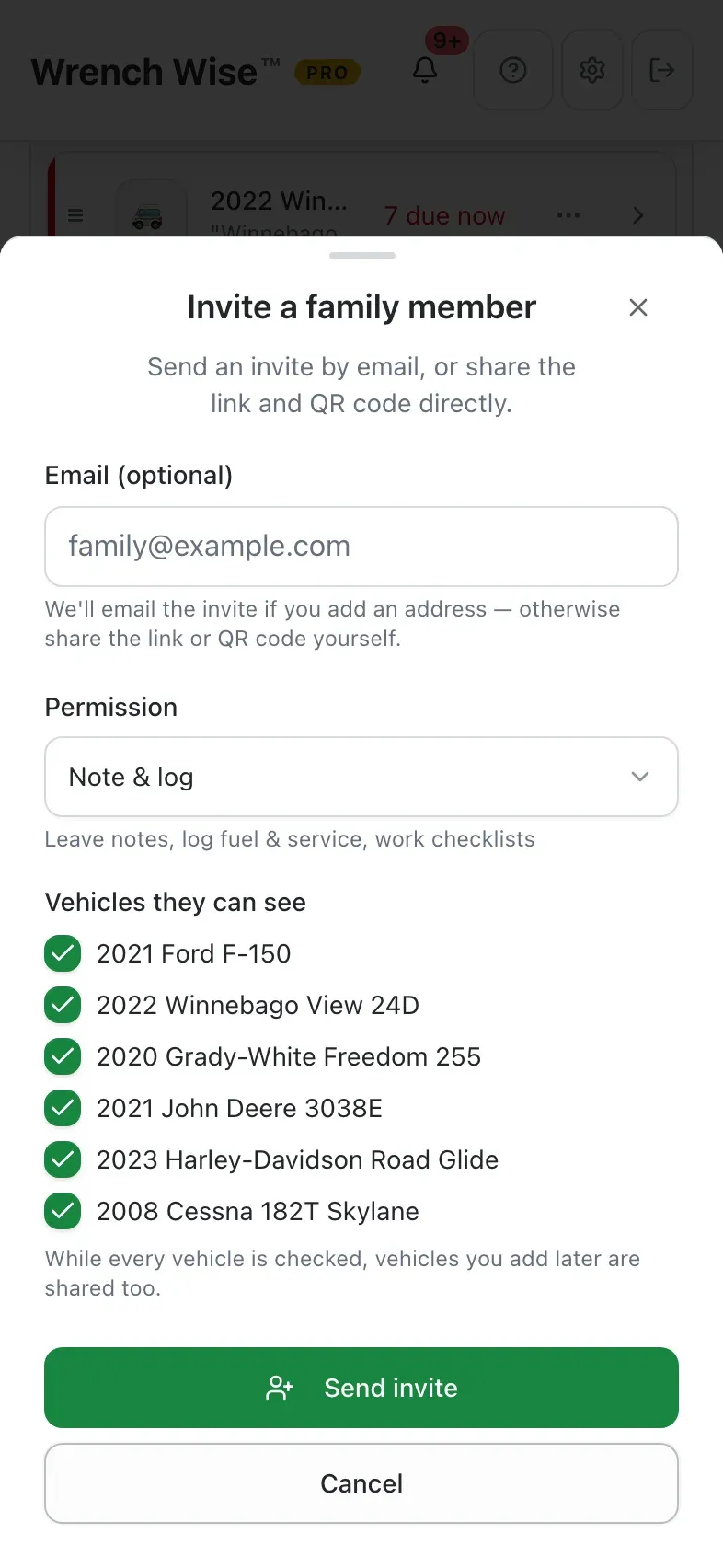
One person usually keeps every car running: yours, your partner’s, the teen driver’s, maybe a parent’s. See what’s due across all of them, and with Pro share the garage with your household so everyone can log fuel and service and leave notes, and you can see who did what.

  • Up to 5 people with Pro
  • Choose who sees which vehicle
  • Read only, or notes and logs
See household sharing →
A classic red tractor in a green field

Hobby farms & acreage

Everything with an hour meter, in one place.

The tractor and its implements, the side-by-side, the generator, the trailer and the truck all run on different clocks. Wrench Wise™ keeps each on its own schedule (hours, miles or months) and shows what’s due across the whole place.

  • Tractors and implements by hours
  • ATVs, generators and trailers
  • One What’s Due for everything
Tractor maintenance →
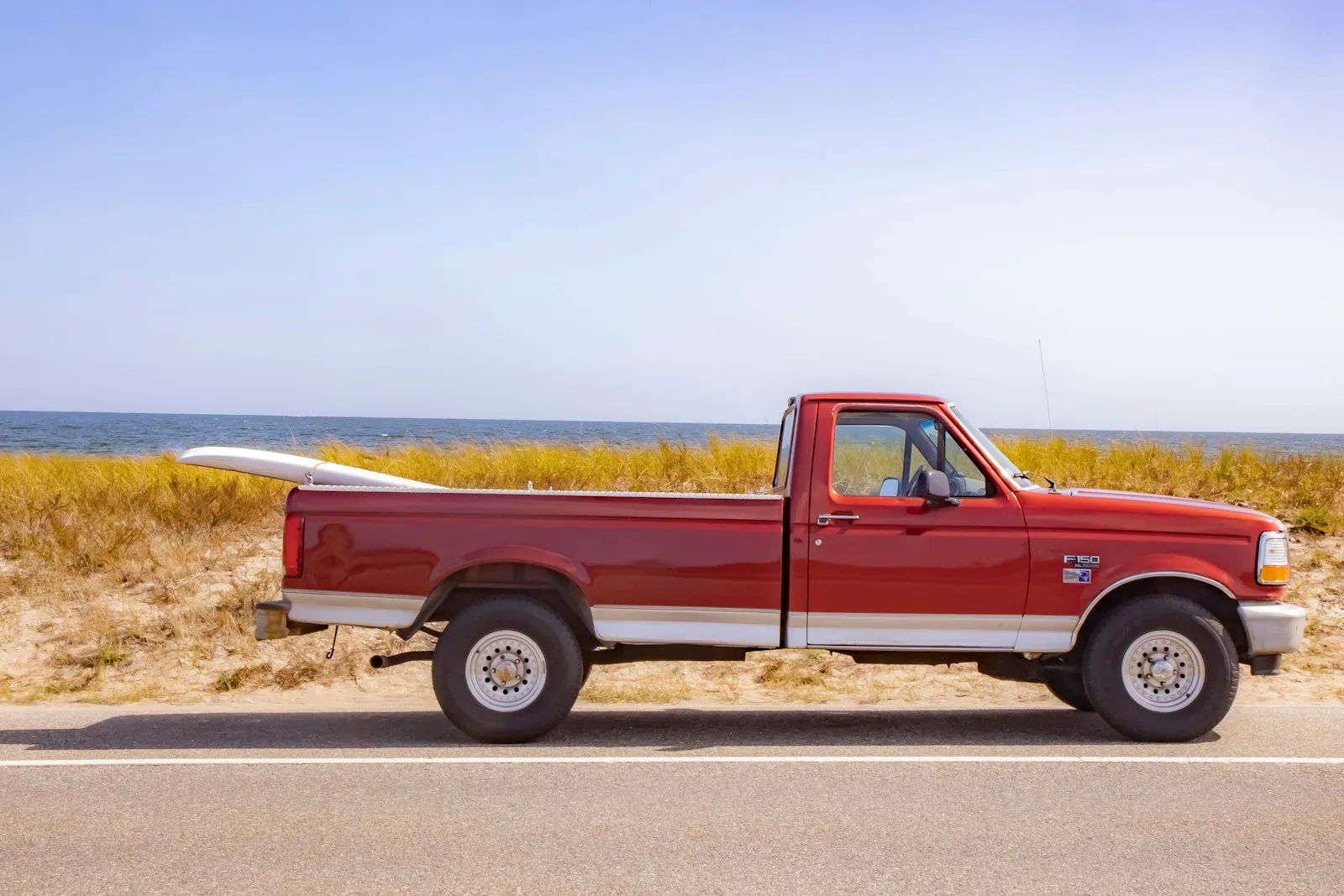
A used pickup truck parked by the beach

Buying used

Check it before you buy it.

Add the vehicle you’re looking at and work through the built-in pre-purchase inspection: VIN matches the title, body, undercarriage, engine, test drive, interior, tires, lights, maintenance history and recalls. Scan the VIN to fill in the details. Seller uses Wrench Wise™? Skip adding it yourself and accept their records instead.

  • 10-item pre-purchase inspection
  • VIN scan fills in the details
  • Or accept the seller’s records (Pro)
How record transfer works →
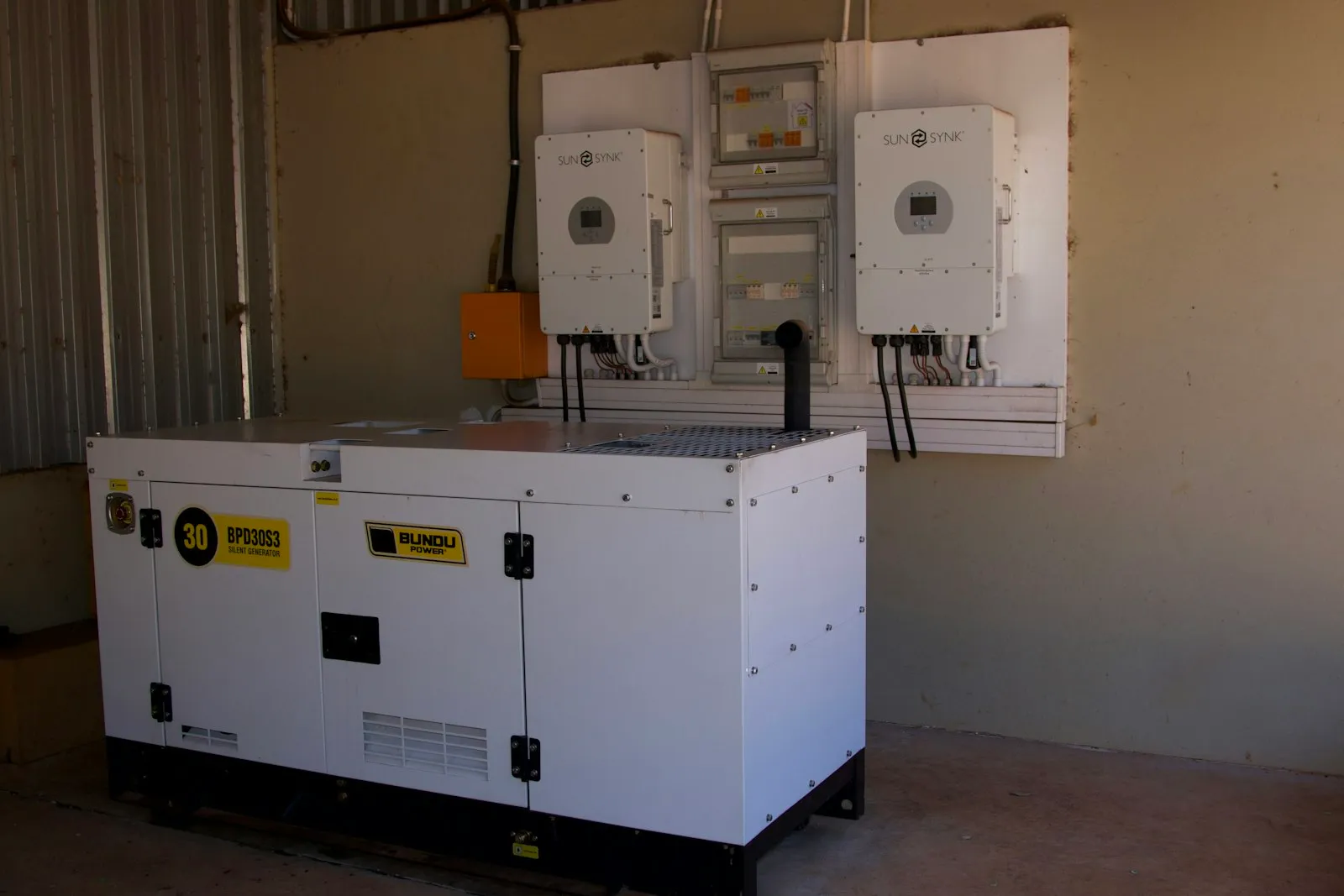
A home standby generator

Home backup power

Ready before the storm, not after.

A standby or portable generator sits unused until the night you need it. Wrench Wise™ tracks oil and filters by its hour meter, reminds you to load-test it every year and stabilize the fuel every six months, so it starts when the power goes out.

  • Oil, air filter and plugs by hours
  • Yearly load test
  • Fuel stabilization every 6 months
Generator maintenance →

Also great for classic and collector cars (a custom storage checklist and a documented history that supports their value) and anyone who uses a shop: log each visit, scan the invoice with Pro, and keep the records ready for a warranty claim.

See it work

Two minutes from download to “I’m on top of it.”

Press play, or jump to any chapter. Use the arrow keys to step through, and space to pause.

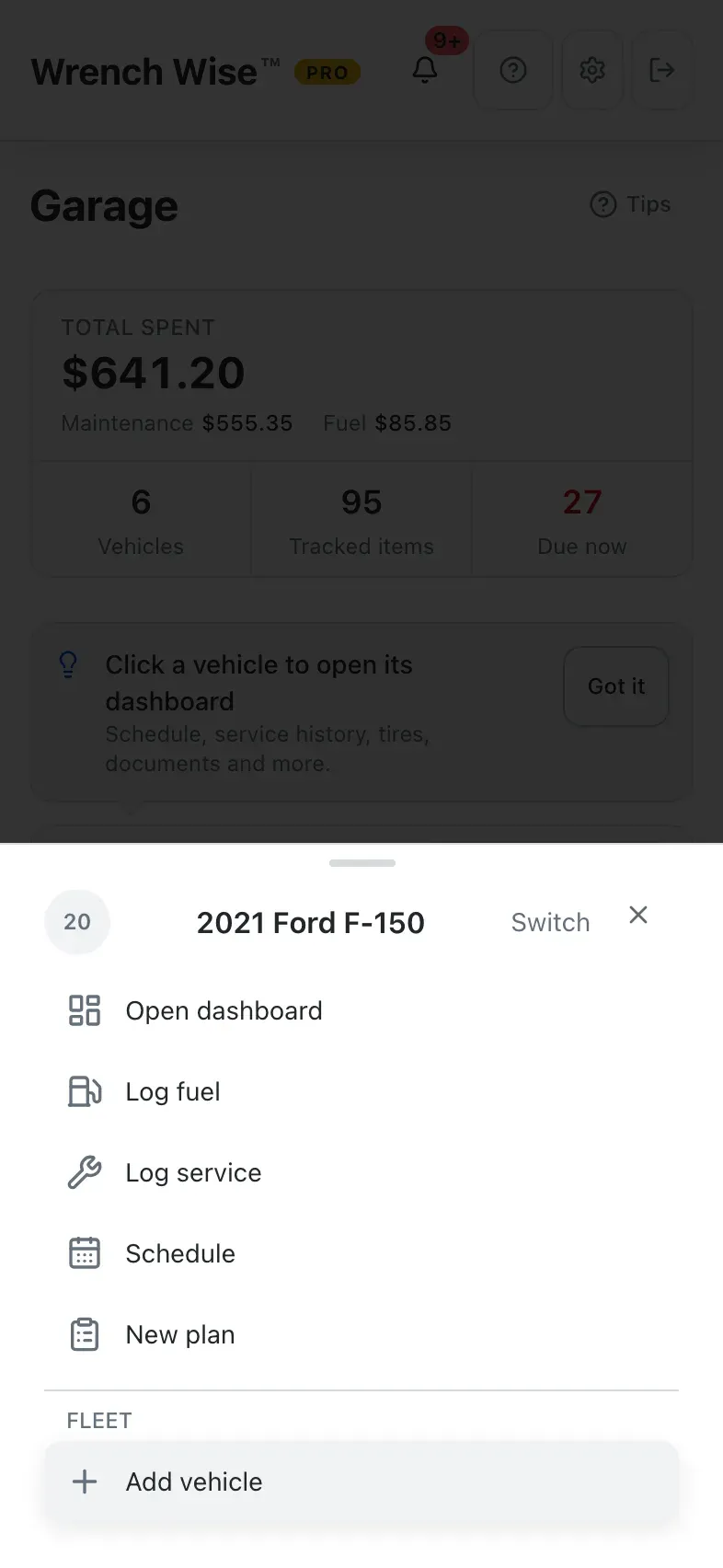
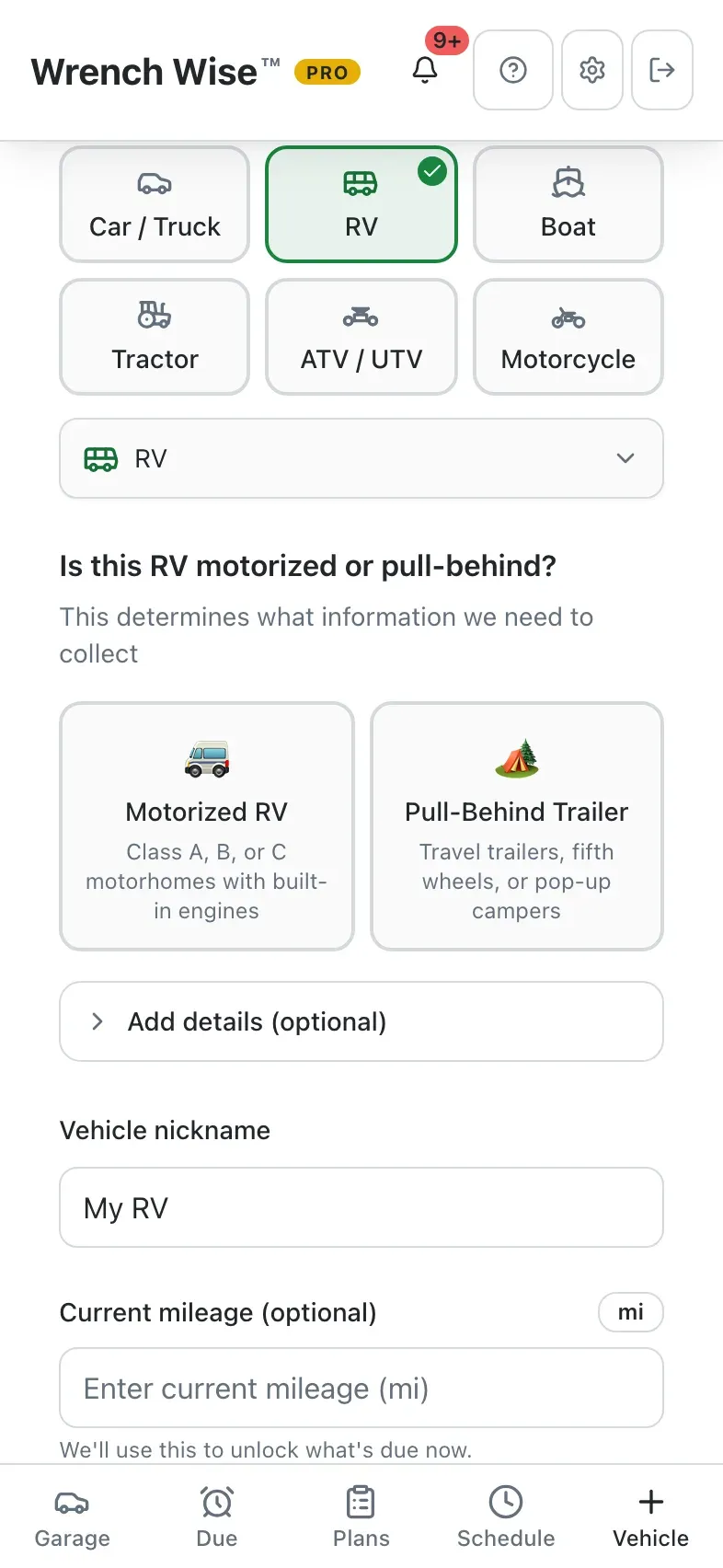
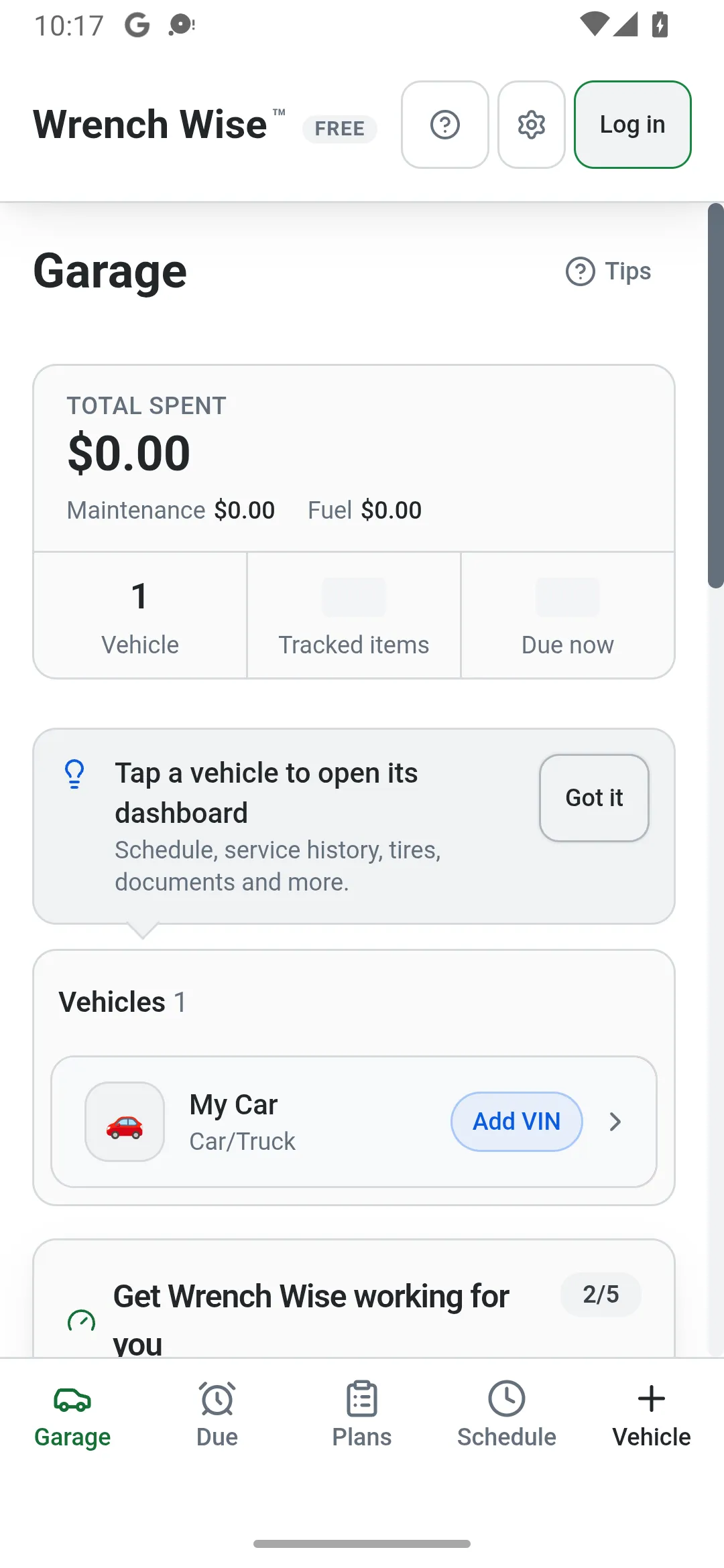
Wrench Wise™ app: Tap + Vehicle to add one.
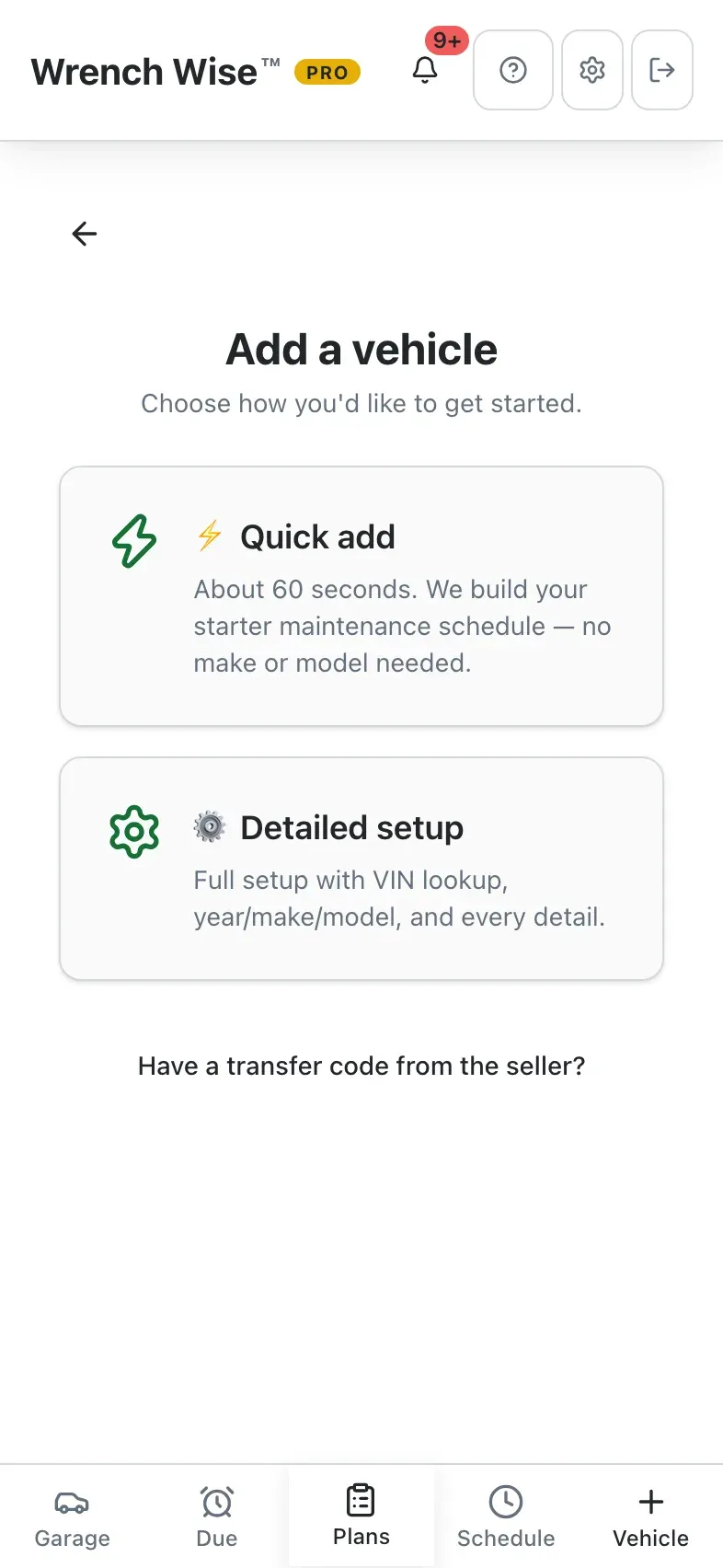
Wrench Wise™ app: Choose Add vehicle.
Wrench Wise™ app: Quick add: about 60 seconds, no make or model needed.
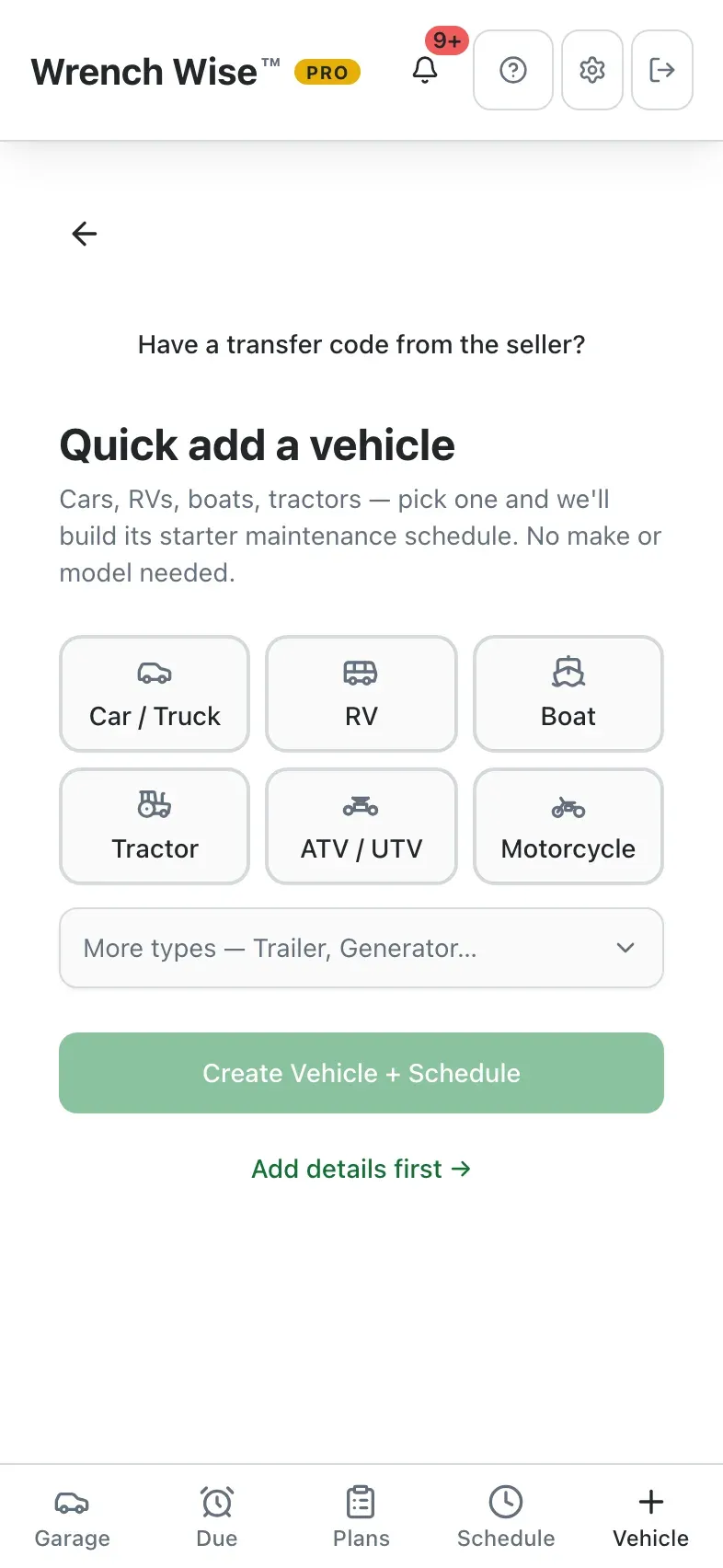
Wrench Wise™ app: Pick what you’re adding.
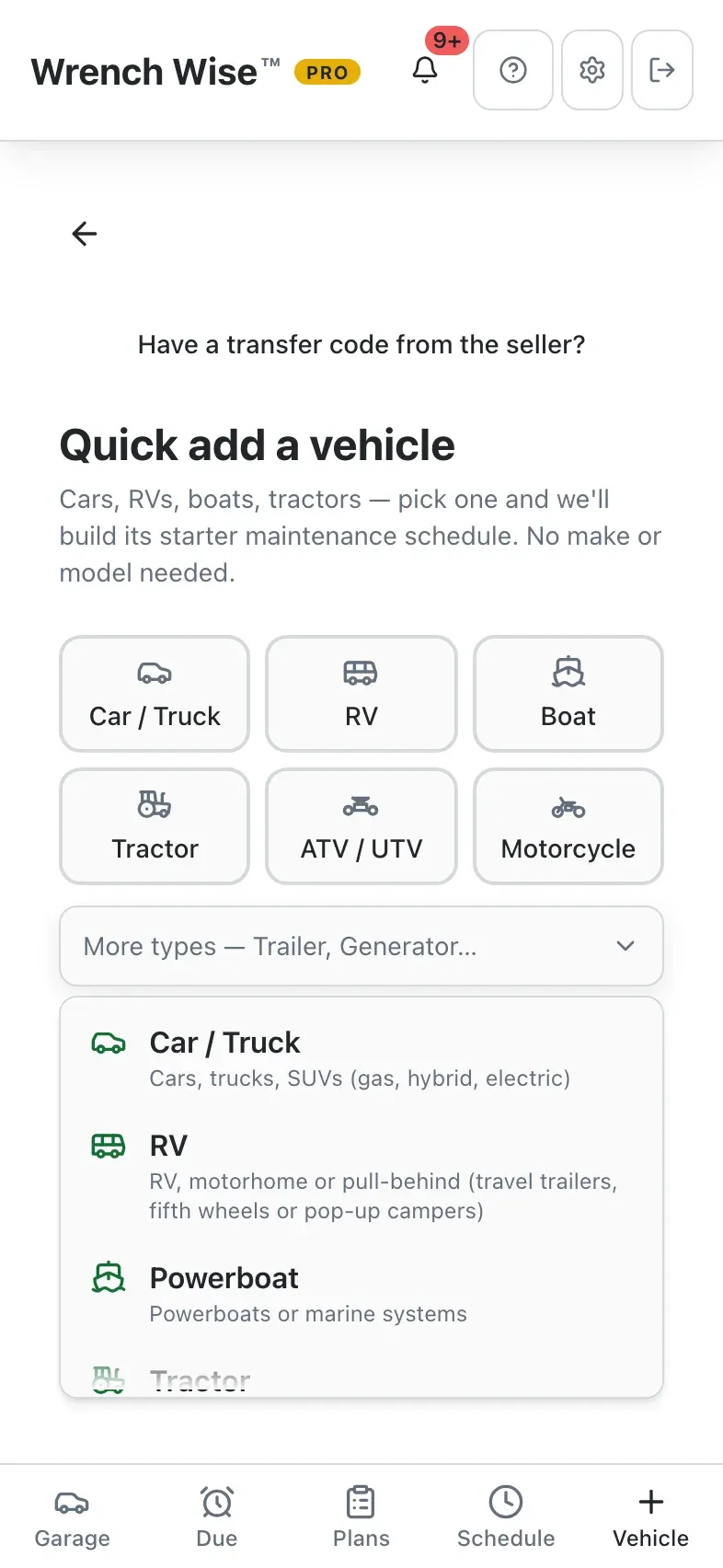
Wrench Wise™ app: Car, RV, boat, tractor, generator and more.
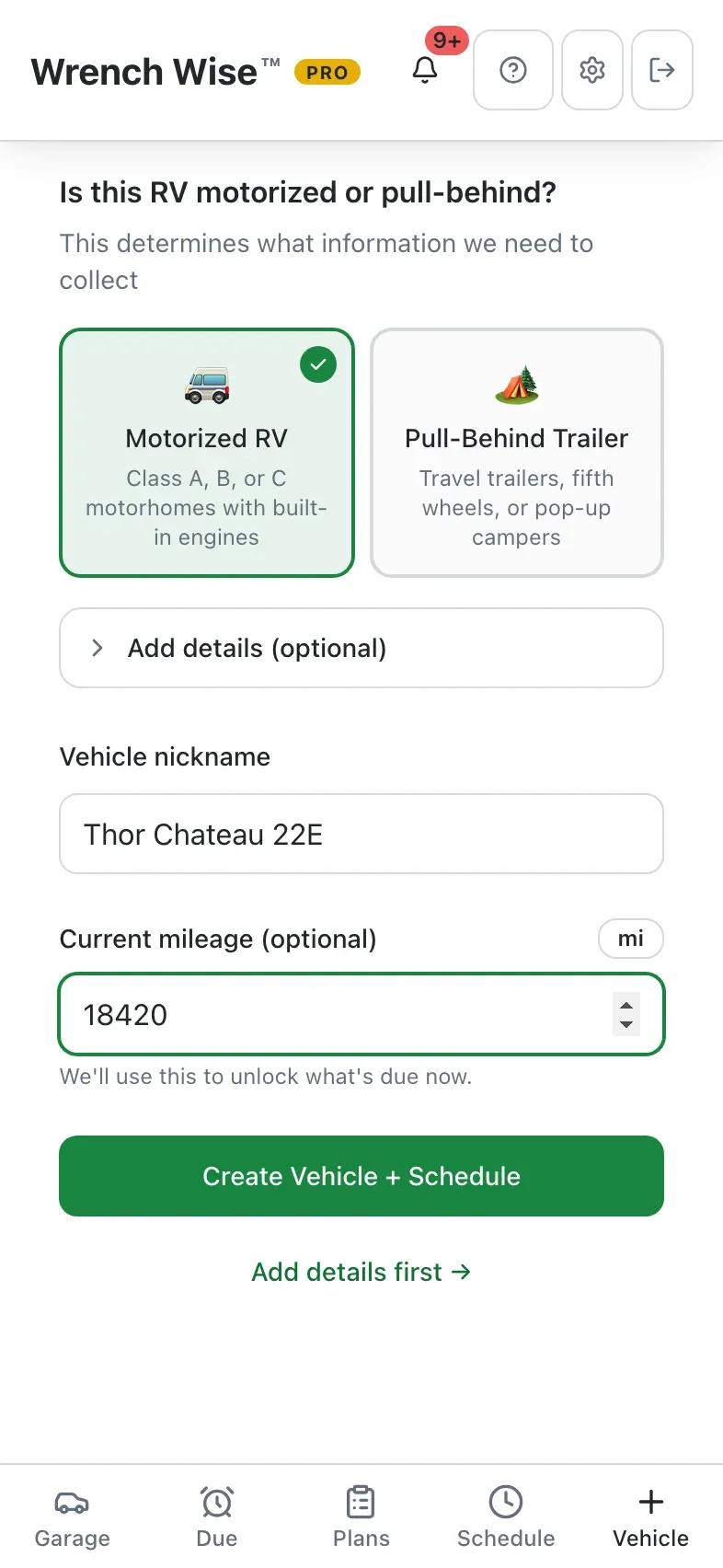
Wrench Wise™ app: Motorized or pull-behind shapes the schedule.
Wrench Wise™ app: Name it and add the mileage, if you know it.
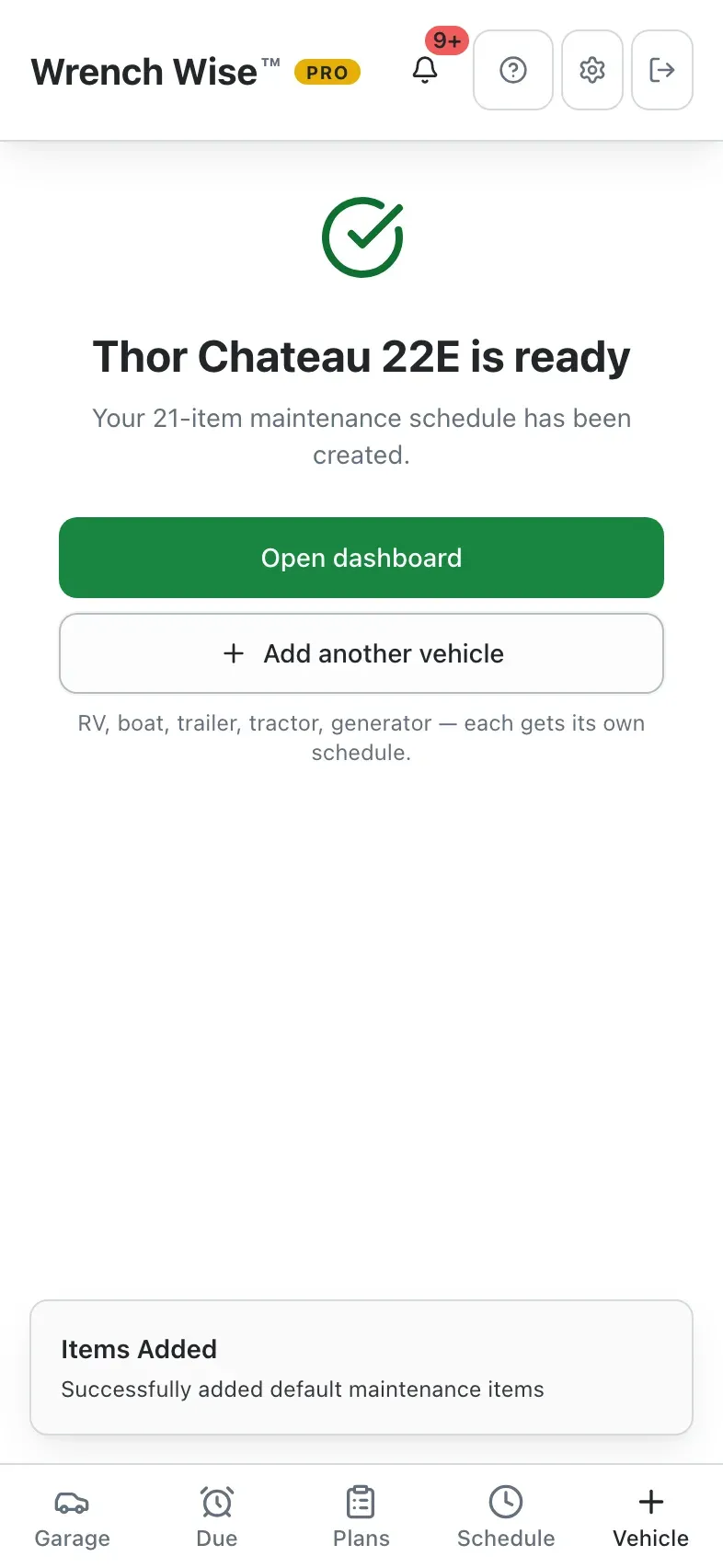
Wrench Wise™ app: Done: a starter schedule for the engine and the coach.
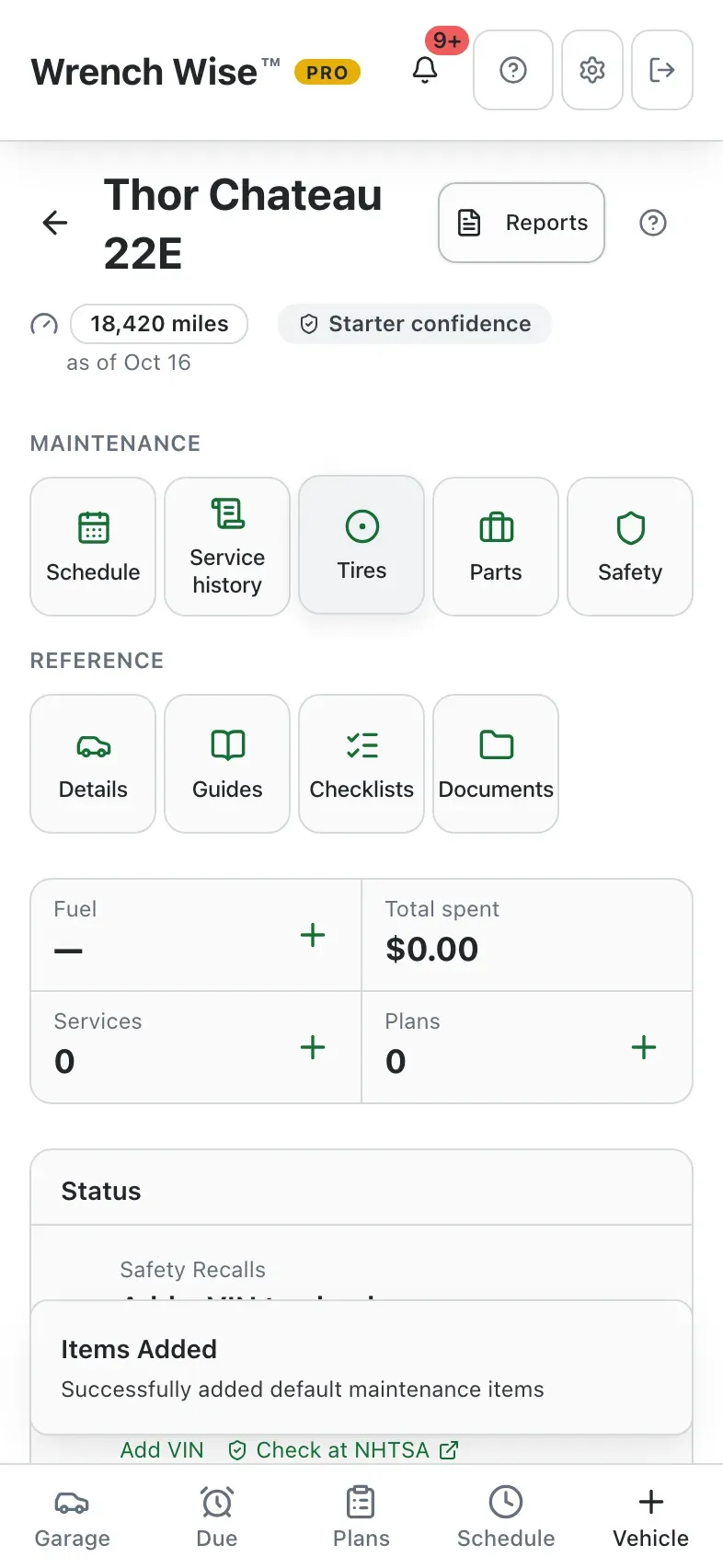
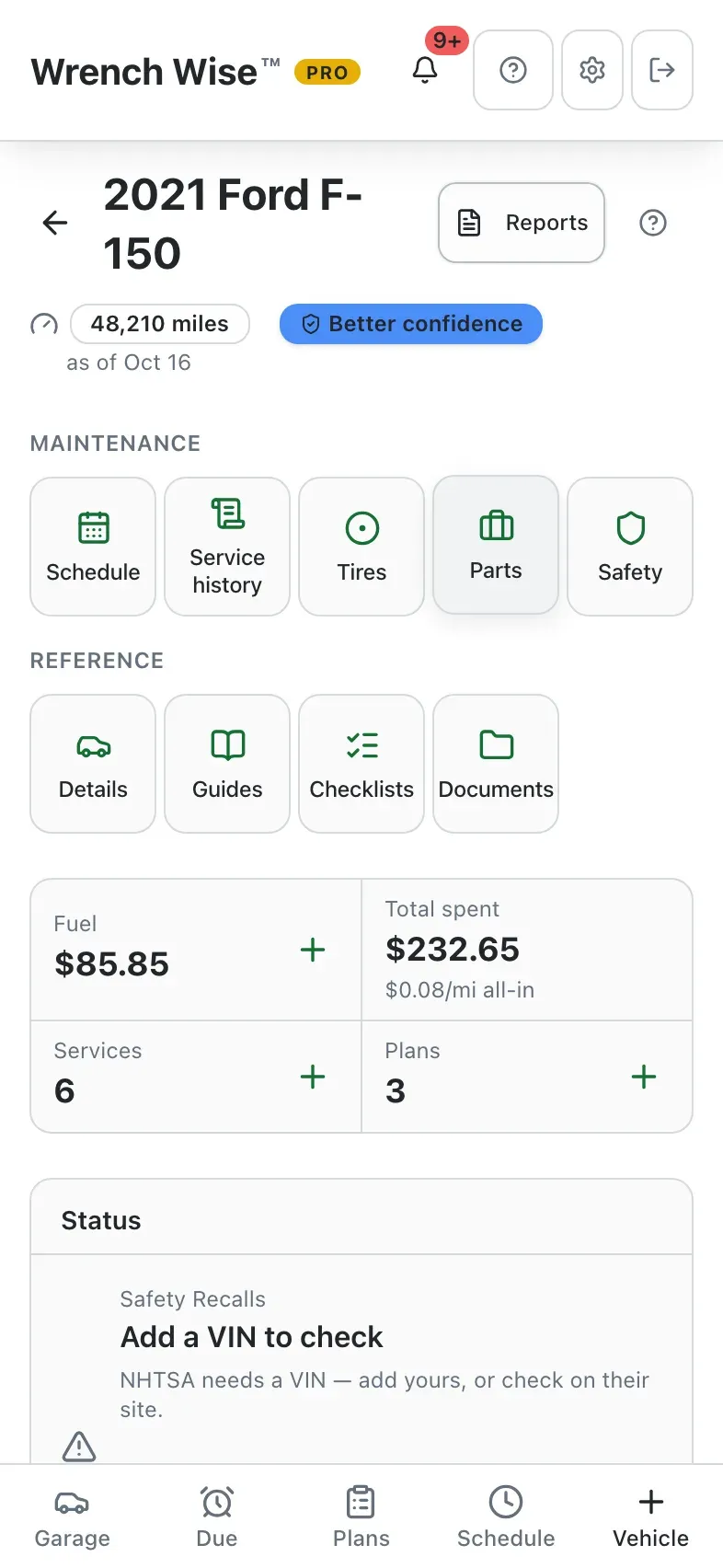
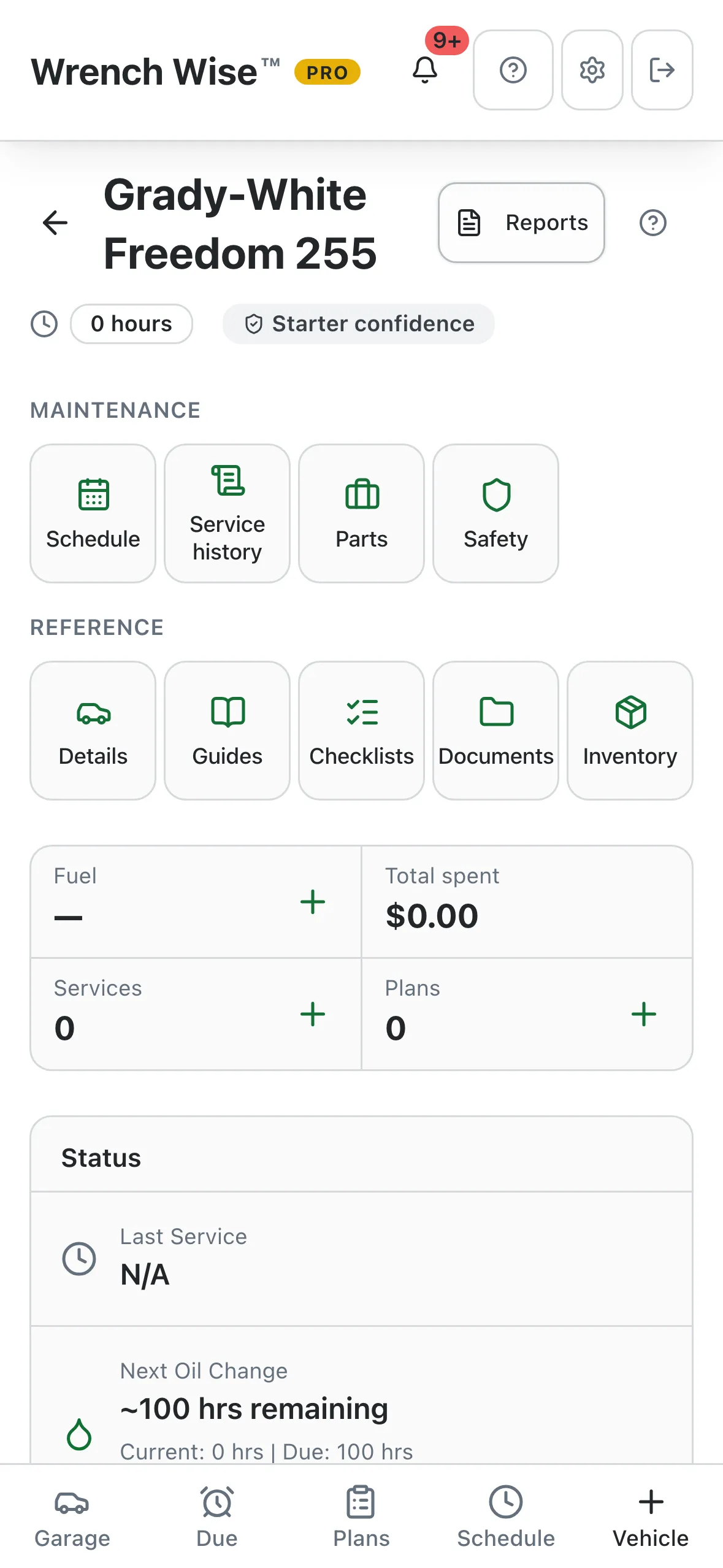
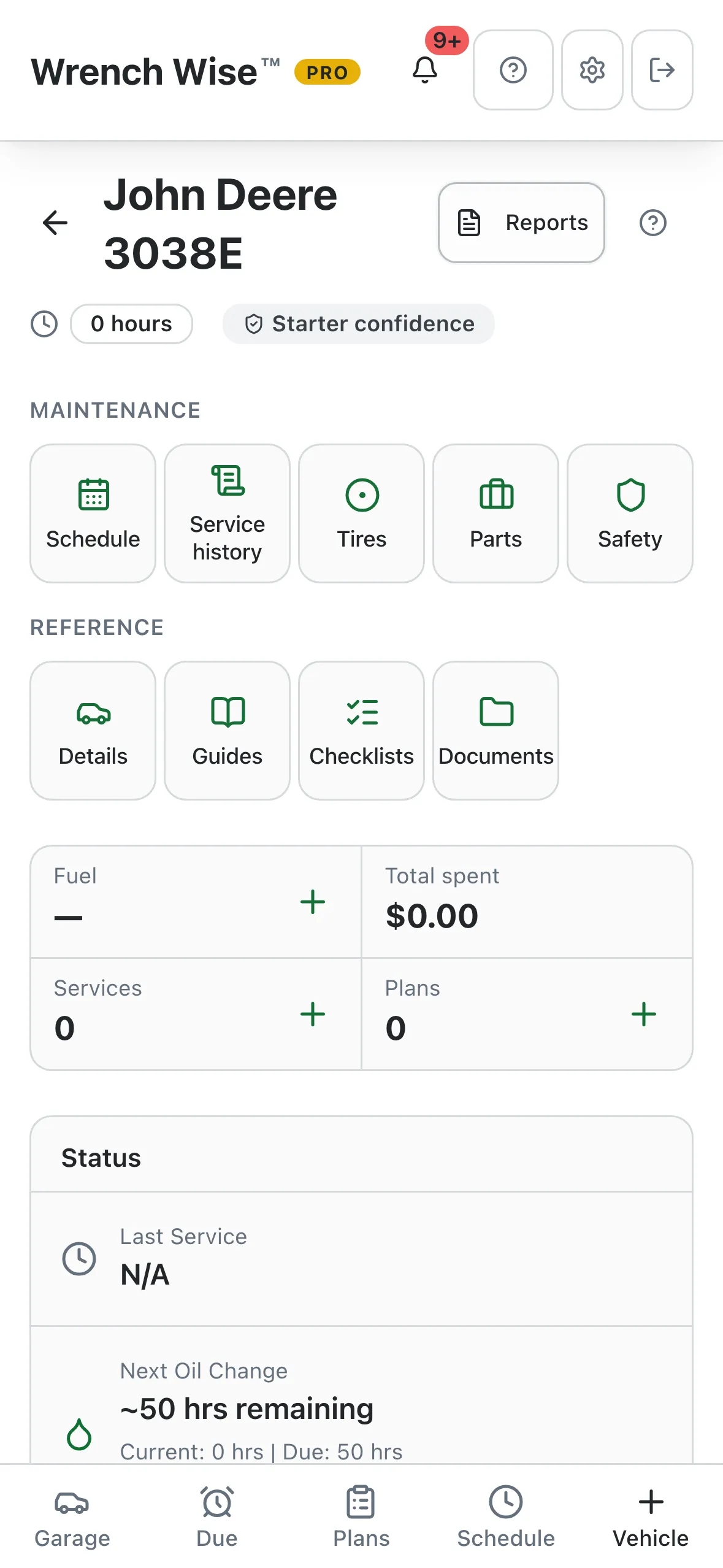
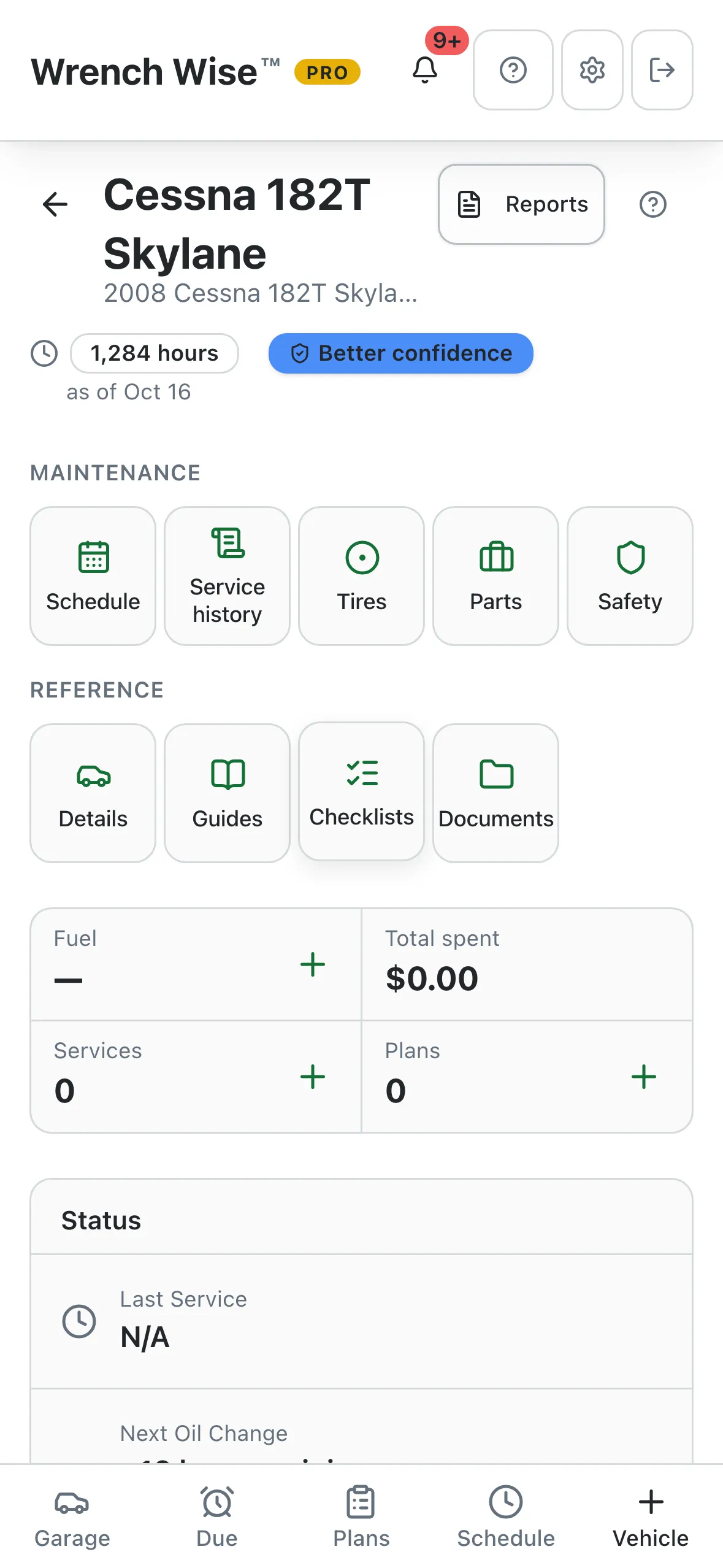
Wrench Wise™ app: Its own dashboard: schedule, history, tires, parts and more.
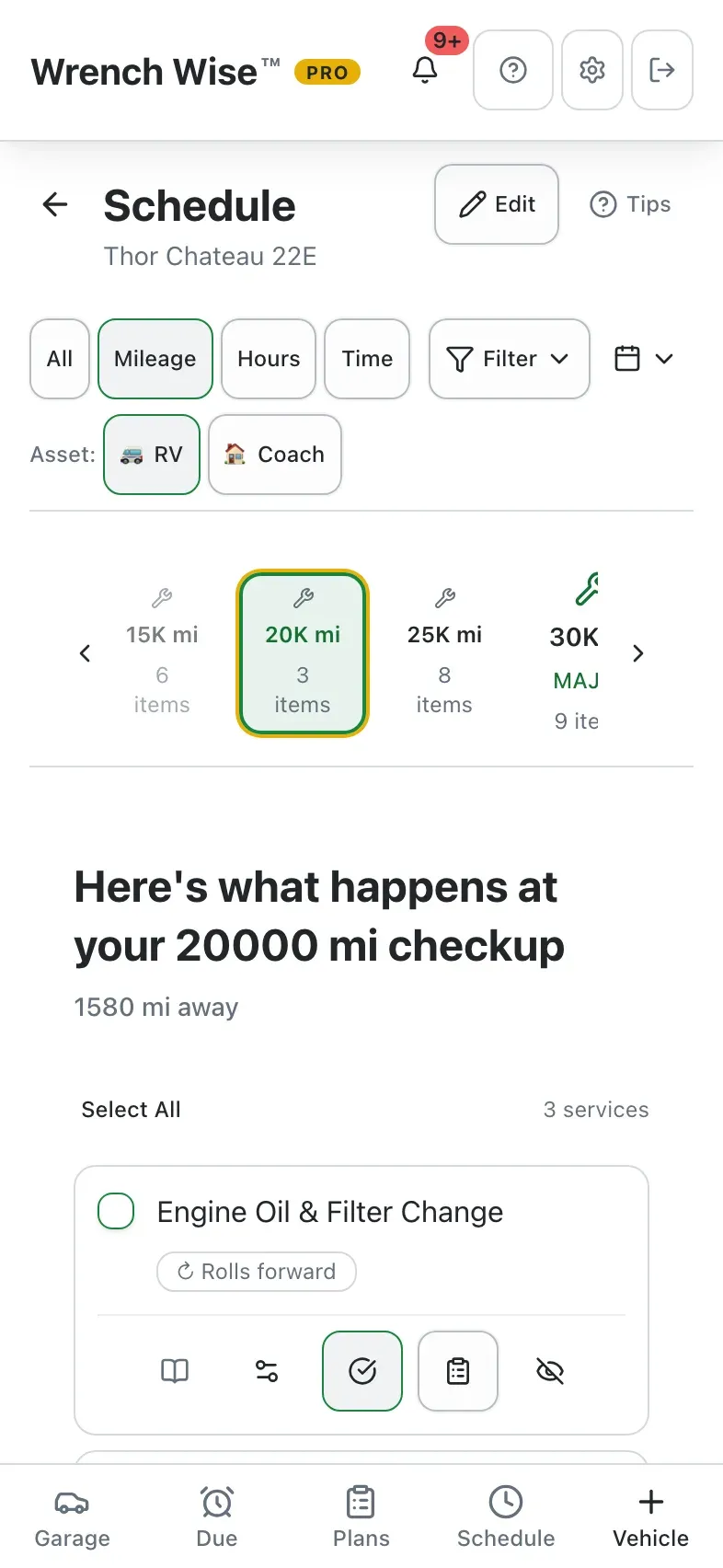
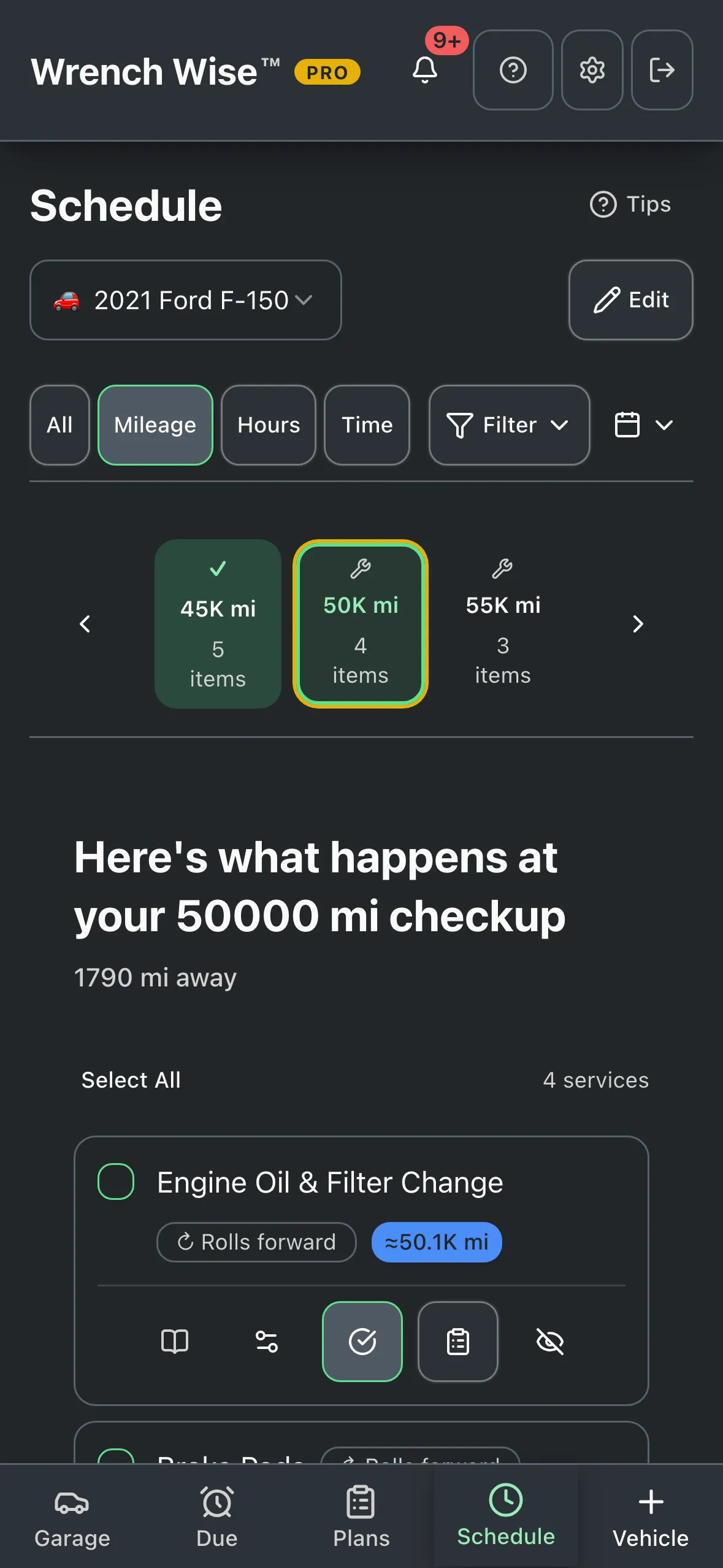
Wrench Wise™ app: Every service, grouped into checkups by mileage, hours or time.

Real screens from the Wrench Wise™ app, captured with a demo garage.

Wrench Wise™ Pro

Pro does the typing and backs up your records, for one boat or a whole fleet.

  • Your manual, already entered

    Import your owner’s manual or, for supported makes, the factory schedule instead of typing intervals in.

  • Backed up on every device

    Automatic backup and sync across your phone, tablet and the web app.

  • Share the work

    Up to 5 people on one garage, each with their own permissions.

  • Proof when you sell

    Send a buyer a history link, then hand the records over.

$29.99 a year (about $2.50 a month), or $4.99 monthly. 14 days free to try.

Compare Free and Pro

Smarter than a mileage reminder

A real maintenance plan, not a list of reminders.

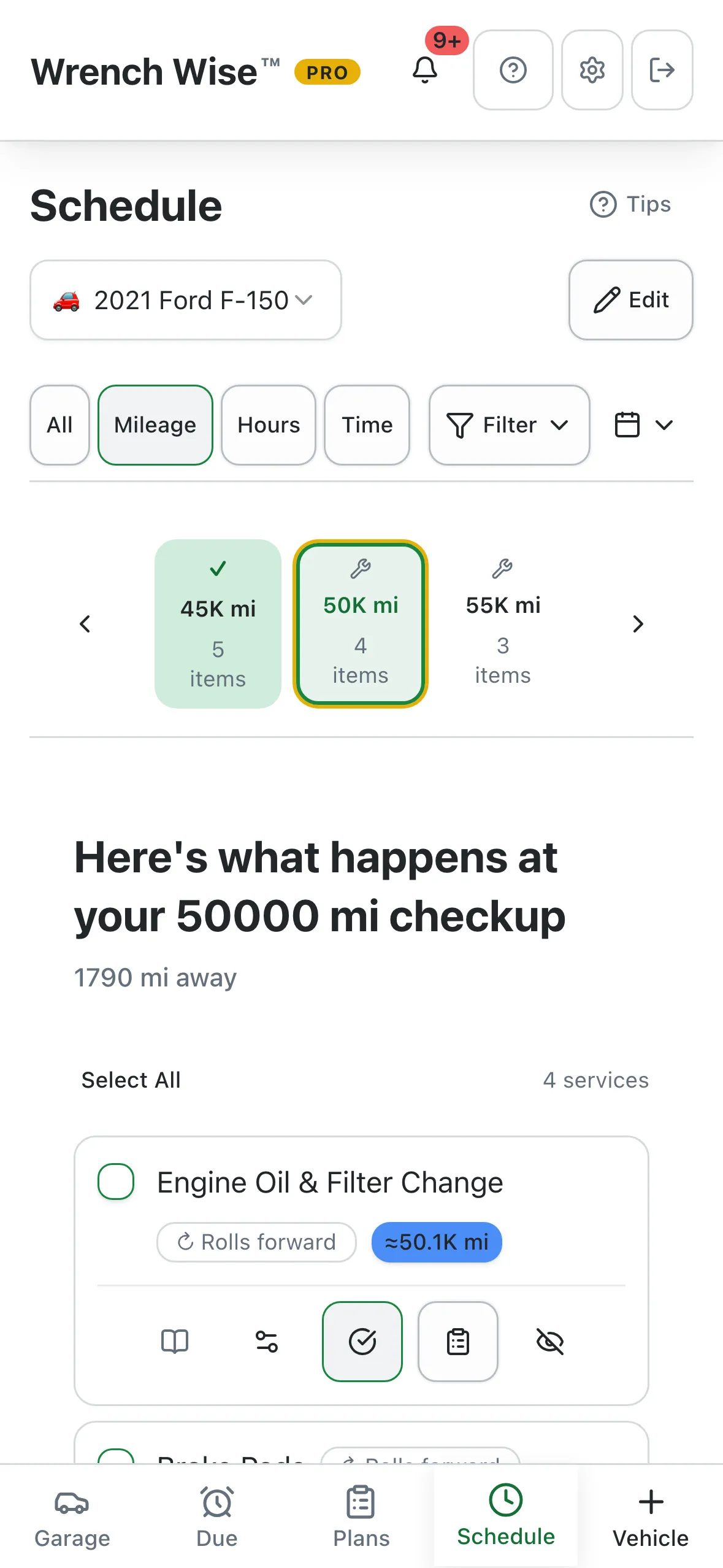
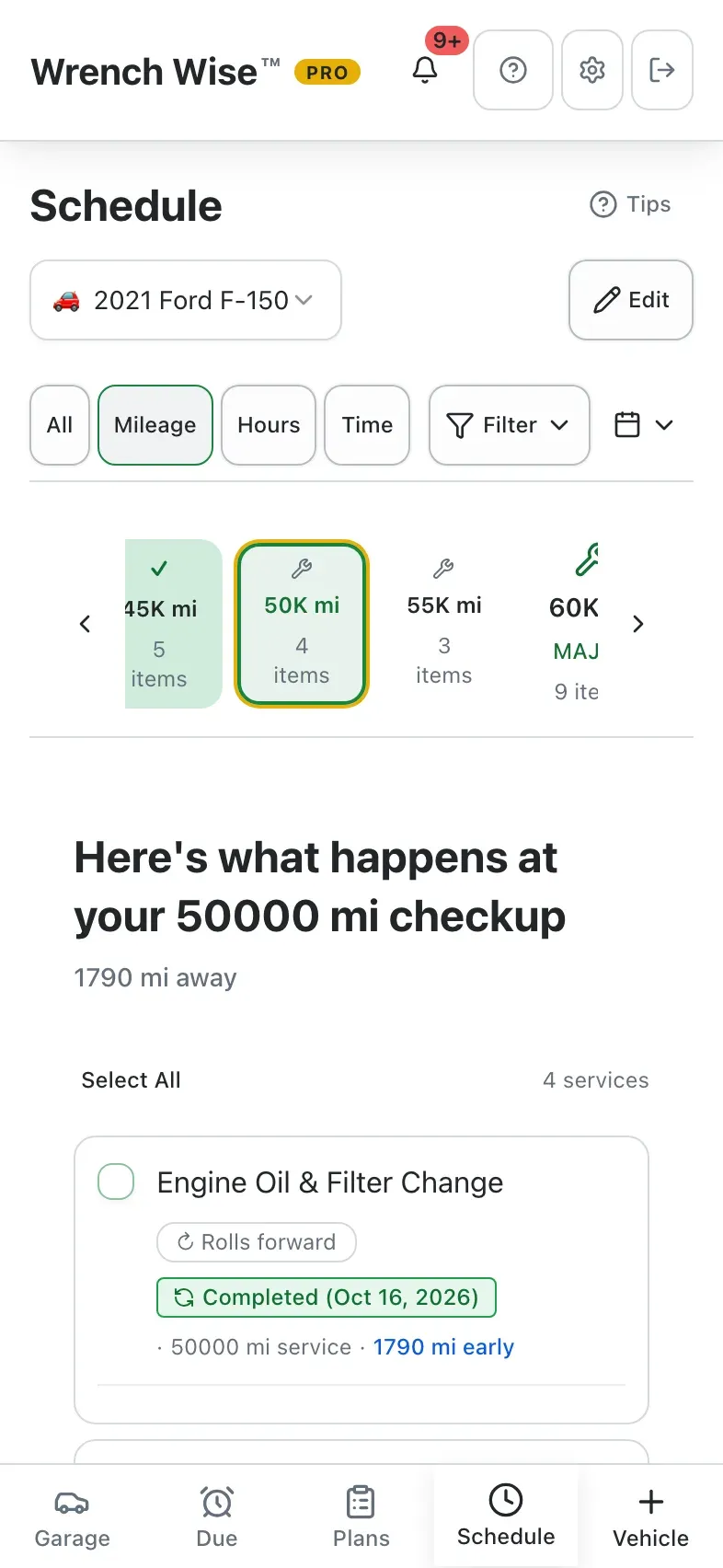
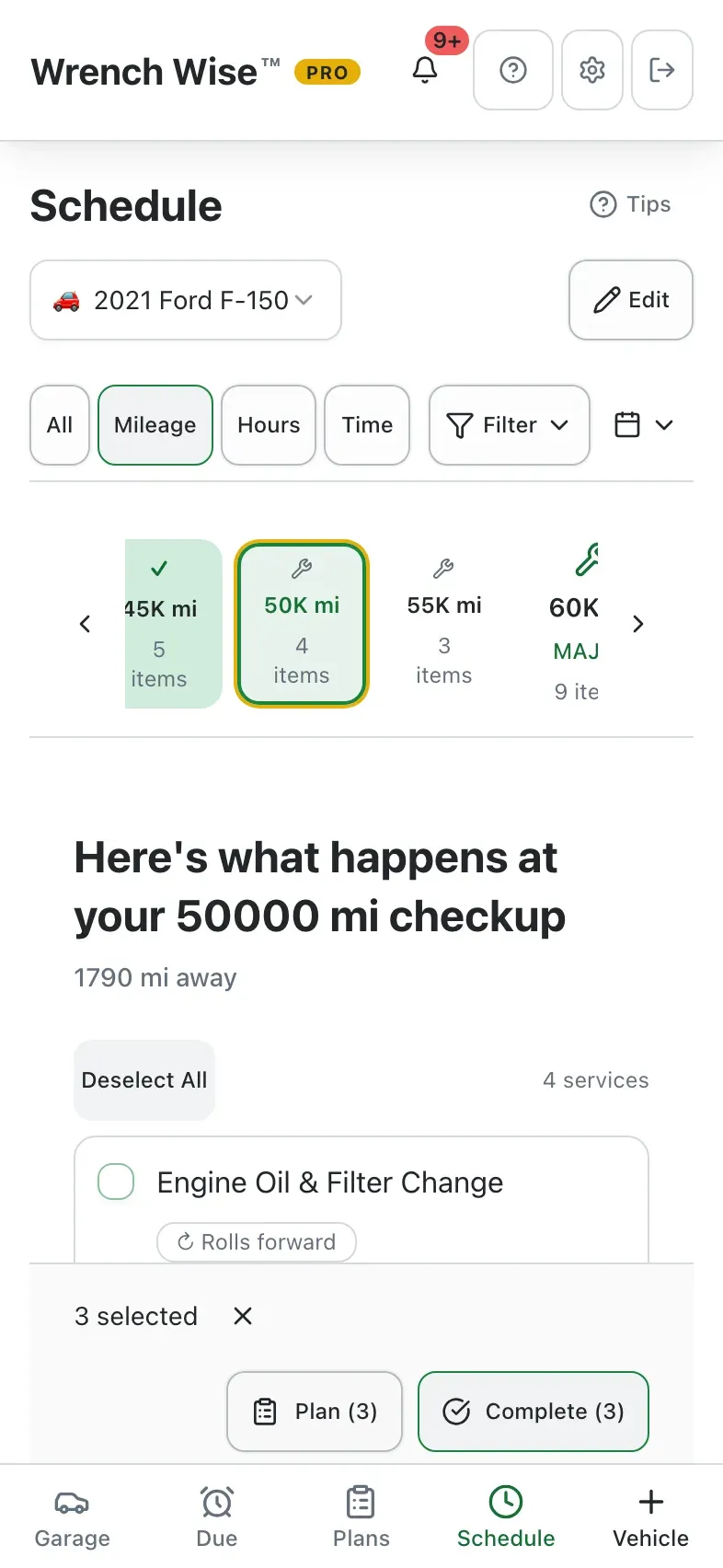
Wrench Wise™ groups what’s due into checkups the way a service department does, logs a whole shop visit in one go, and moves every interval forward from the work you actually did.

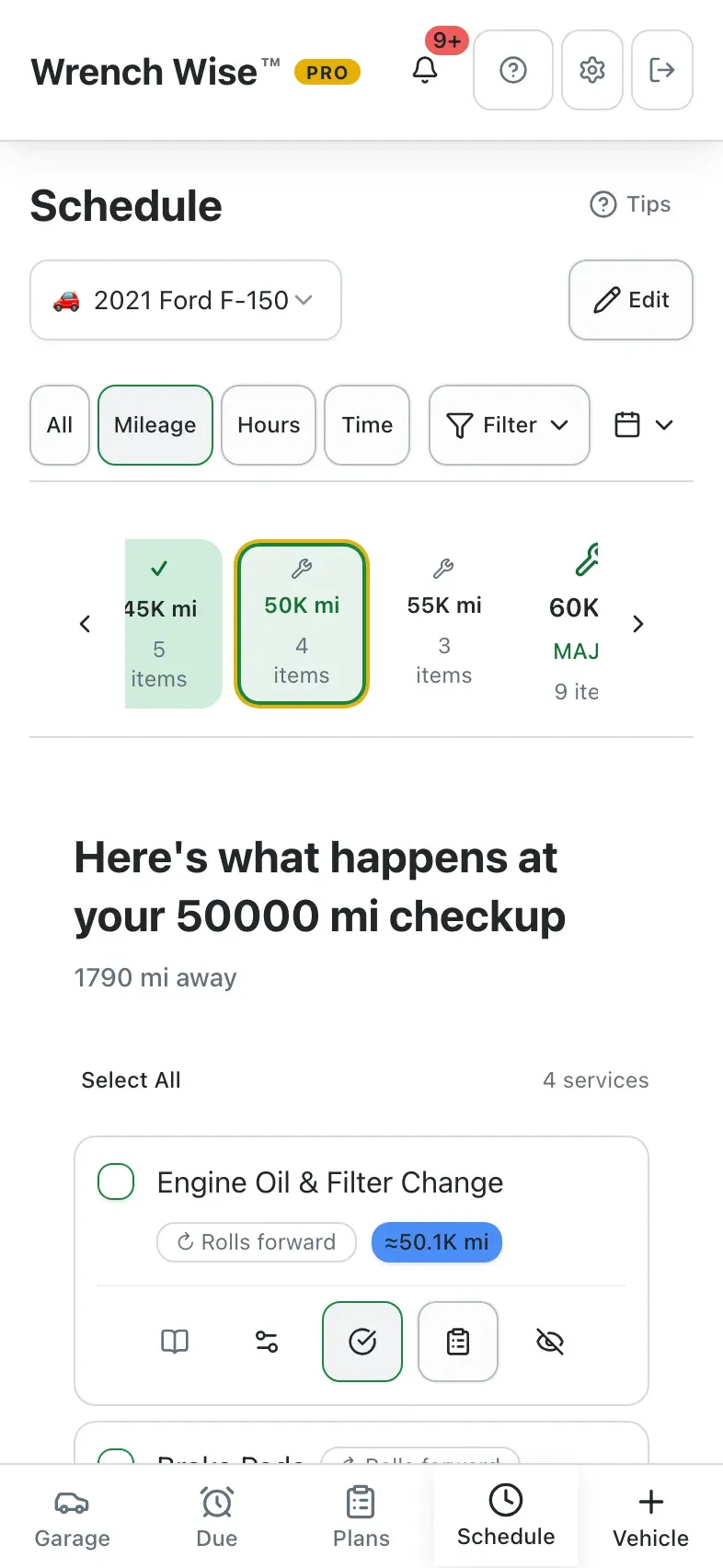
  • Checkups by mileage, hours or time.
    See everything due at 45,000 miles, at 100 hours or this spring, together.
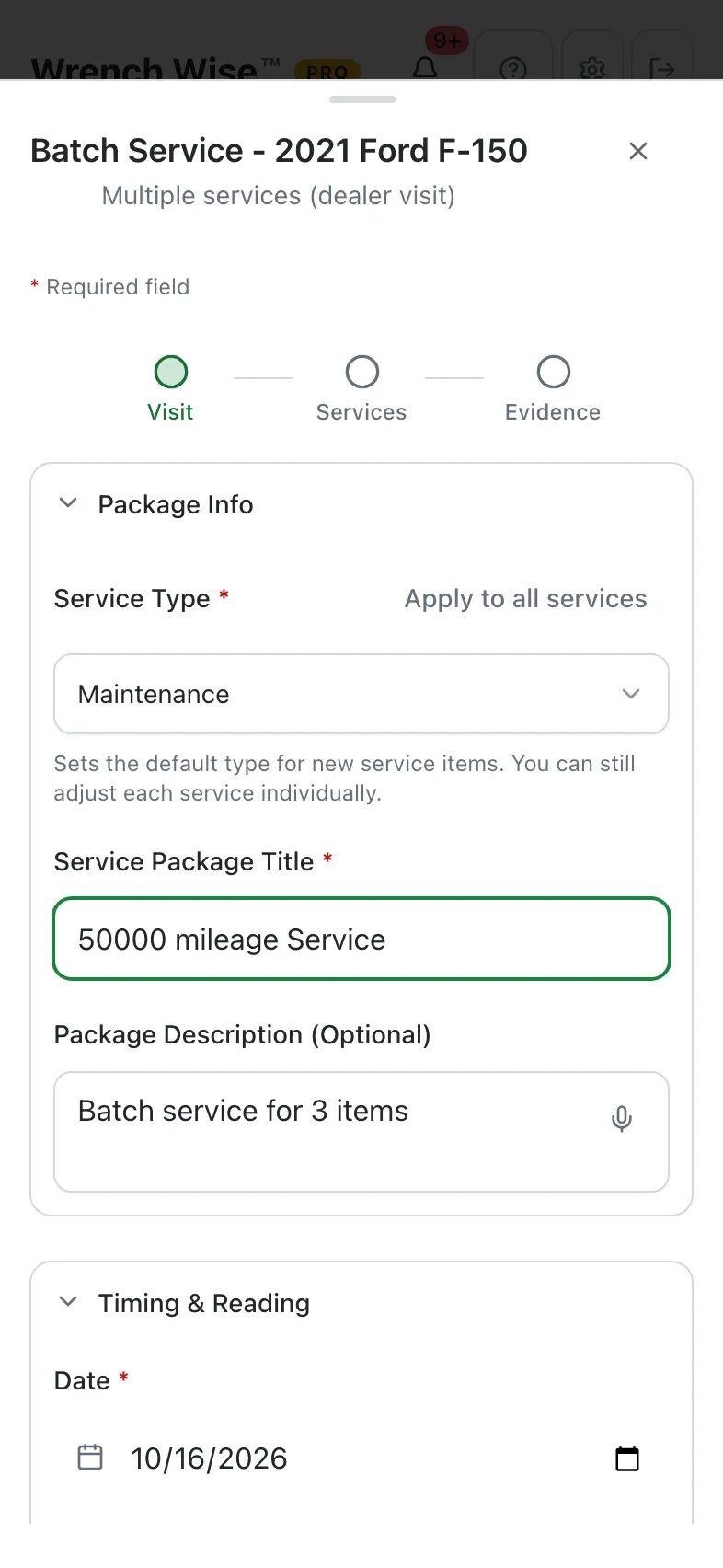
  • Complete a whole visit at once.
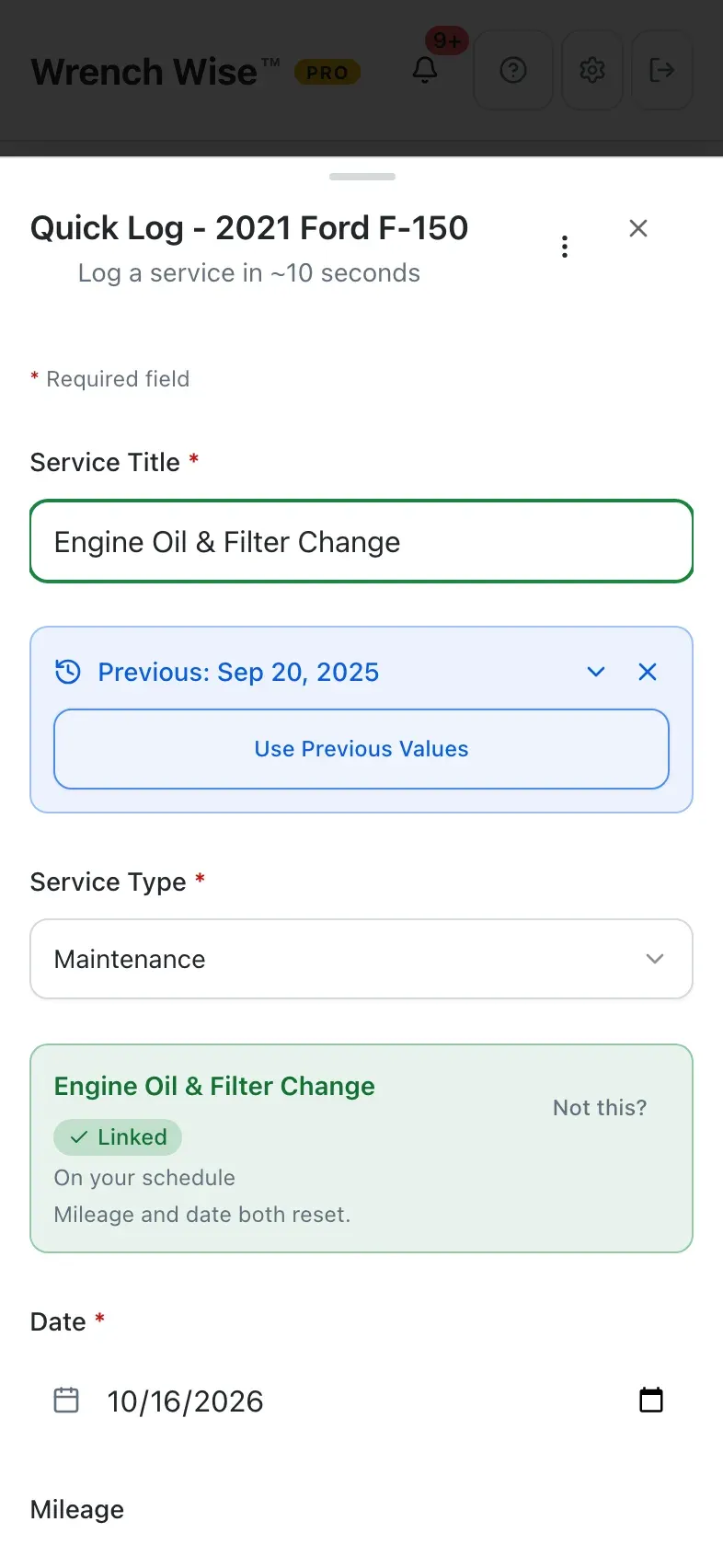
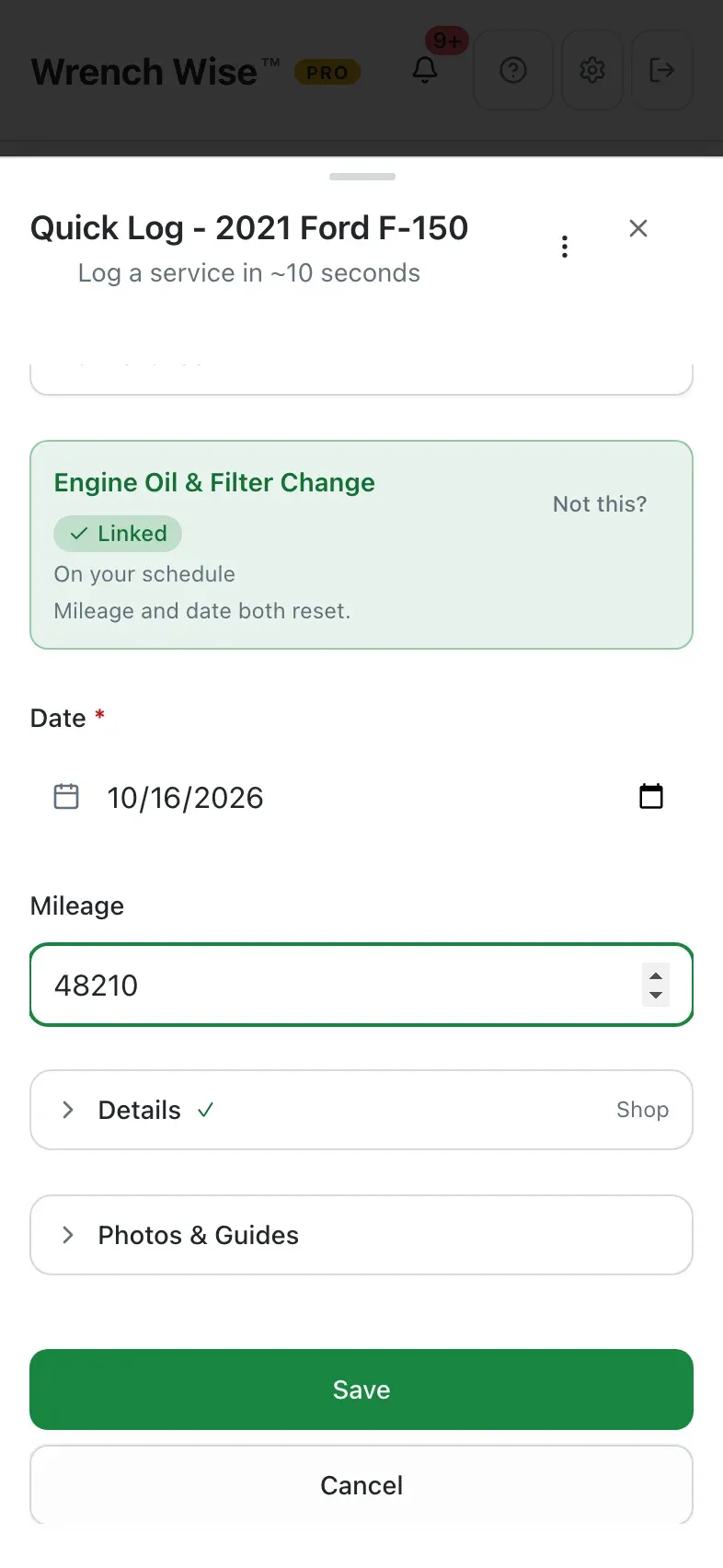
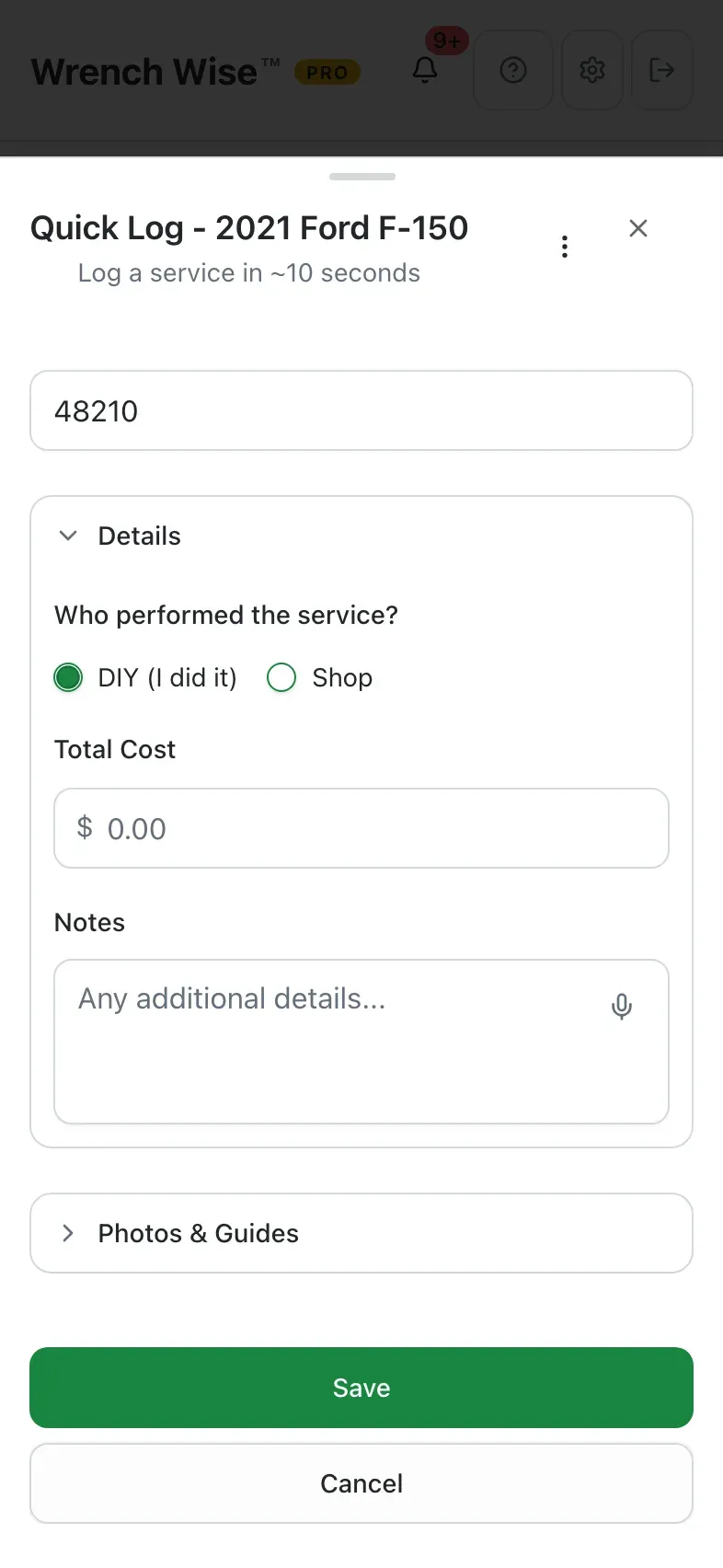
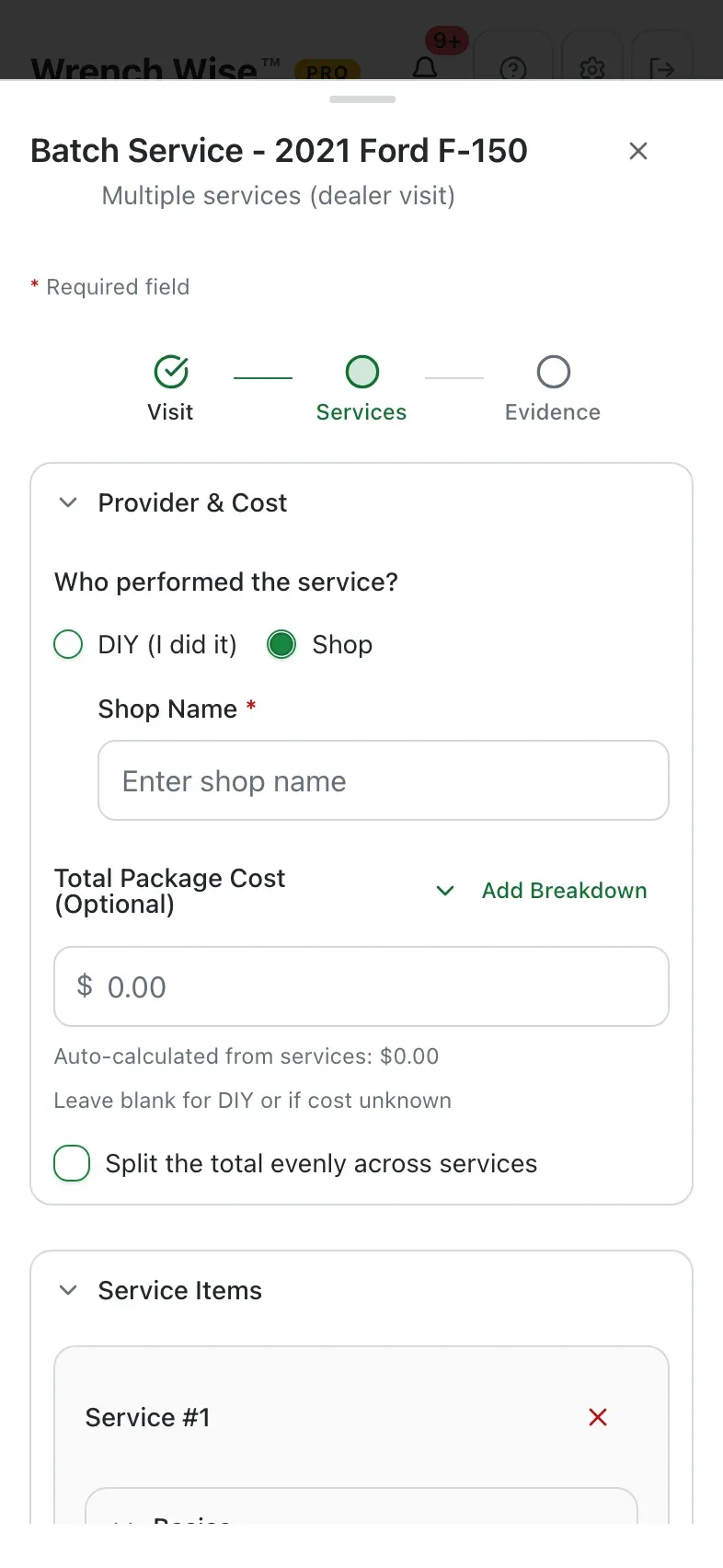
    Select the checkup, enter the shop and total cost once, and every item is logged.
  • You choose how intervals reset.
    Roll forward from each service, keep the original 5k/10k/15k plan, or use a fixed date for registration and inspections.
  • Skip one, keep the rest.
    Skip an item at this checkup only, with a reason; it still appears at future ones.
  • Oil-life monitor aware.
    Enter your dash reading and the next oil change is projected from it, within the manufacturer’s limits.
  • Scan the shop invoice. Pro
    Wrench Wise™ reads the work and matches it to your schedule items for you to review.

From the real app

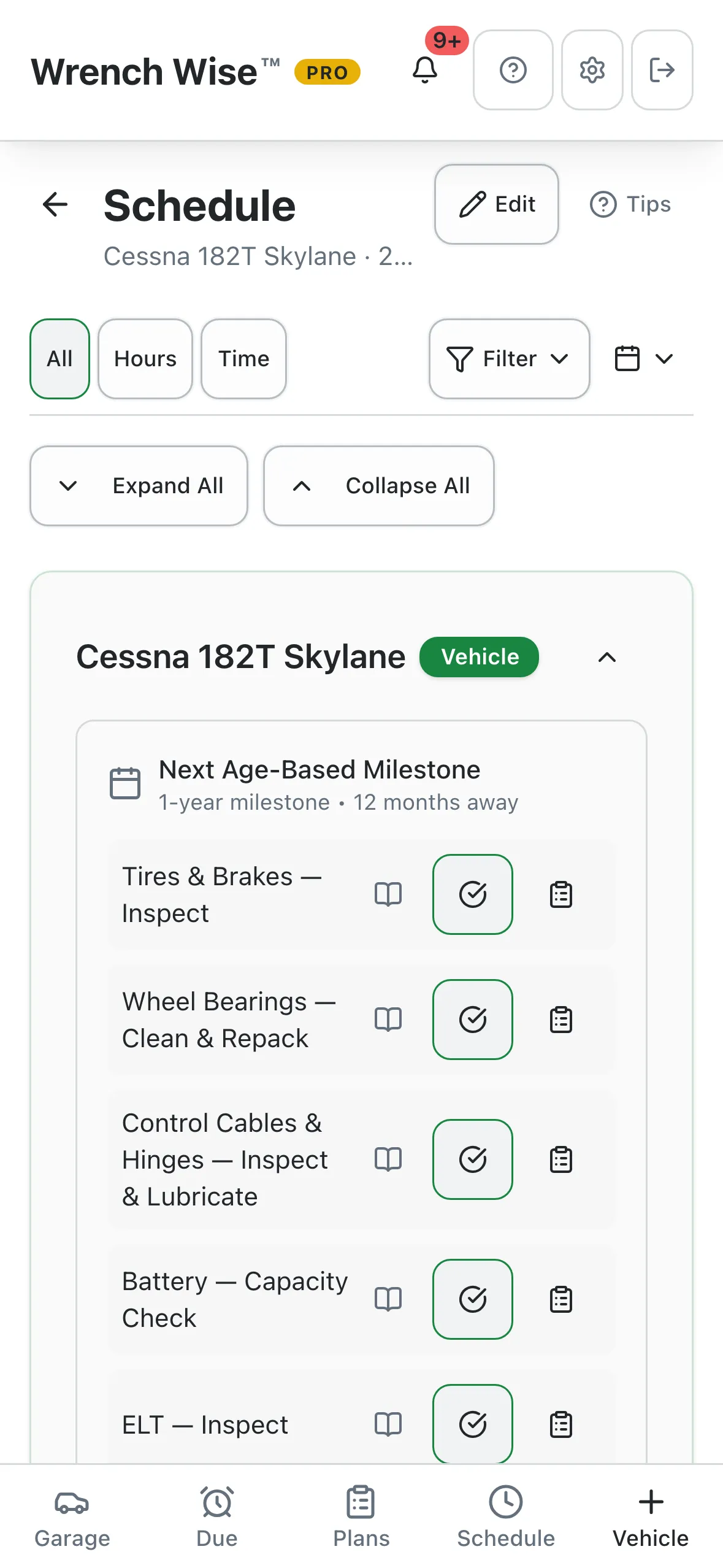
Wrench Wise™ schedule screen: milestone checkups by mileage, with the 45,000 mile checkup completed
Wrench Wise™ app: Checkups group what’s due together. Select the whole checkup…
Wrench Wise™ app: …and complete it in one go.
Wrench Wise™ app: One visit, several services: enter the date and reading once.
Wrench Wise™ app: Shop or DIY, and the total cost, for the whole visit.

Real screens from the Wrench Wise™ app, captured with a demo garage.

Sell it for more

Hand the next owner the proof.

A documented service history is one of the best arguments at sale time. Wrench Wise™ lets a buyer check the history before they commit, then moves the records to them when the deal is done.

  • Share a read-only history link. Pro
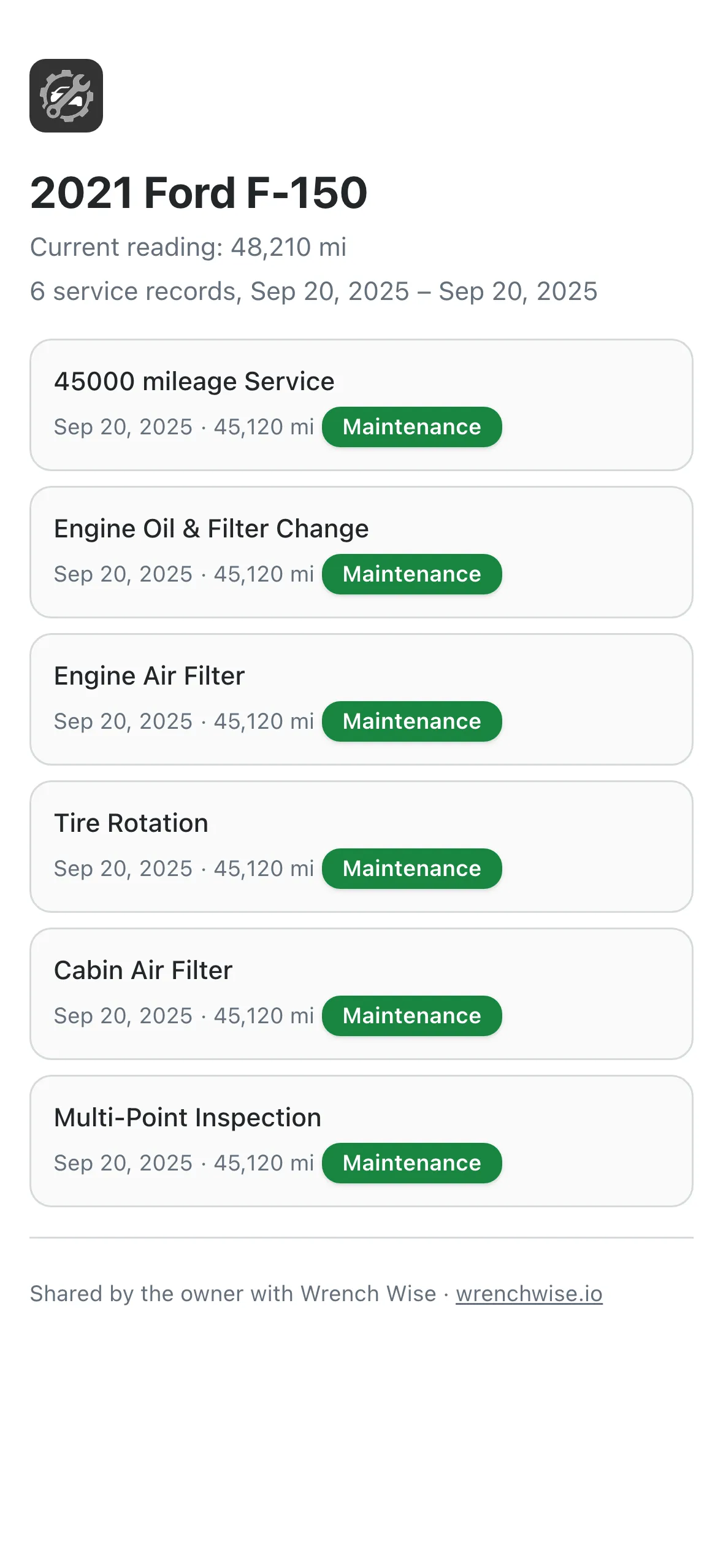
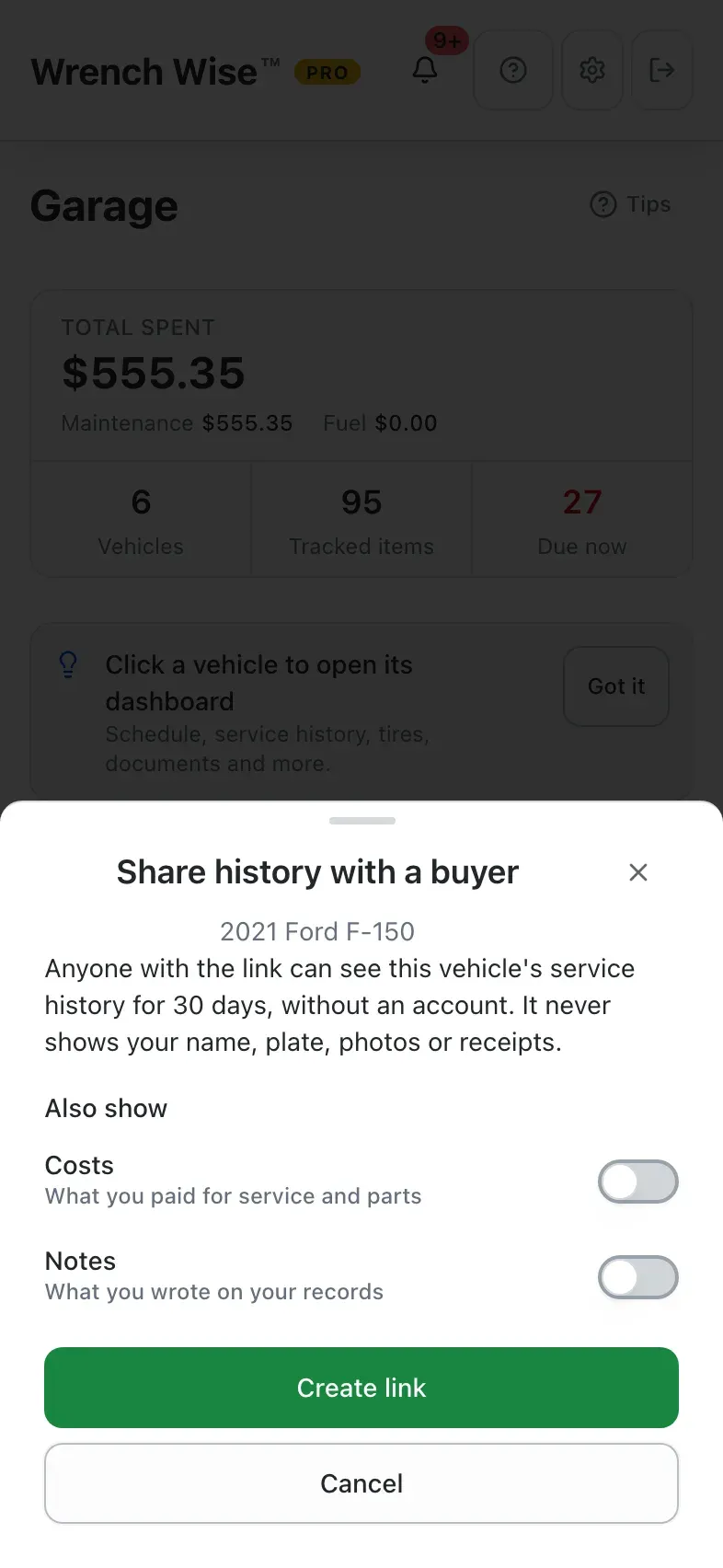
    Anyone with the link can see the service history for 30 days, with no account needed. Your name, plate, photos and receipts are never shown, and costs and notes only if you choose. You see when it’s opened.
  • Useful for your mechanic too.
    Send the same link to a shop that wants to know what’s been done.
  • Transfer the records at sale. Pro
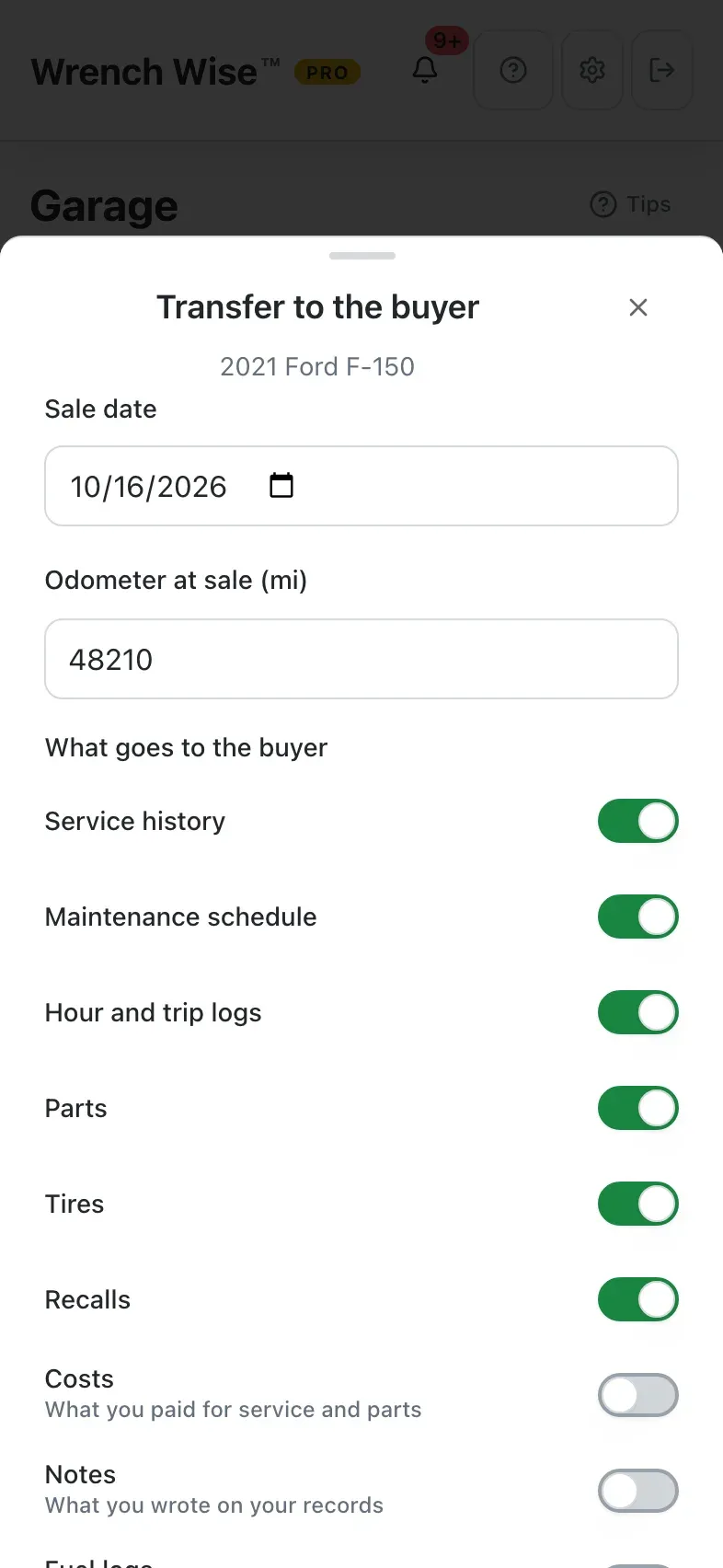
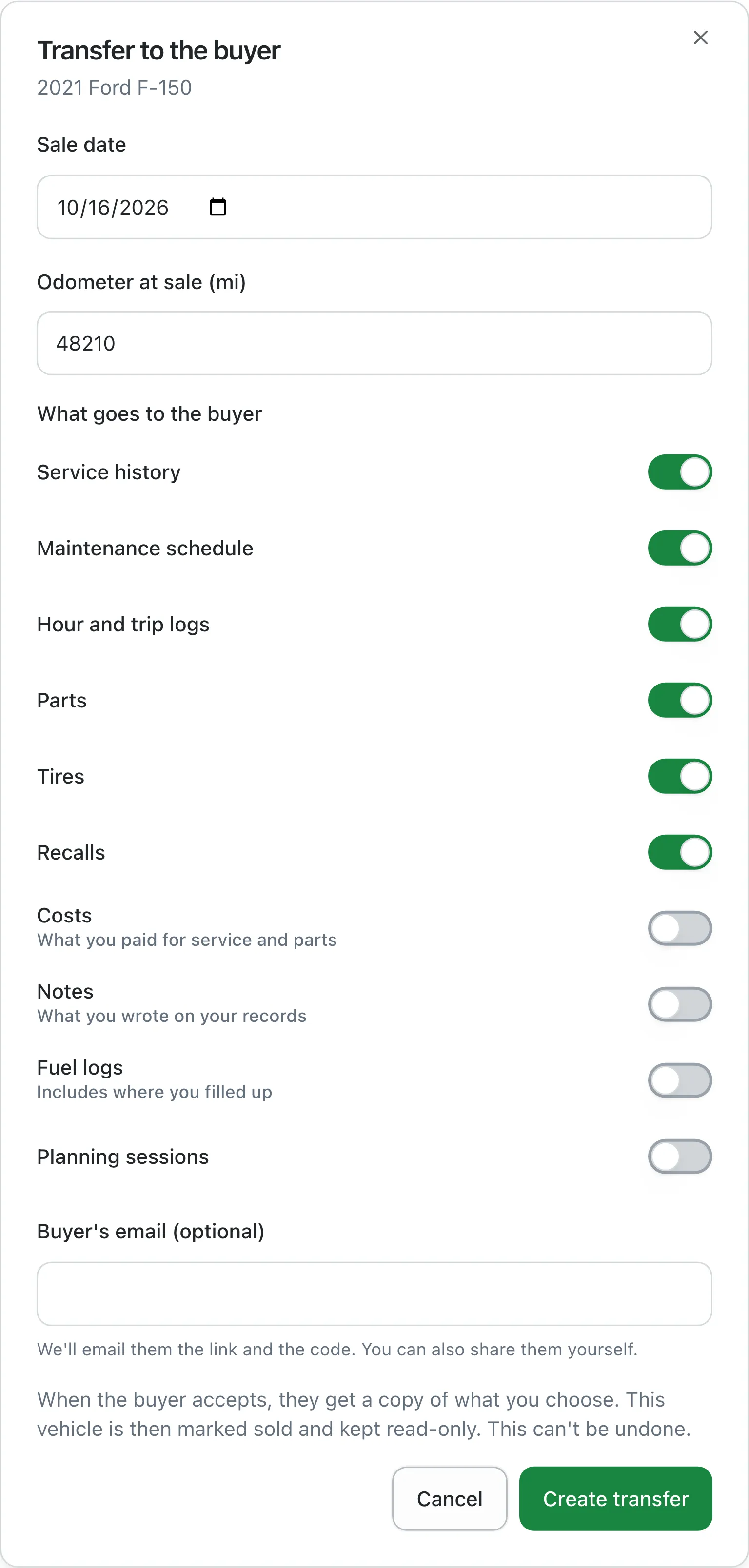
    Choose what goes (service history, schedule, parts, tires, costs, notes, photos) and give the buyer a one-time code or QR code. It expires in 14 days.
  • Nothing lost on your side.
    The buyer gets their own copy. Yours is marked sold and kept read-only.

Sharing and transferring need Pro. To accept a transfer, the buyer needs a Wrench Wise™ account and Pro.

From the real app

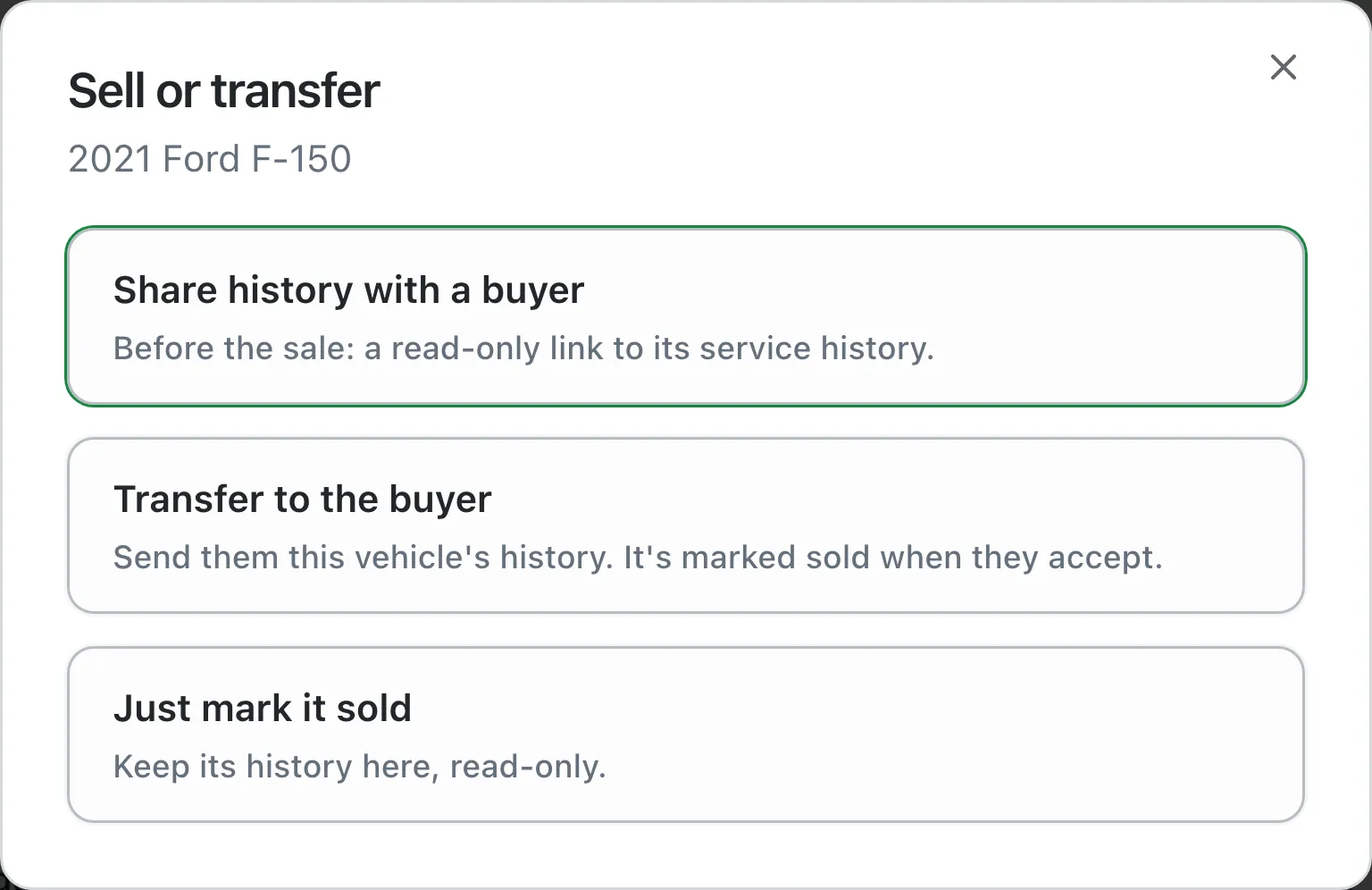
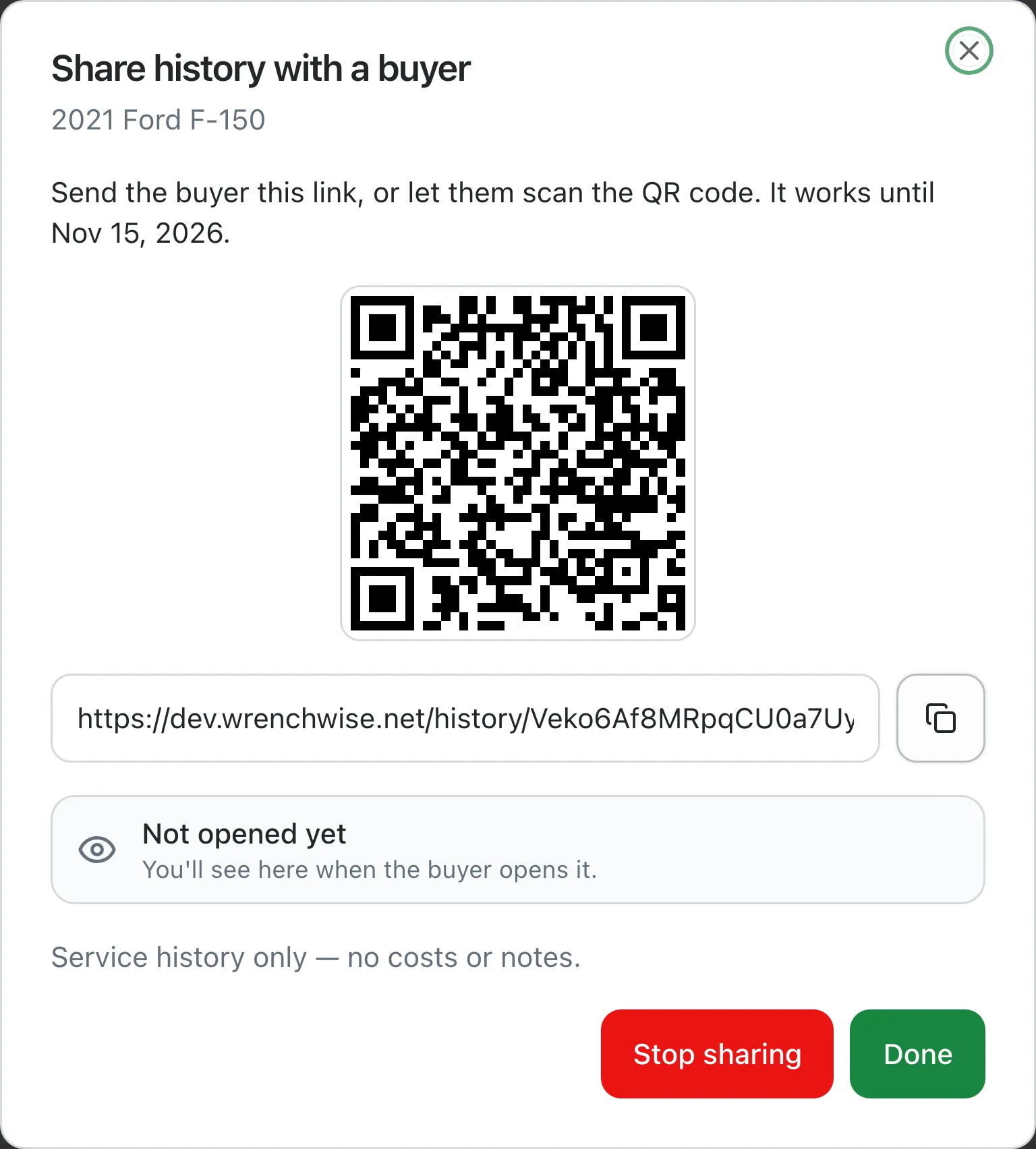
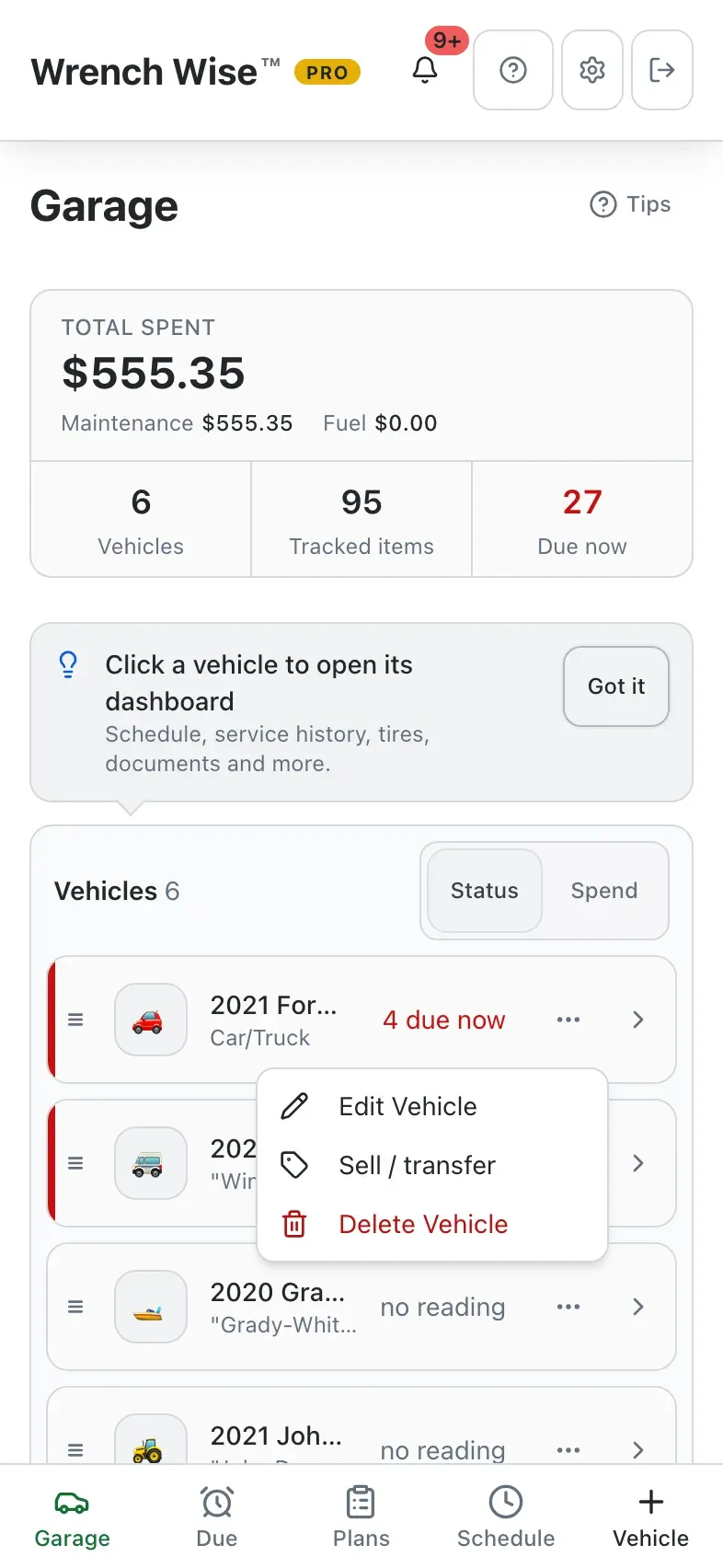
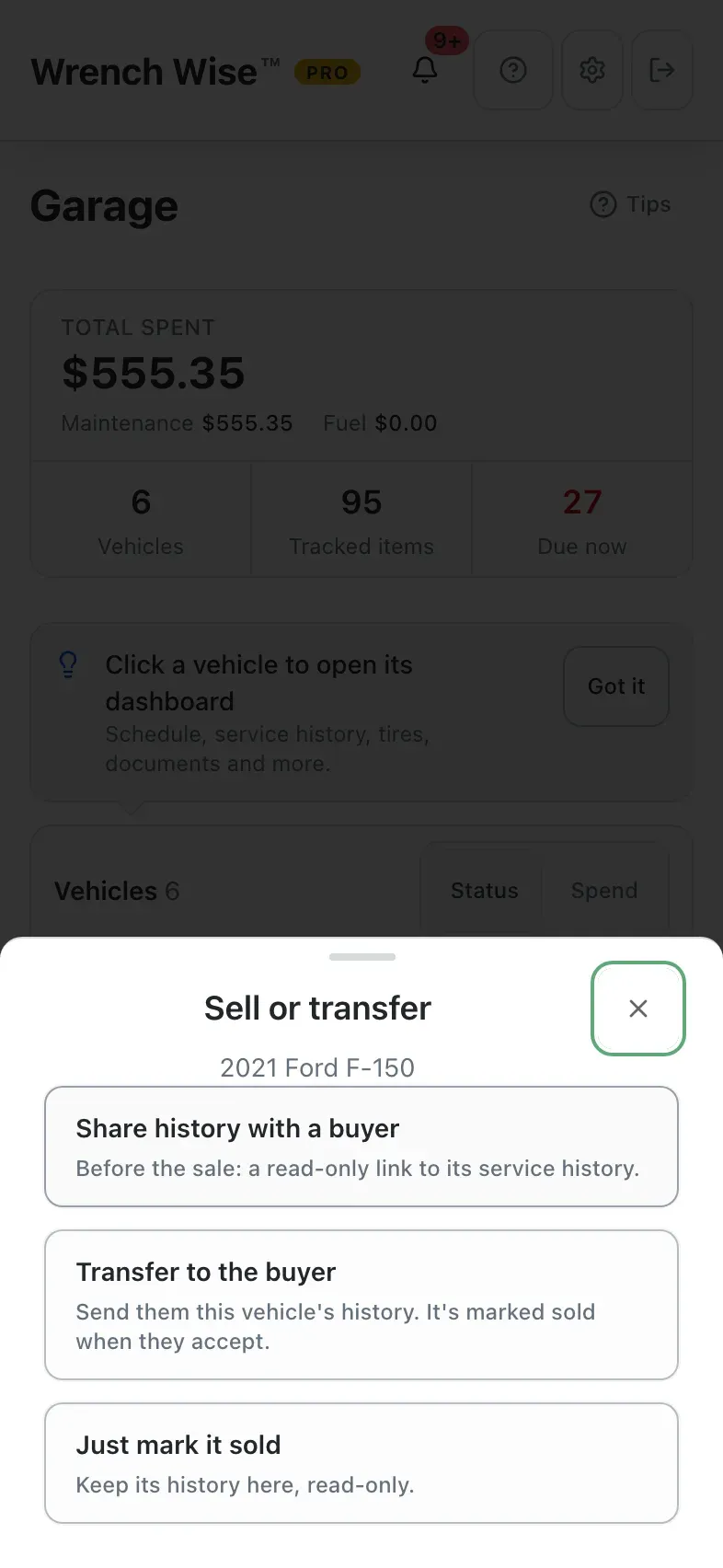
Sell or transfer: share history with a buyer, transfer to the buyer, or just mark it soldShare history with a buyer: link and QR code, and a tracker that shows when the buyer opens itThe read-only service history page a buyer sees, without an accountTransfer to the buyer: switches for what goes to the buyer
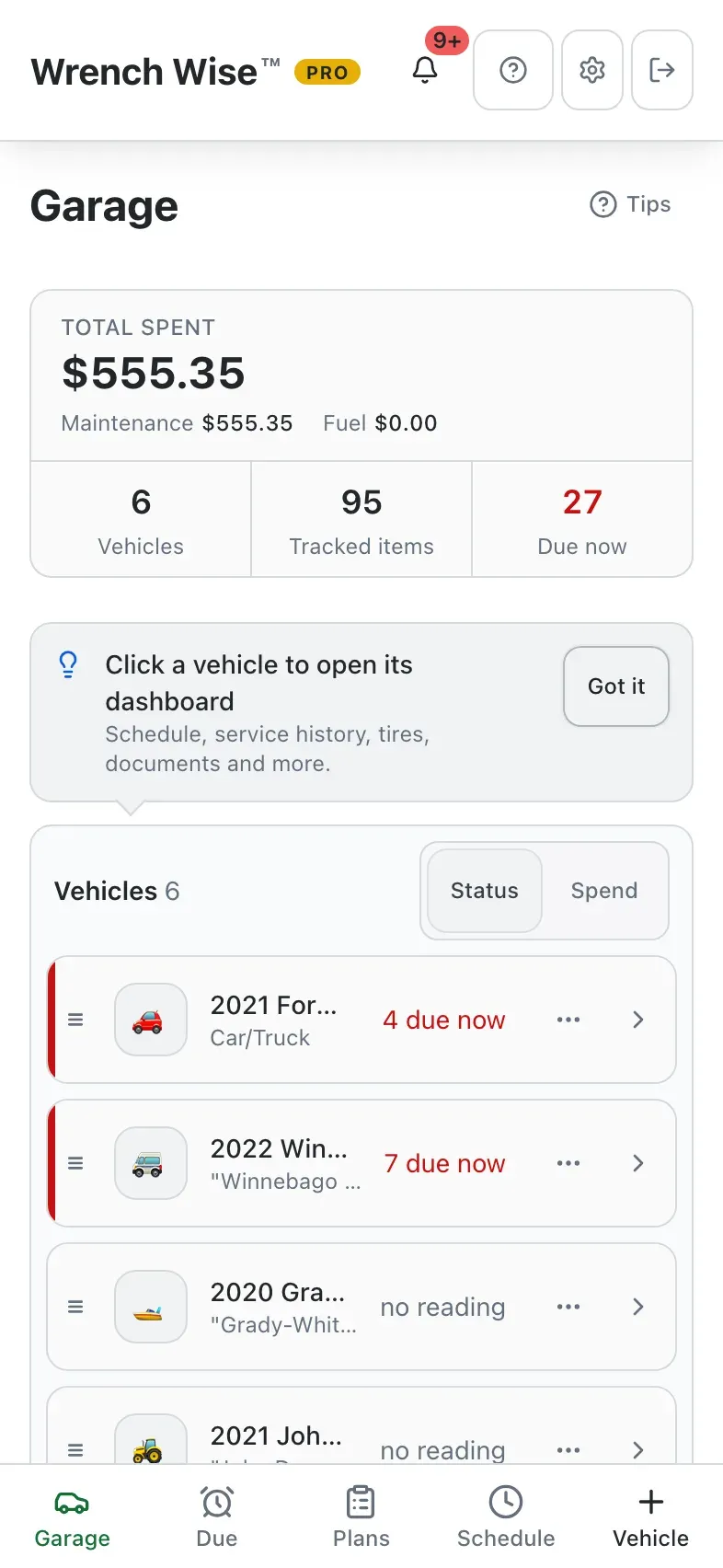
Wrench Wise™ app: Selling? Open the vehicle’s menu…
Wrench Wise™ app: …and choose Sell / transfer.
Wrench Wise™ app: Share the history before the sale, or transfer it when you sell.
Wrench Wise™ app: A read-only link for 30 days. Costs and notes stay private unless you choose.
Wrench Wise™ app: Transfer the records: you choose exactly what goes to the buyer.

Real screens from the Wrench Wise™ app, captured with a demo garage.

Do it yourself, do it right

Checklists and guides for the jobs you do every season.

Winterize the RV, commission the boat, check the bike before a long ride. Wrench Wise™ keeps the steps, the notes and the history, free and offline.

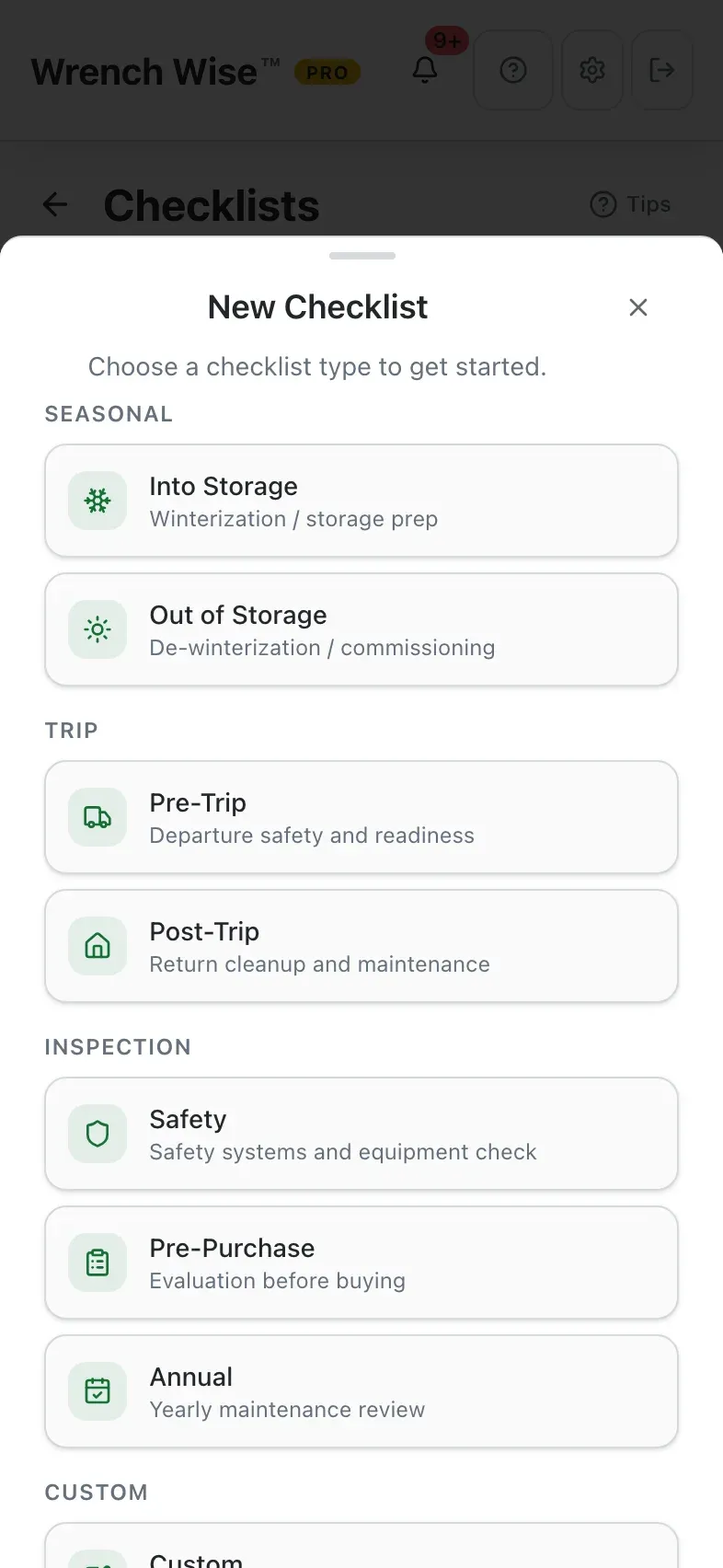
  • Checklists for every season.
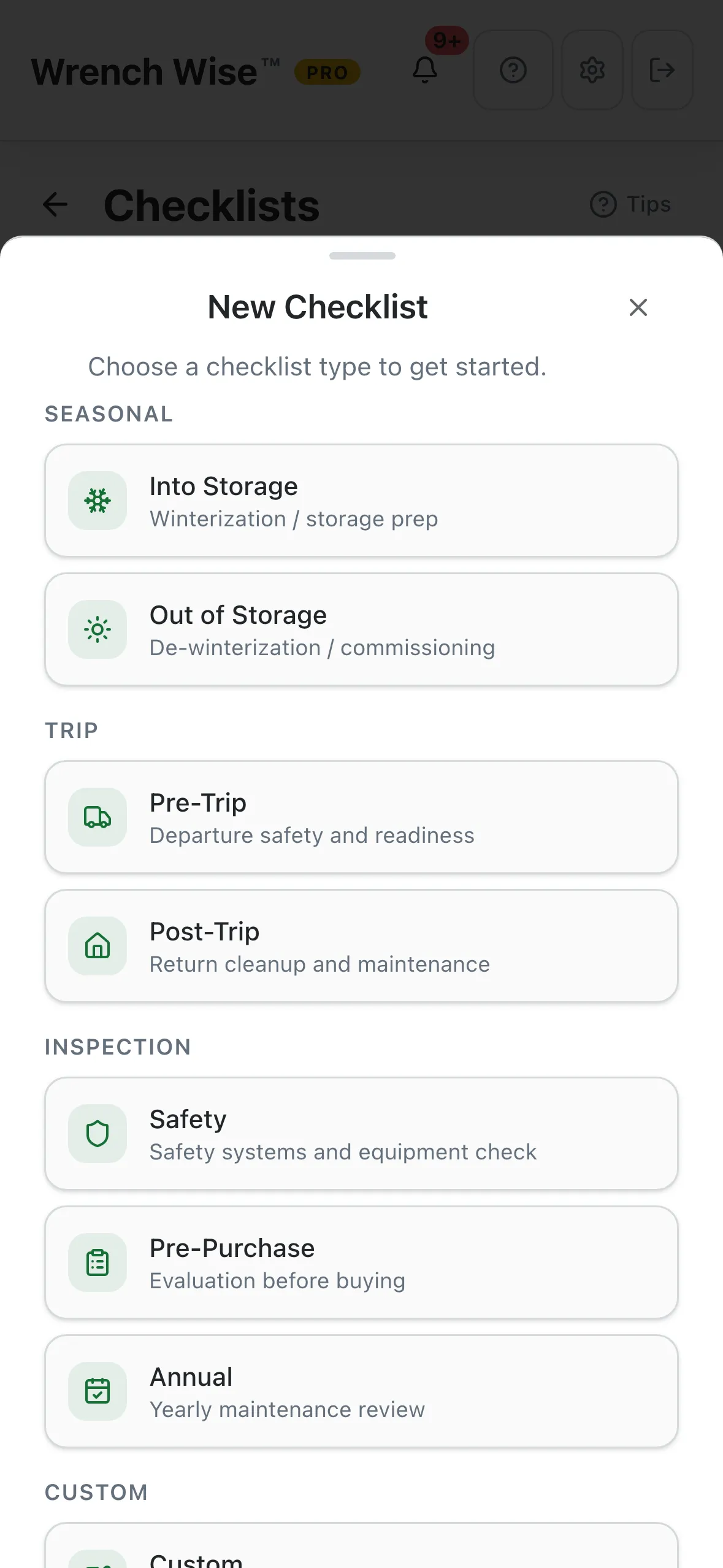
    Into storage, out of storage, pre-trip, post-trip, safety, pre-purchase, annual, or your own. RVs, boats, bikes, sleds, tractors and generators come with seasonal templates.
  • Grouped by system.
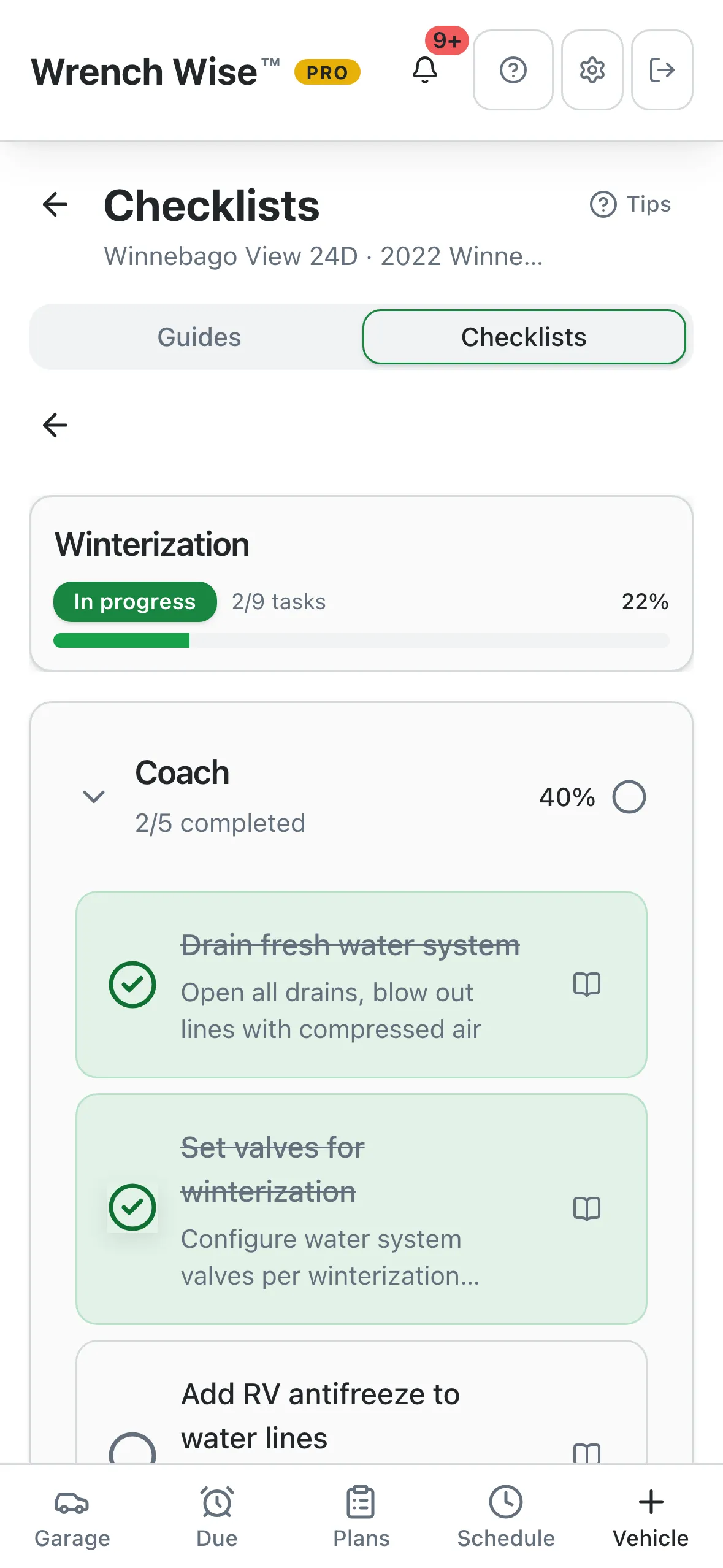
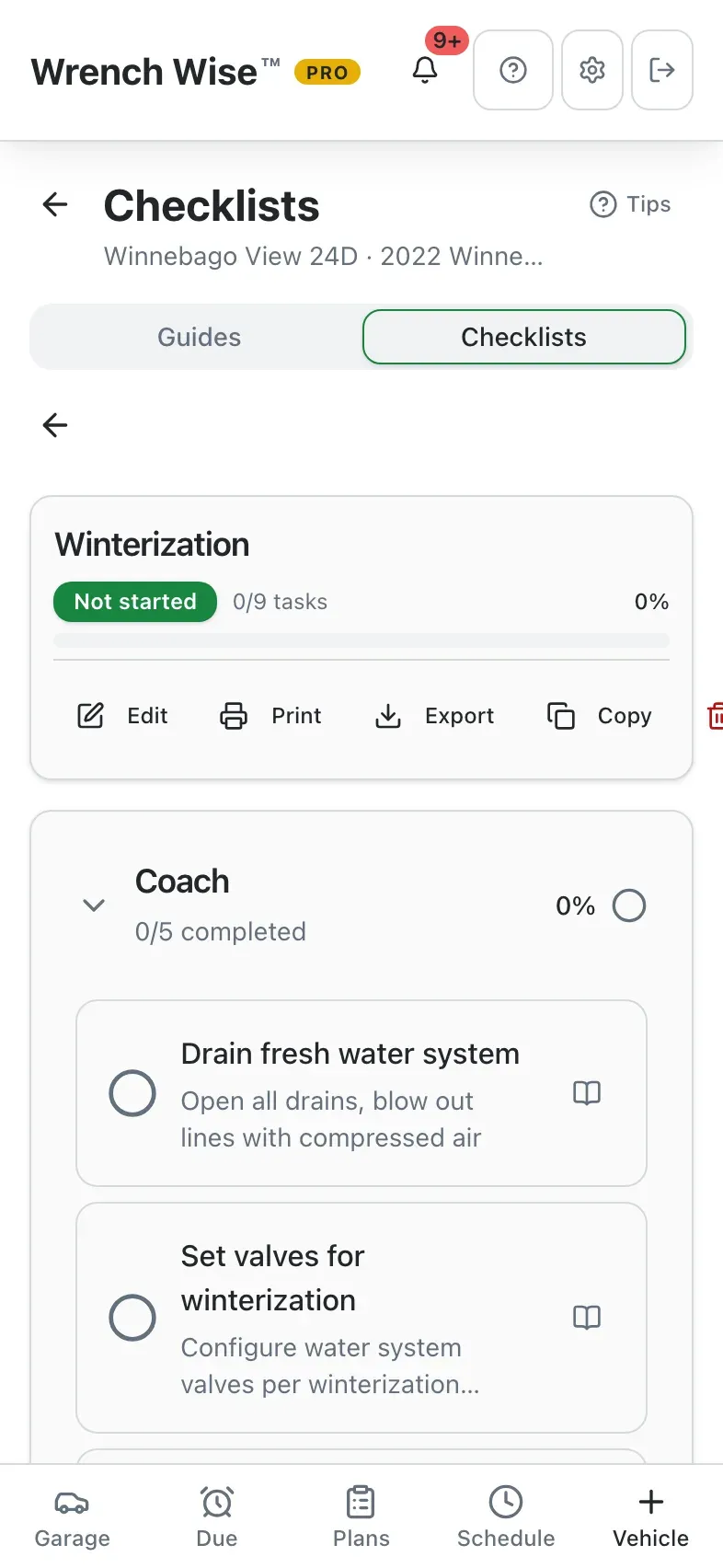
    An RV’s list splits into coach, generator and chassis, so nothing gets missed.
  • Notes, print and “copy to next year”.
    Keep observations with each list and reuse it next season.
  • Step-by-step guides.
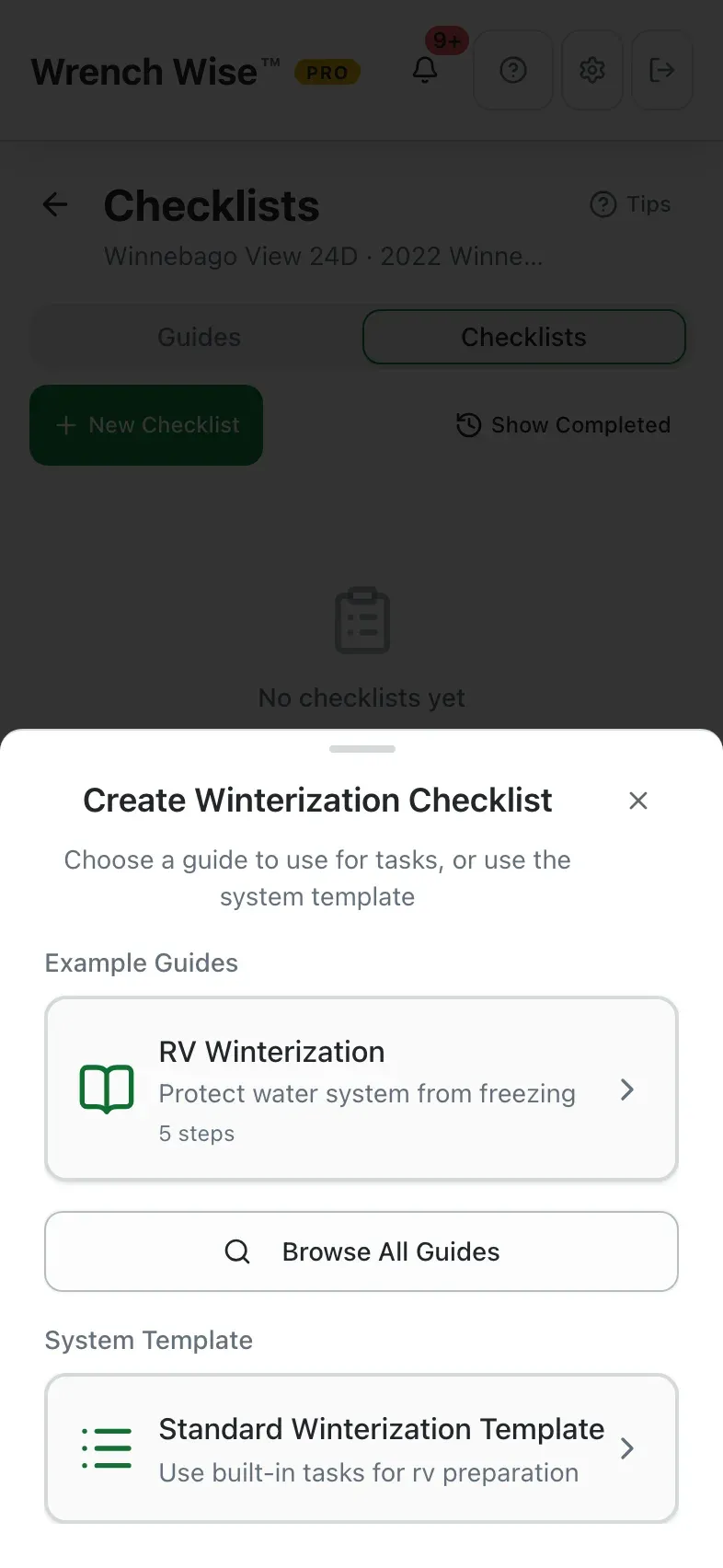
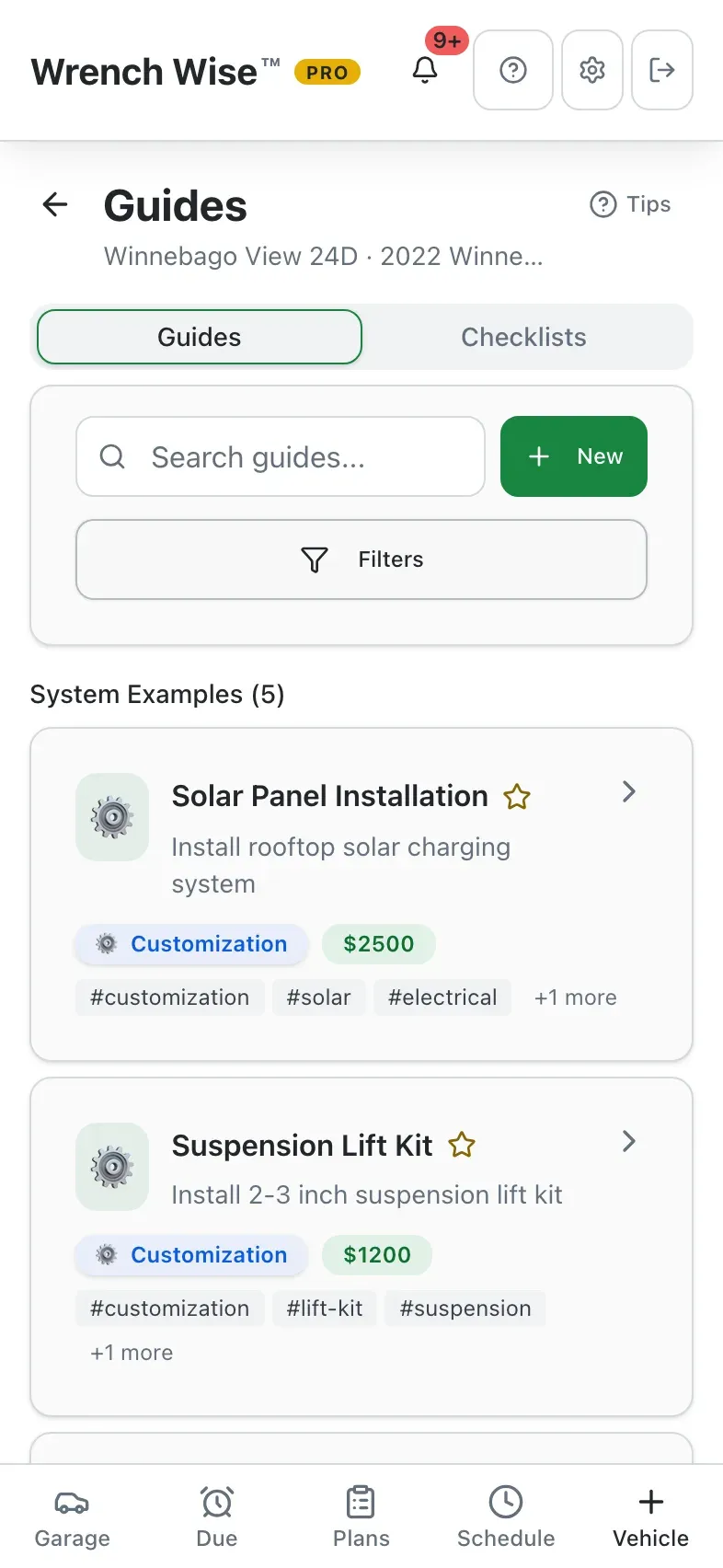
    Write your own with photos on every step and video links, or start from 37 built-in examples that work offline.
  • Linked where you need them.
    Attach a guide to a schedule item or a checklist task and the how-to is one tap away.

From the real app

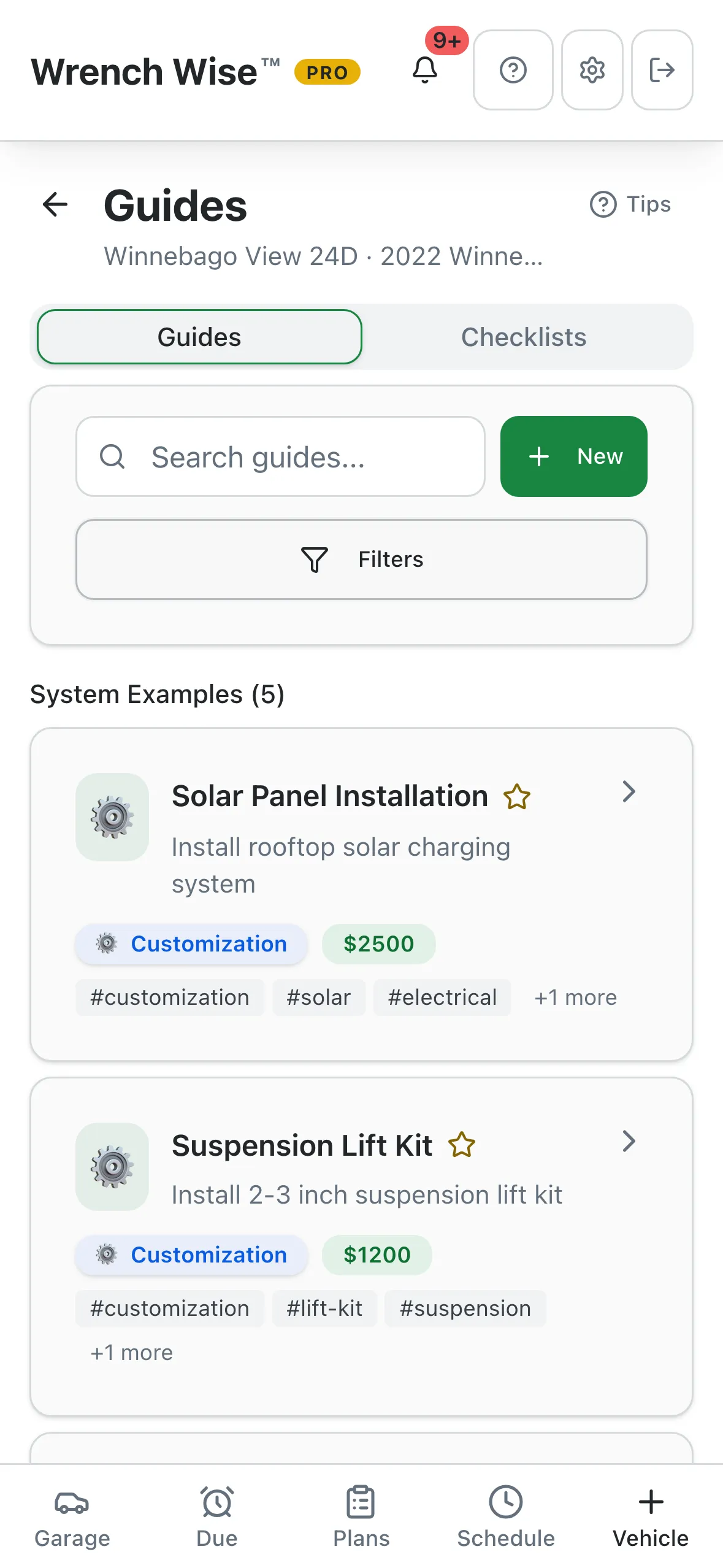
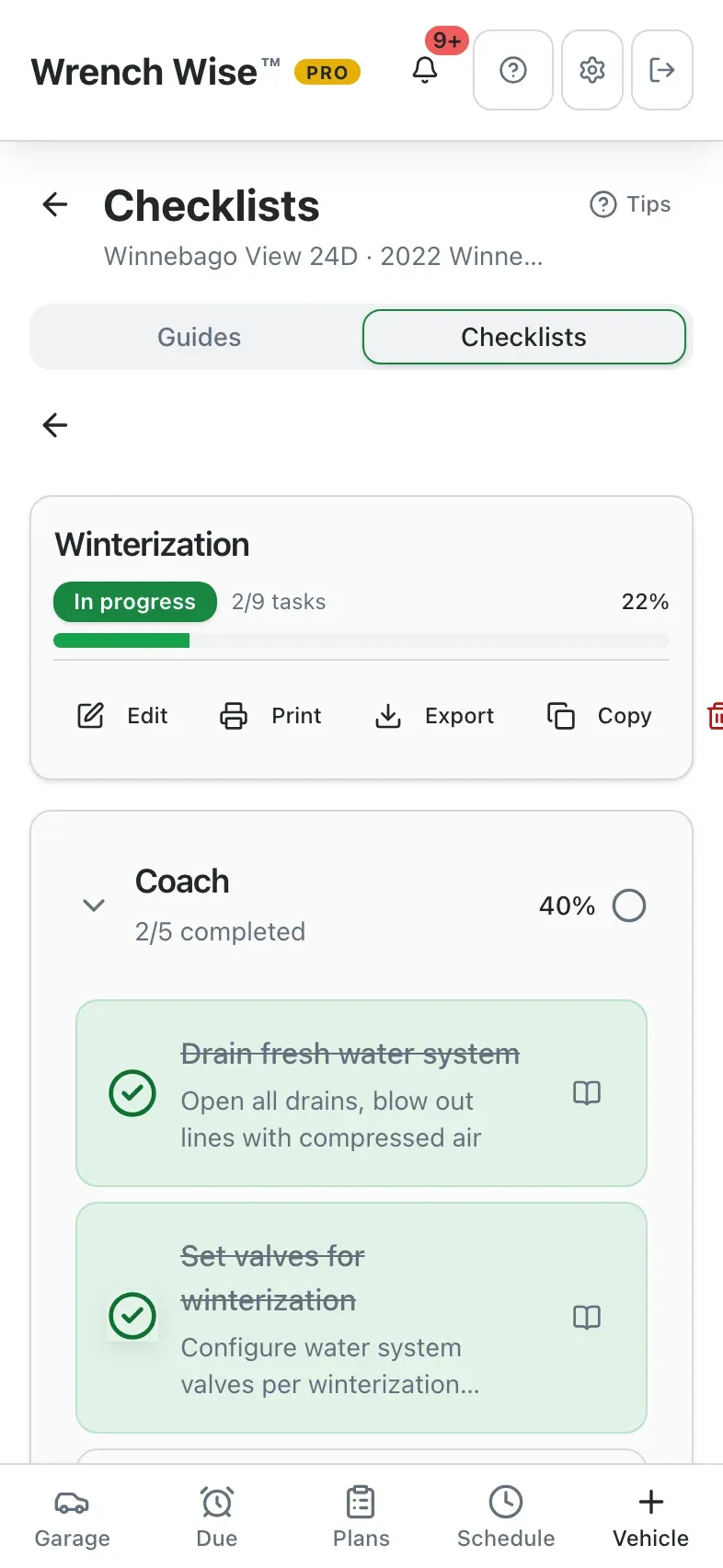
A winterization checklist in progress, grouped by coachNew Checklist: into storage, out of storage, pre-trip, post-trip, safety, pre-purchase, annual, customGuides for an RV, with built-in system examples
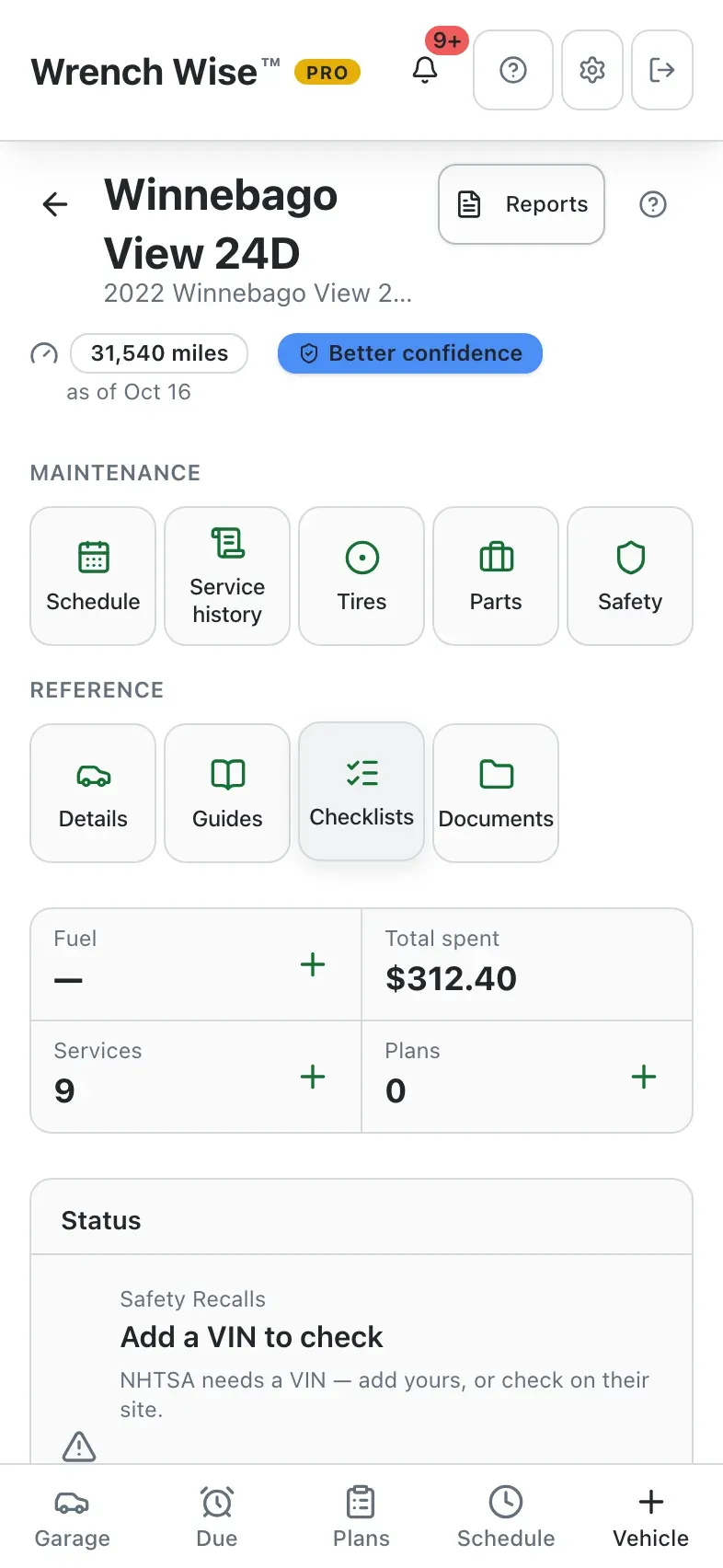
Wrench Wise™ app: Checklists live with each vehicle.
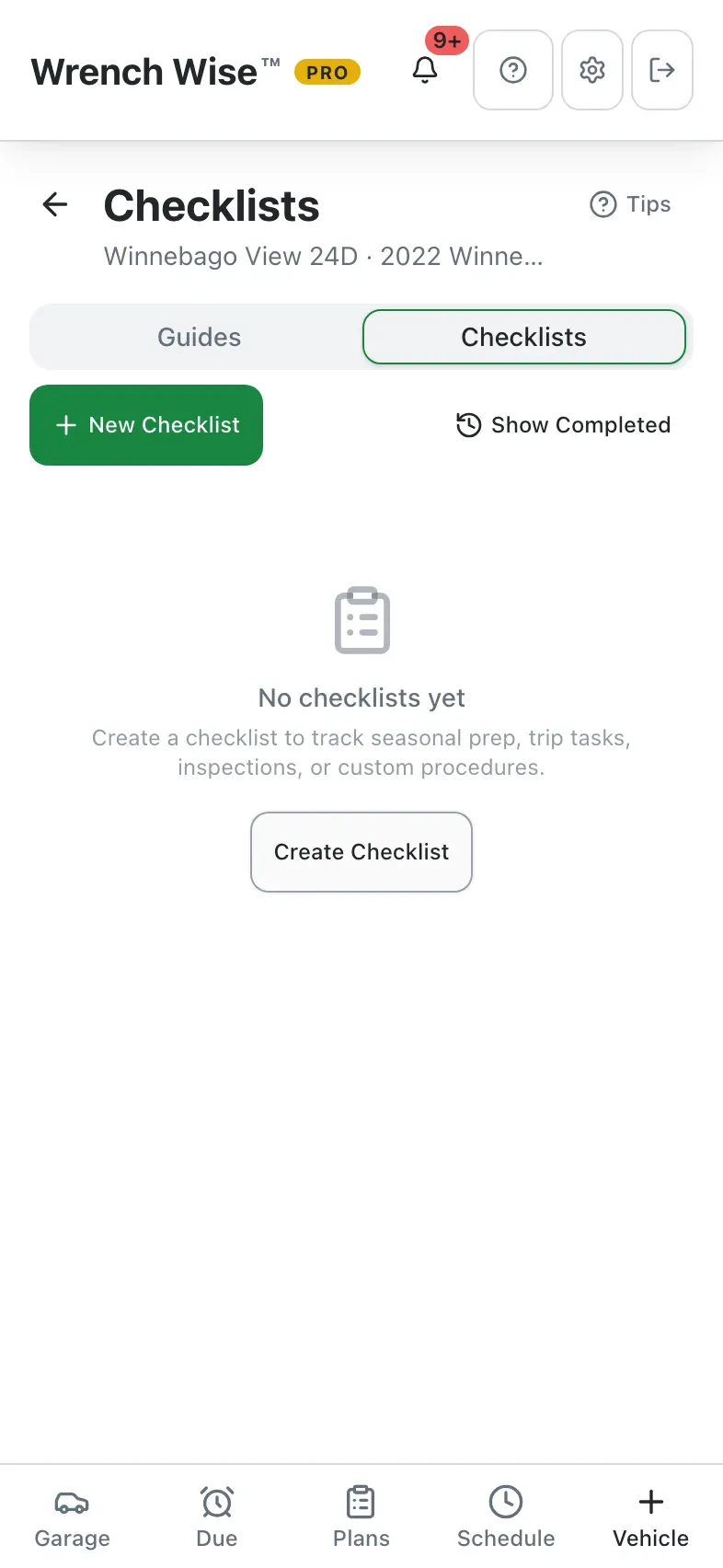
Wrench Wise™ app: Start a new checklist…
Wrench Wise™ app: …into storage, trips, inspections or your own.
Wrench Wise™ app: Use the built-in template for an RV.
Wrench Wise™ app: Tick items off as you go, grouped by coach, generator and chassis.
Wrench Wise™ app: Progress is saved; pick it up next weekend or copy it to next year.
Wrench Wise™ app: Guides sit right next to them.
Wrench Wise™ app: Write your own step-by-step guides, or start from built-in examples.

Real screens from the Wrench Wise™ app, captured with a demo garage.

Know what it costs

Fuel, service and every other dollar, in one place.

Log a fill-up in seconds and Wrench Wise™ works out the economy, the cost per mile or per hour, and what the whole garage is costing you.

  • Fast fuel logging.
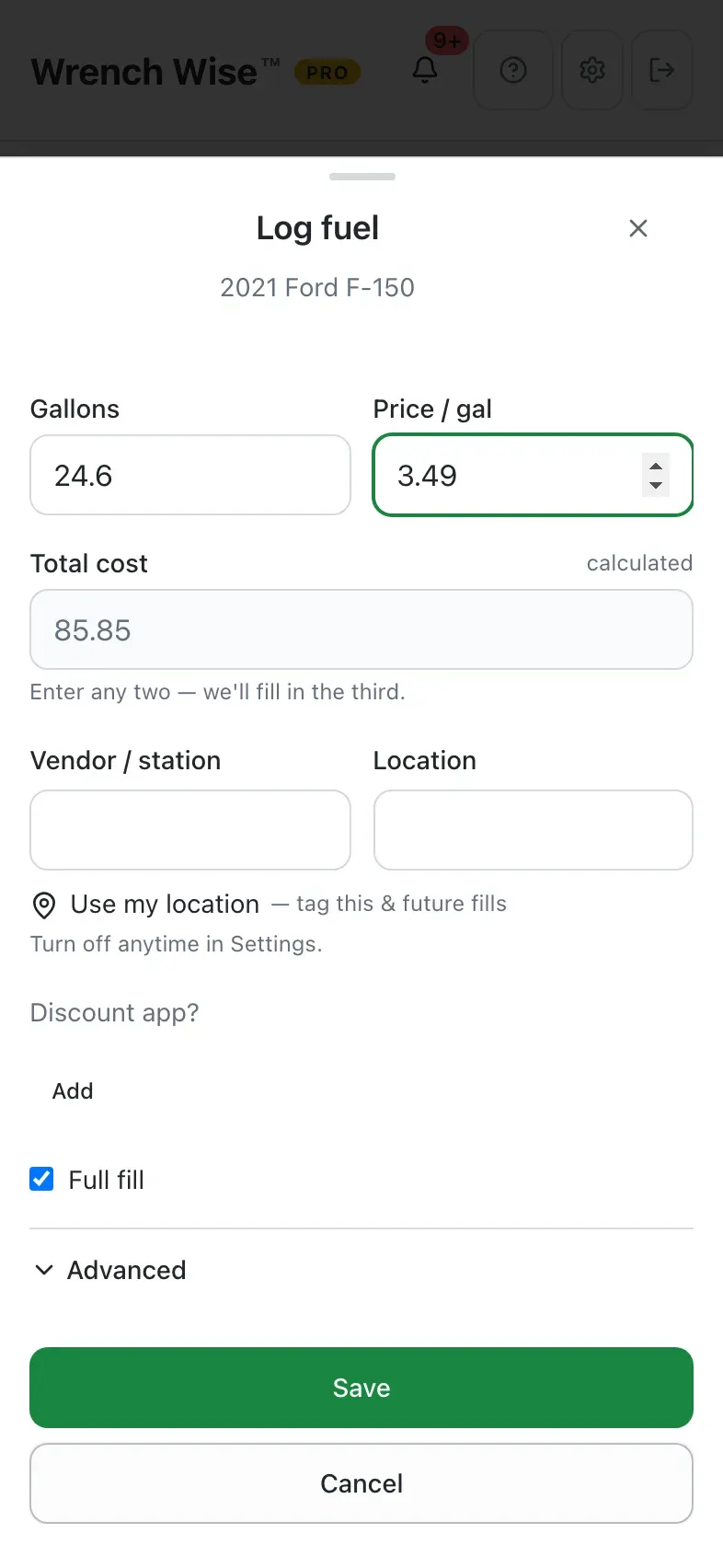
    Enter any two of volume, price and total and the third is filled in. Add the station (or use your location), a discount app, the receipt photo, and whether it was a full fill.
  • Charging and DEF too.
    EVs log charge sessions in kWh; diesels log DEF.
  • Economy you can trust.
    Current and lifetime mpg, km/L or L/100 km, and fuel cost per mile. Boats and generators get operating cost per hour.
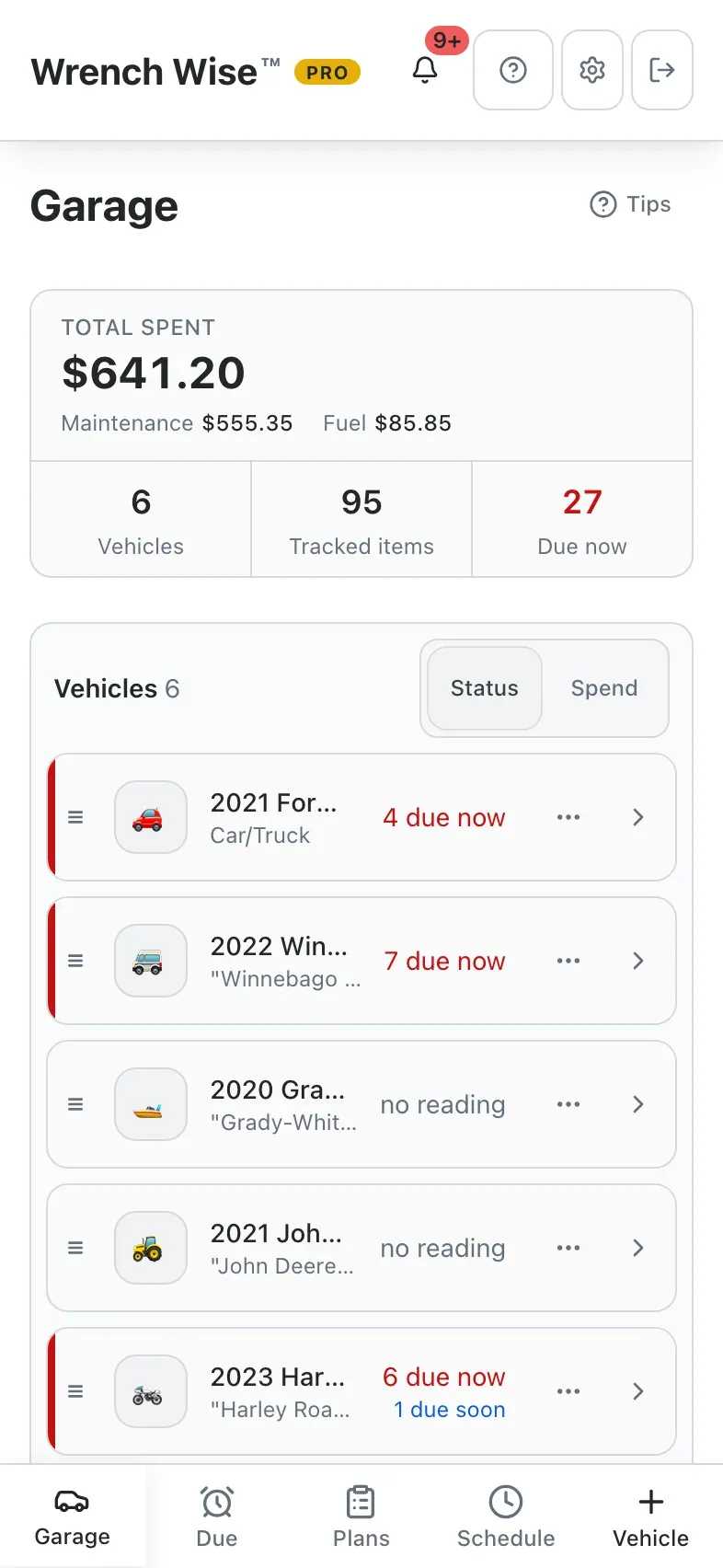
  • Total spent, everywhere.
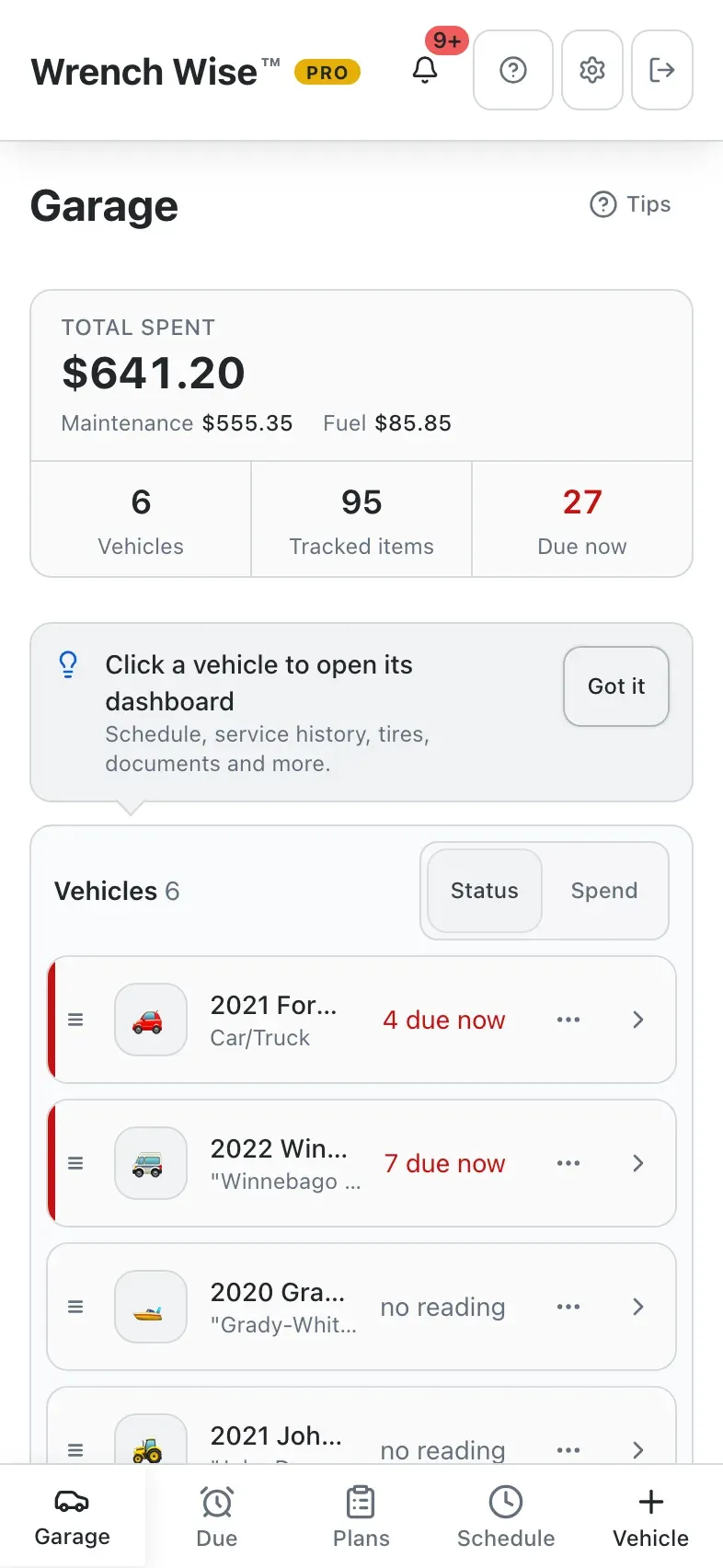
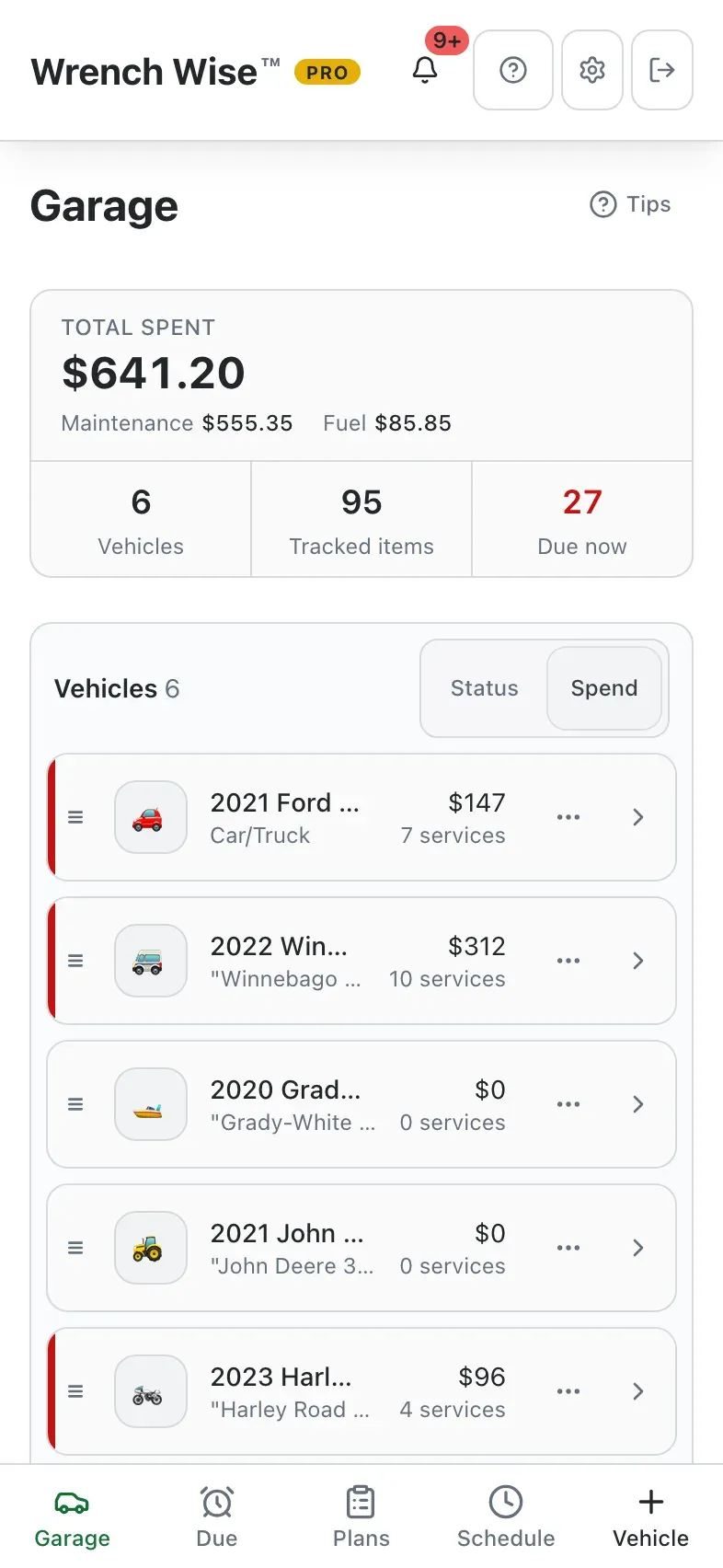
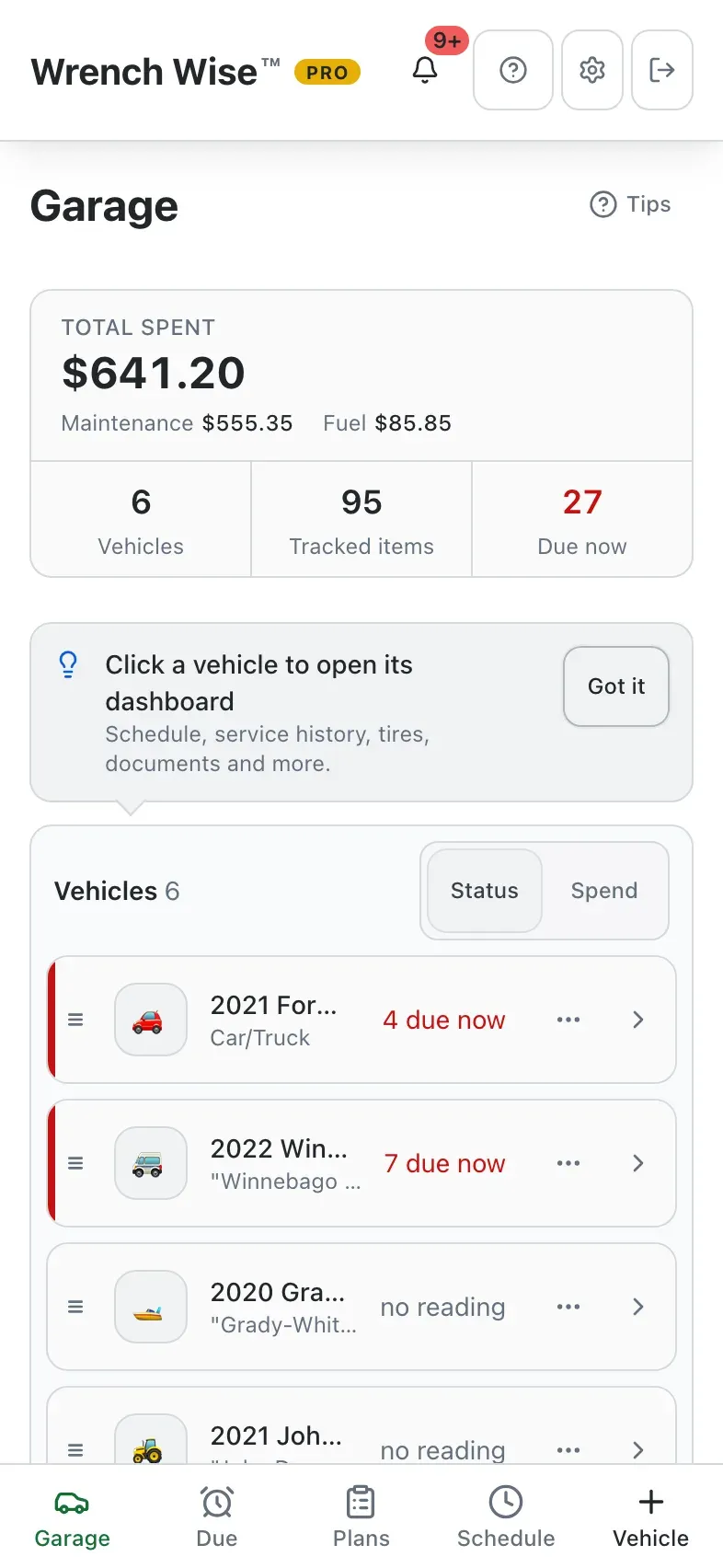
    Garage totals split into maintenance and fuel, a spend view by vehicle, and an all-in cost per mile on each vehicle.
  • Trends and reports. Pro
    Fuel economy, burn-rate and spend charts, plus expense PDFs by category, date, asset, energy type or vendor.
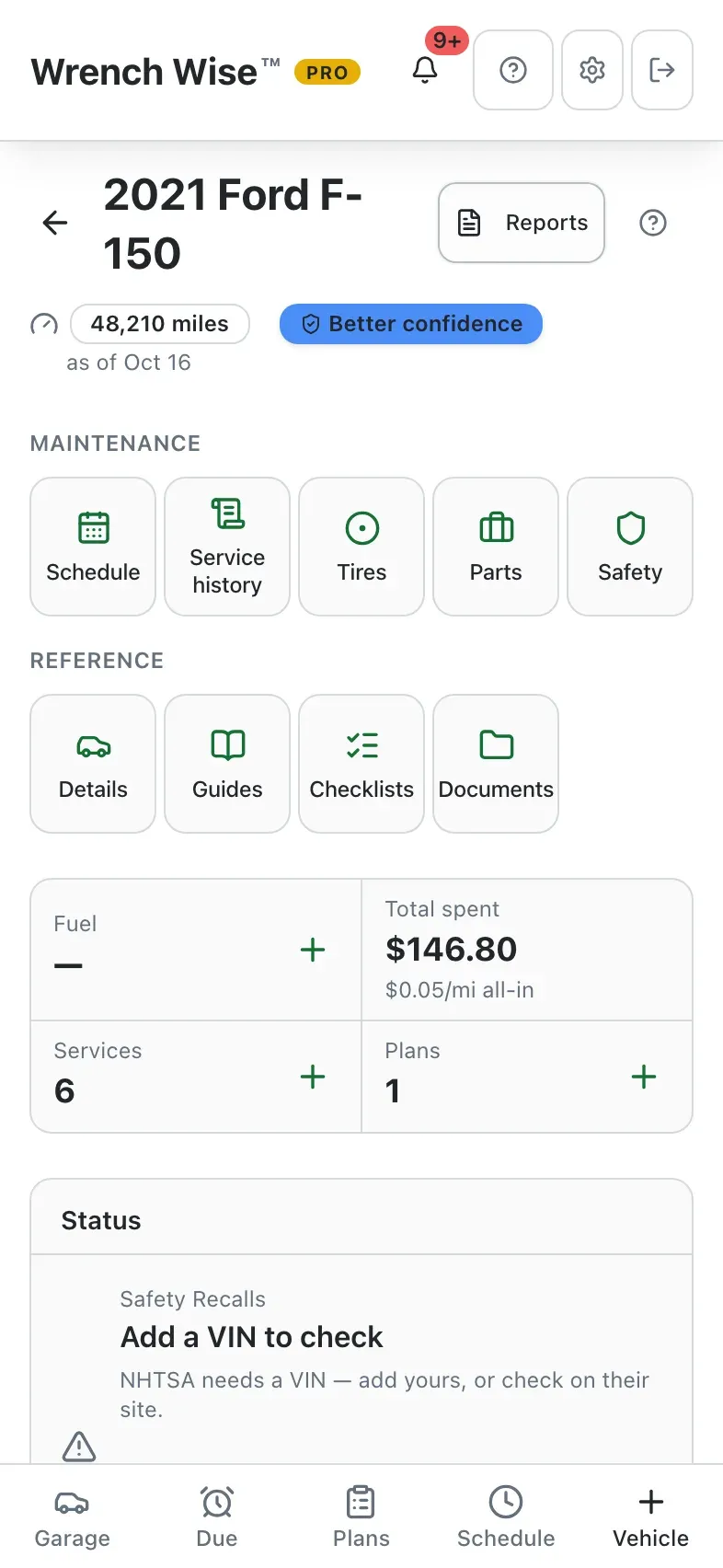
Wrench Wise™ app: Filled up? Tap + on Fuel.
Wrench Wise™ app: Enter any two of volume, price and total; the third is filled in.
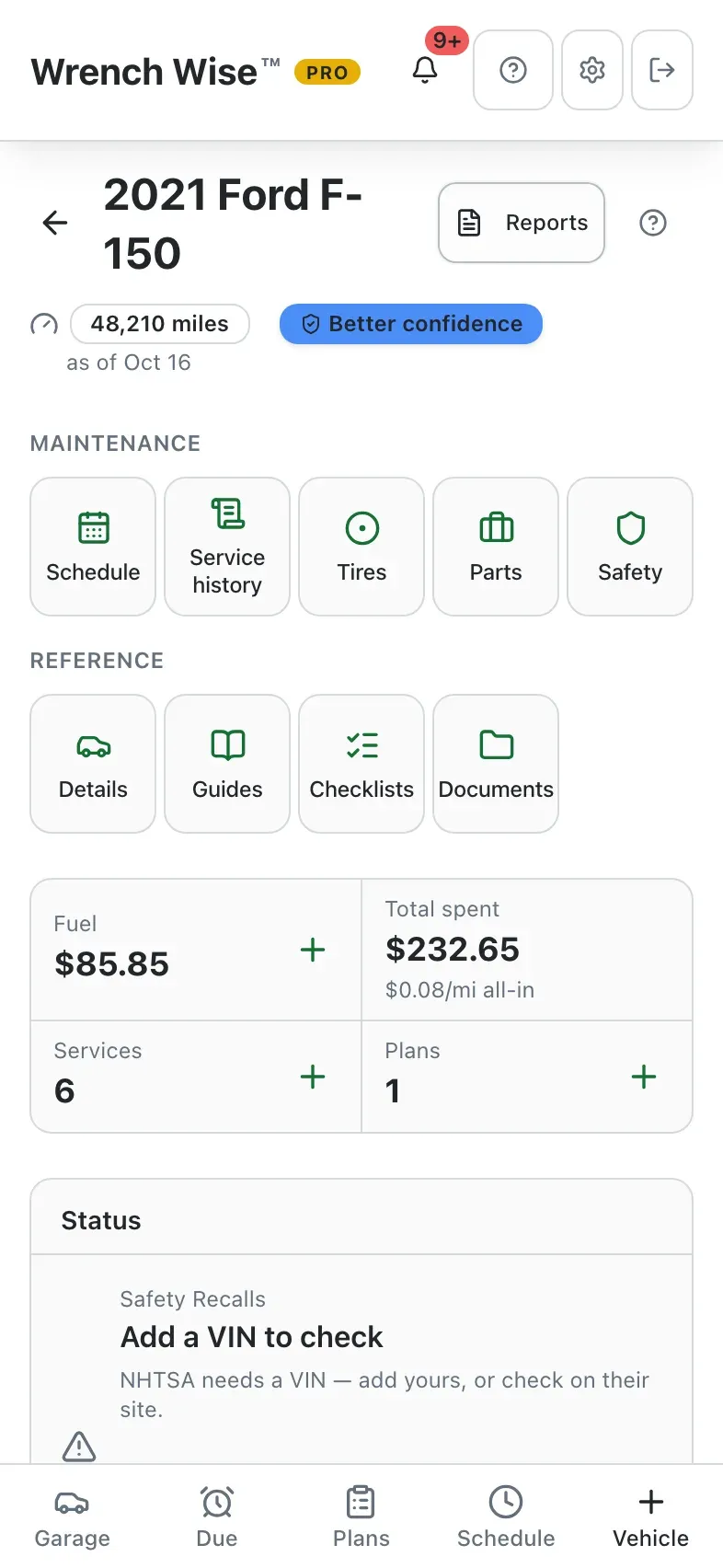
Wrench Wise™ app: Logged. Fuel totals and economy update as you go.
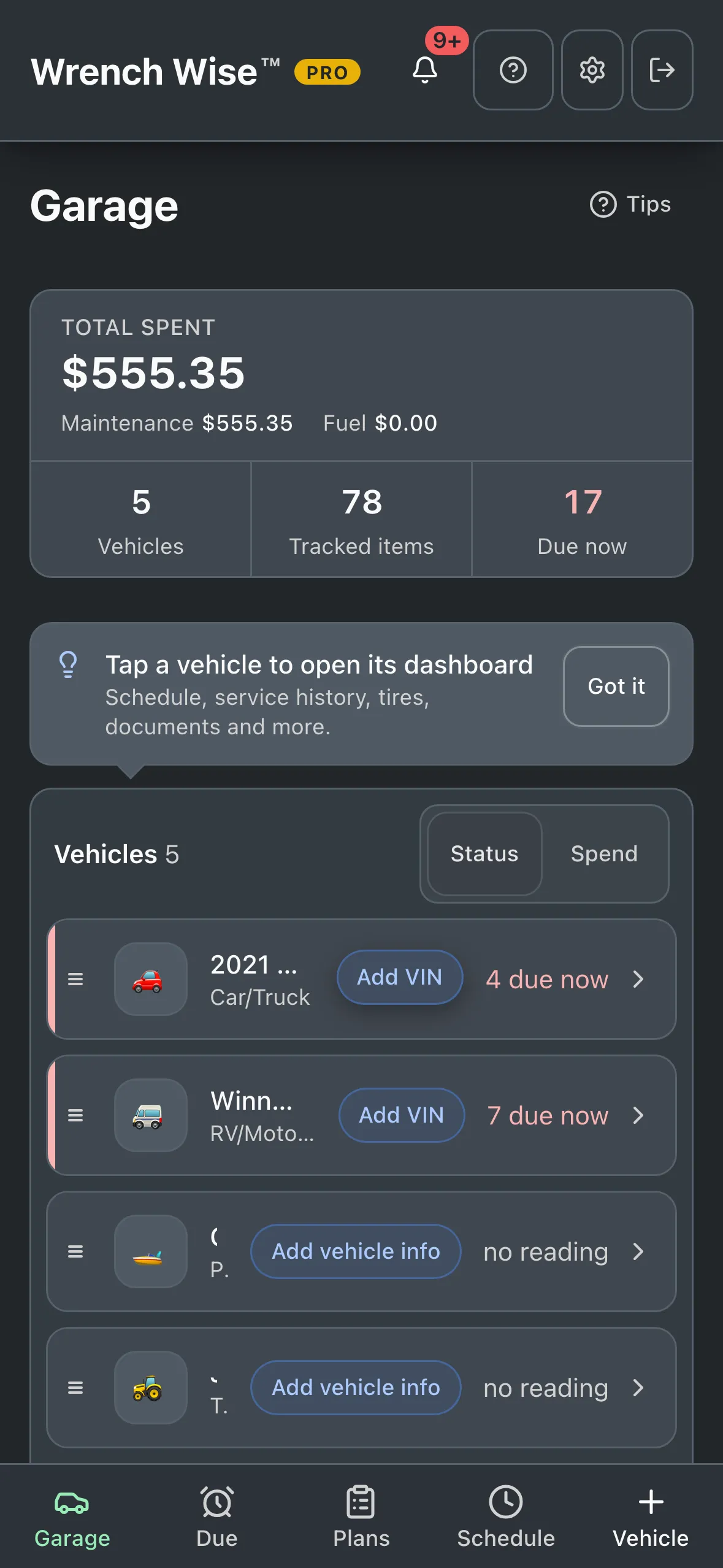
Wrench Wise™ app: Totals for each vehicle and the whole garage.
Wrench Wise™ app: Switch the garage to Spend…
Wrench Wise™ app: …to see what each vehicle costs you.

Real screens from the Wrench Wise™ app, captured with a demo garage.

Plan the job

Turn what’s due into a plan, a parts list and a shopping trip.

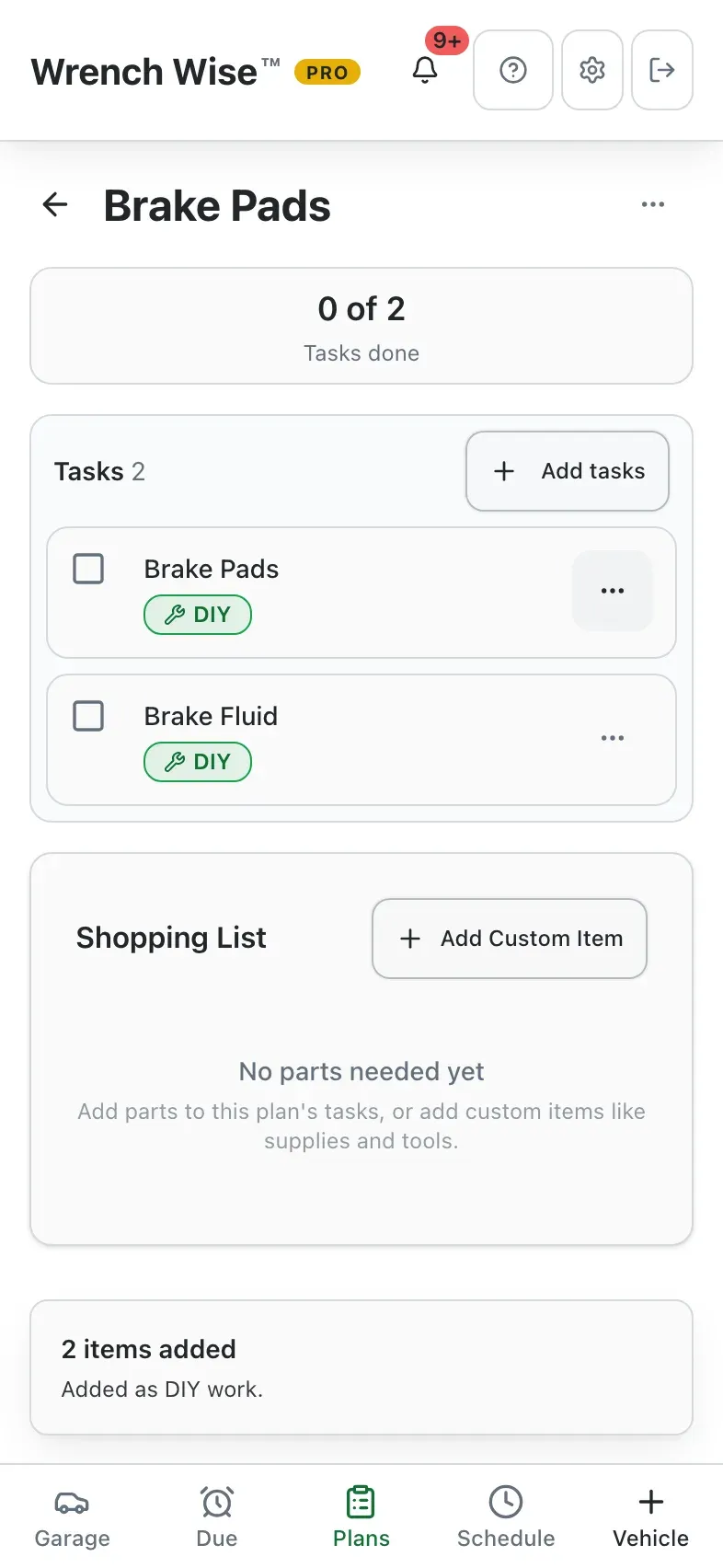
Pick the work for the weekend, list the parts, estimate the cost and time, and buy everything in one run. Mark it done and every task lands in the vehicle’s history.

  • Plans from anywhere.
    Add tasks from the schedule, a seasonal list, a repair, or your own.
  • Parts and estimates per task.
    Parts to buy (mark what you already have), a cost and time estimate, and DIY or shop.
  • One shopping list.
    Every part for the plan in one list. Share or print it with Pro.
  • Done means logged.
    Mark the plan done and each task is recorded with its date, cost and photos.

Free includes one active plan at a time; Pro removes the limit.

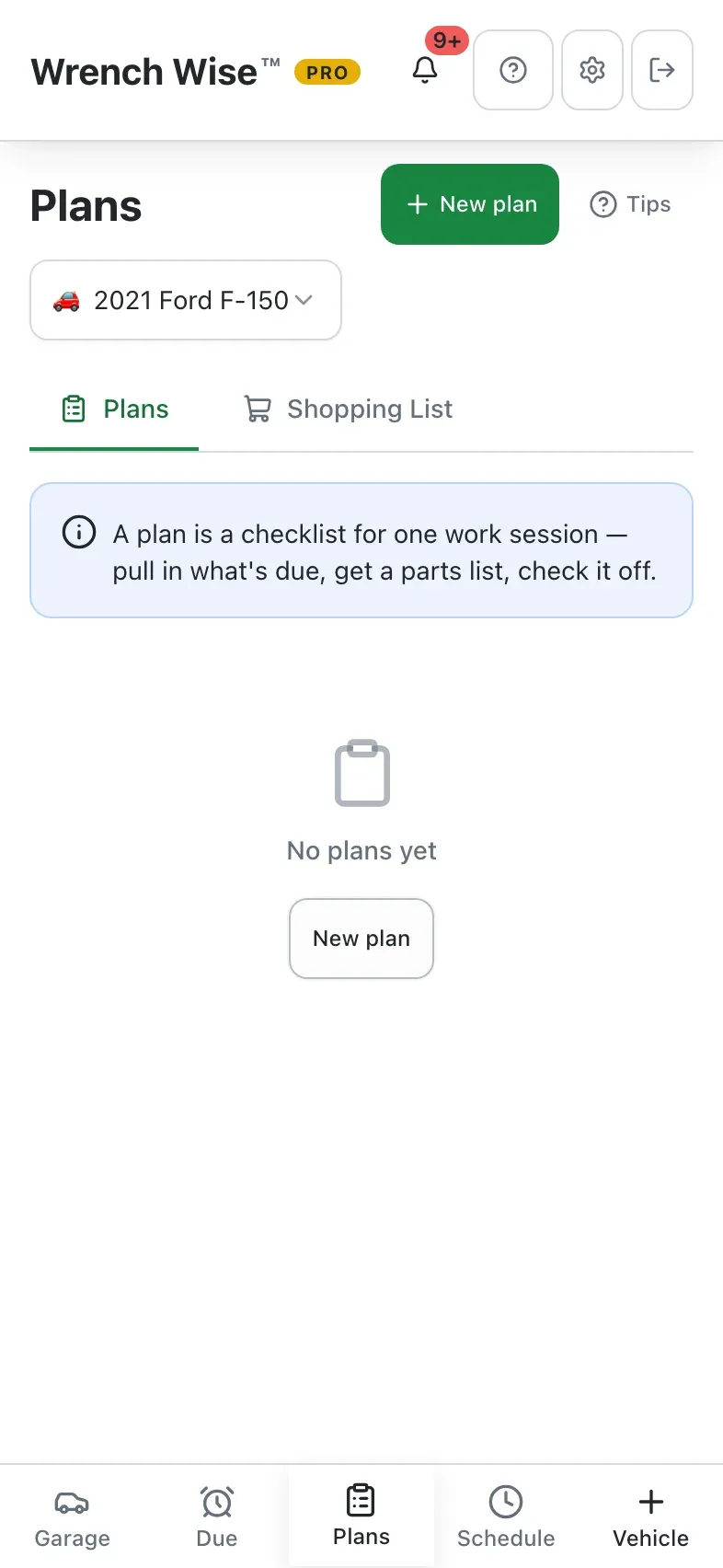
Wrench Wise™ app: Plan the next job from the Plans tab.
Wrench Wise™ app: Start a new plan…
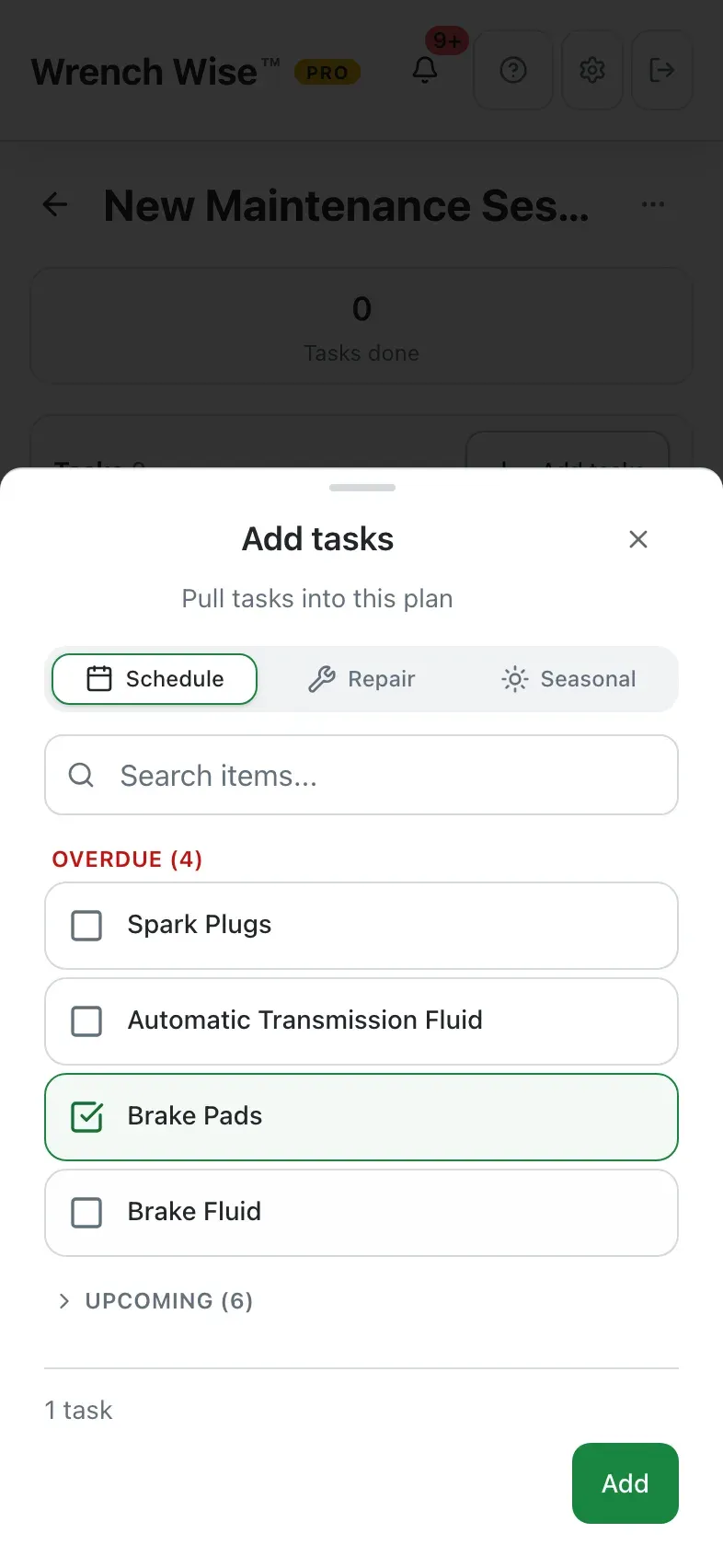
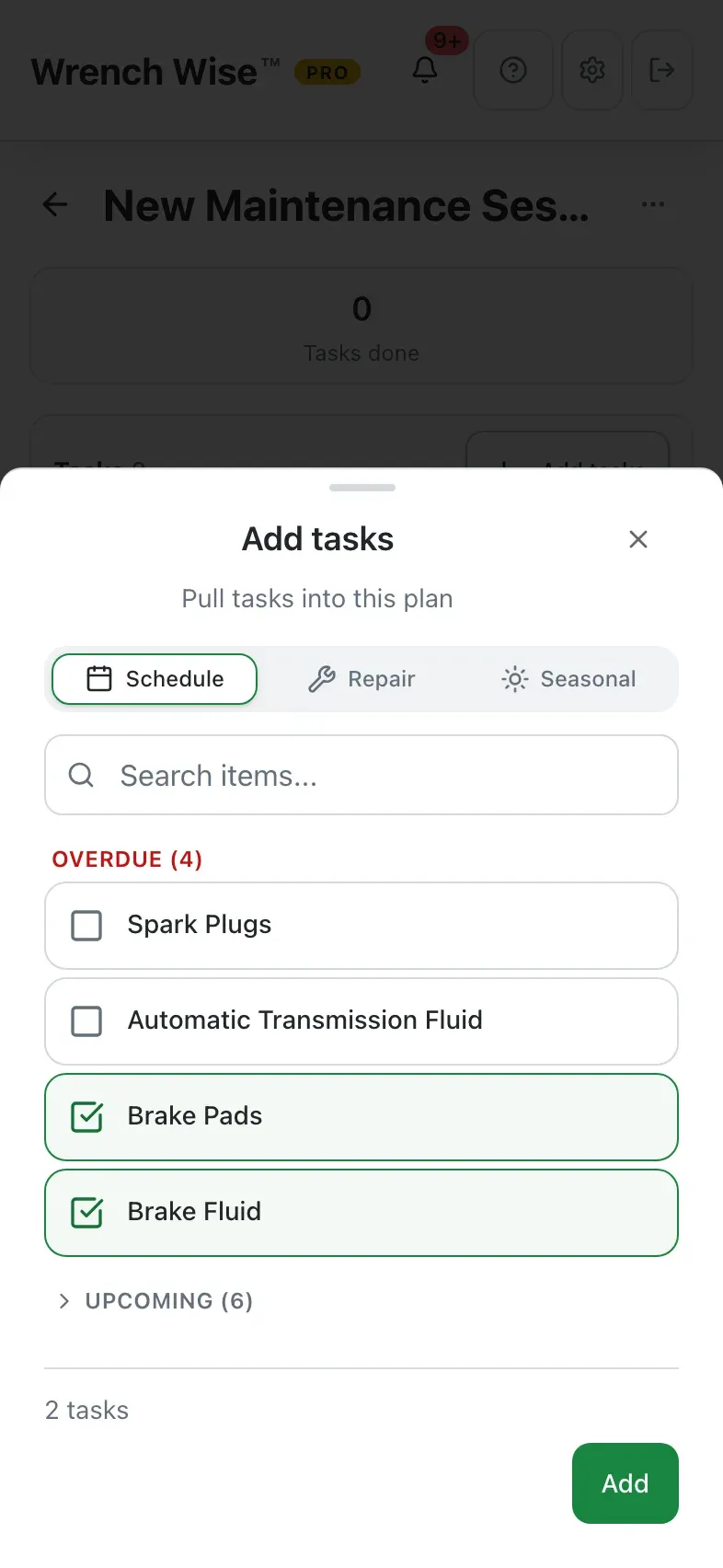
Wrench Wise™ app: …and pull in tasks from the schedule, a repair or a seasonal list.
Wrench Wise™ app: Add them to the plan.
Wrench Wise™ app: The plan: each task marked DIY or shop, plus a shopping list for its parts; mark tasks done as you go.

Real screens from the Wrench Wise™ app, captured with a demo garage.

Parts

Never wonder “what part was it?” again.

Wrench Wise™ keeps the part numbers, fluid capacities and substitutes for each vehicle, knows which services use each part, and tells you when one is due.

  • A parts catalog for every vehicle. Pro
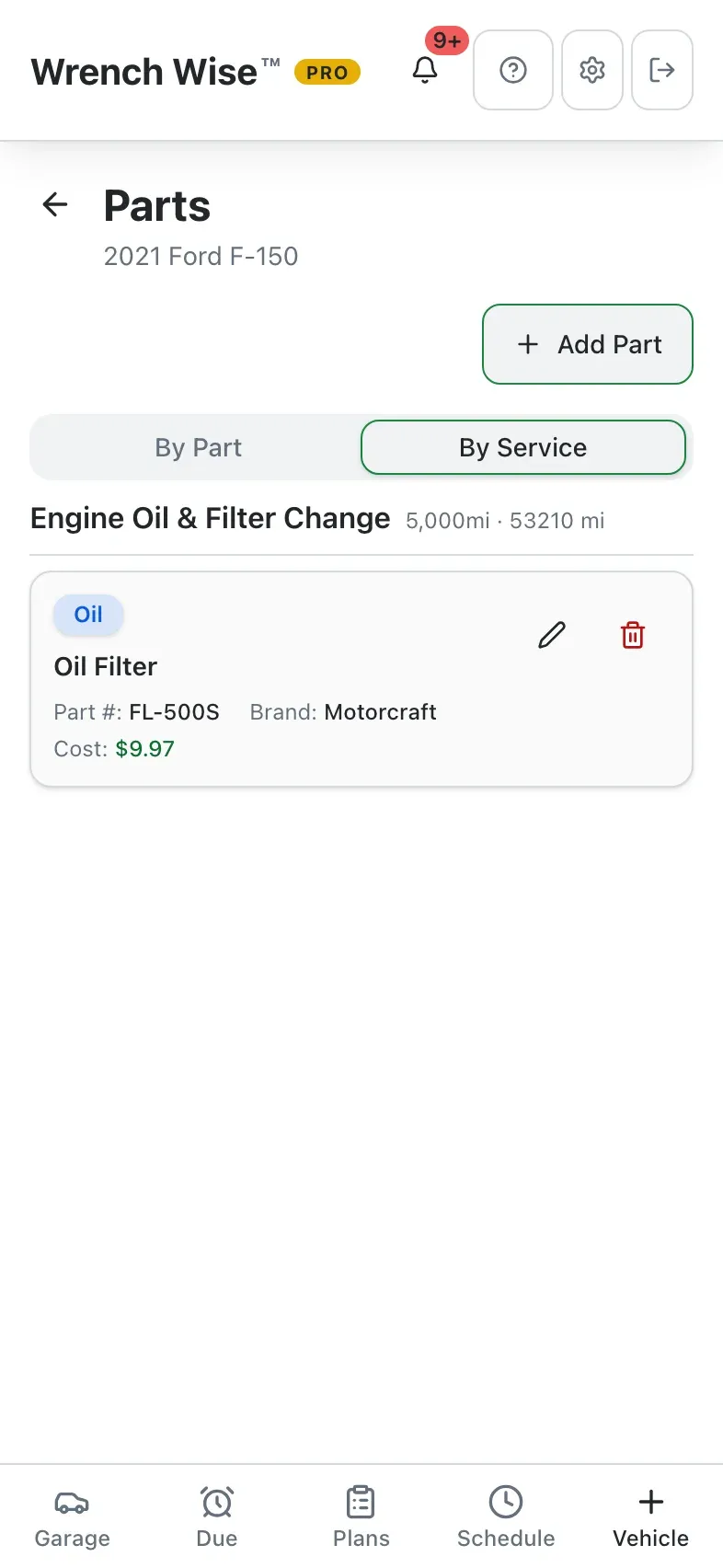
    Part number, brand, supplier, price, quantity per service, fluid capacity, reference photos and notes.
  • Substitutes and favourites.
    Keep the cross-references and star the one you actually buy.
  • Linked to the work.
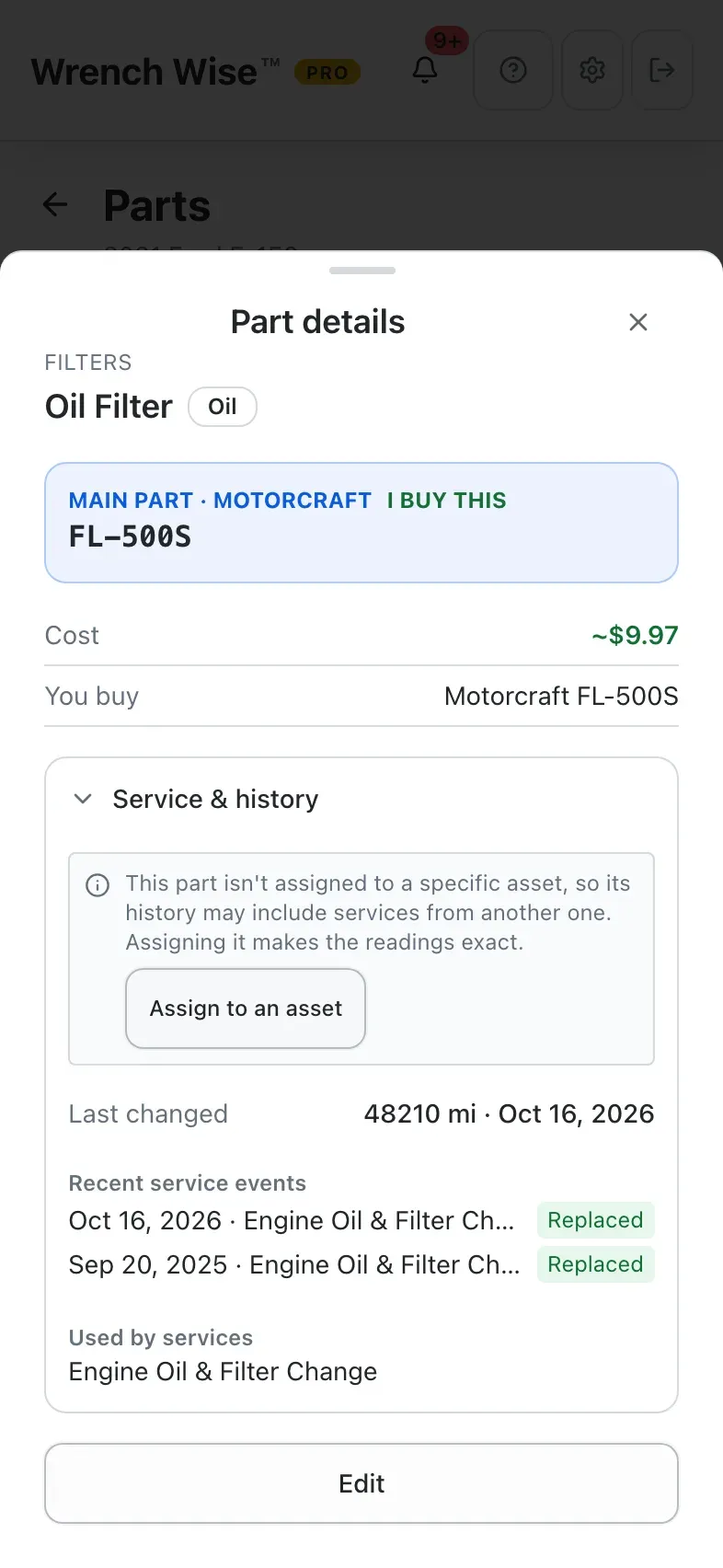
    See which services use each part, when it was last changed, and its service history.
  • Remaining life.
    Parts running out of life show up in What’s Due and under Needs attention, e.g. “Overdue by 500 mi”.
  • Straight into the next job.
    Add a part to the buy list, pick it while planning, or (on a boat) add spares to the inventory.

The parts catalog is Pro. On the free plan you can view it, but not add parts.

Wrench Wise™ app: Every vehicle has a parts catalog (Pro).
Wrench Wise™ app: Your parts, by part or by the service that uses them.
Wrench Wise™ app: Open a part…
Wrench Wise™ app: …for its substitutes, the services that use it, and its history.

Real screens from the Wrench Wise™ app, captured with a demo garage.

Bring your records

Kept it in a spreadsheet? Bring it with you.

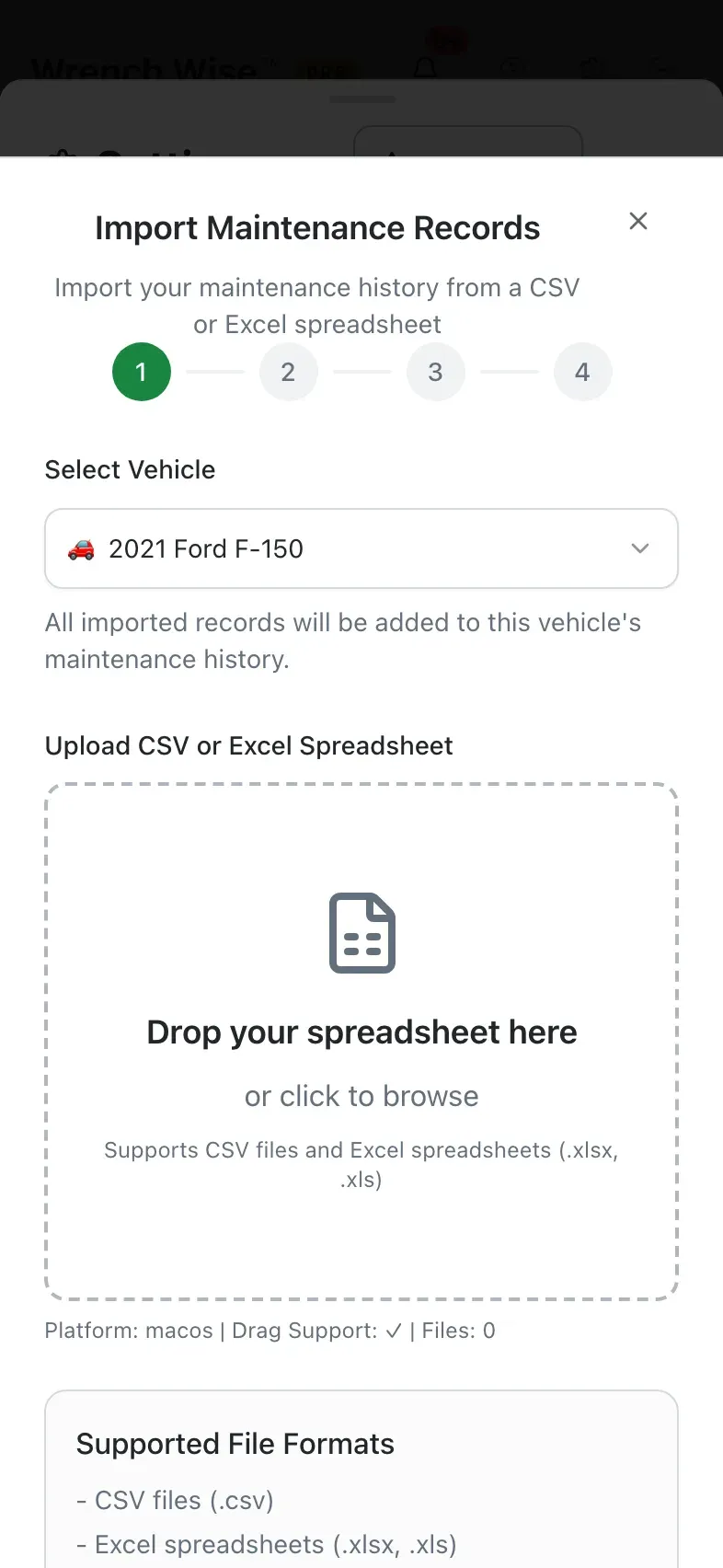
Years of service history shouldn’t start over in a new app. Import your spreadsheet, scan the shop invoices, and keep the paperwork with the vehicle.

  • CSV and Excel import.
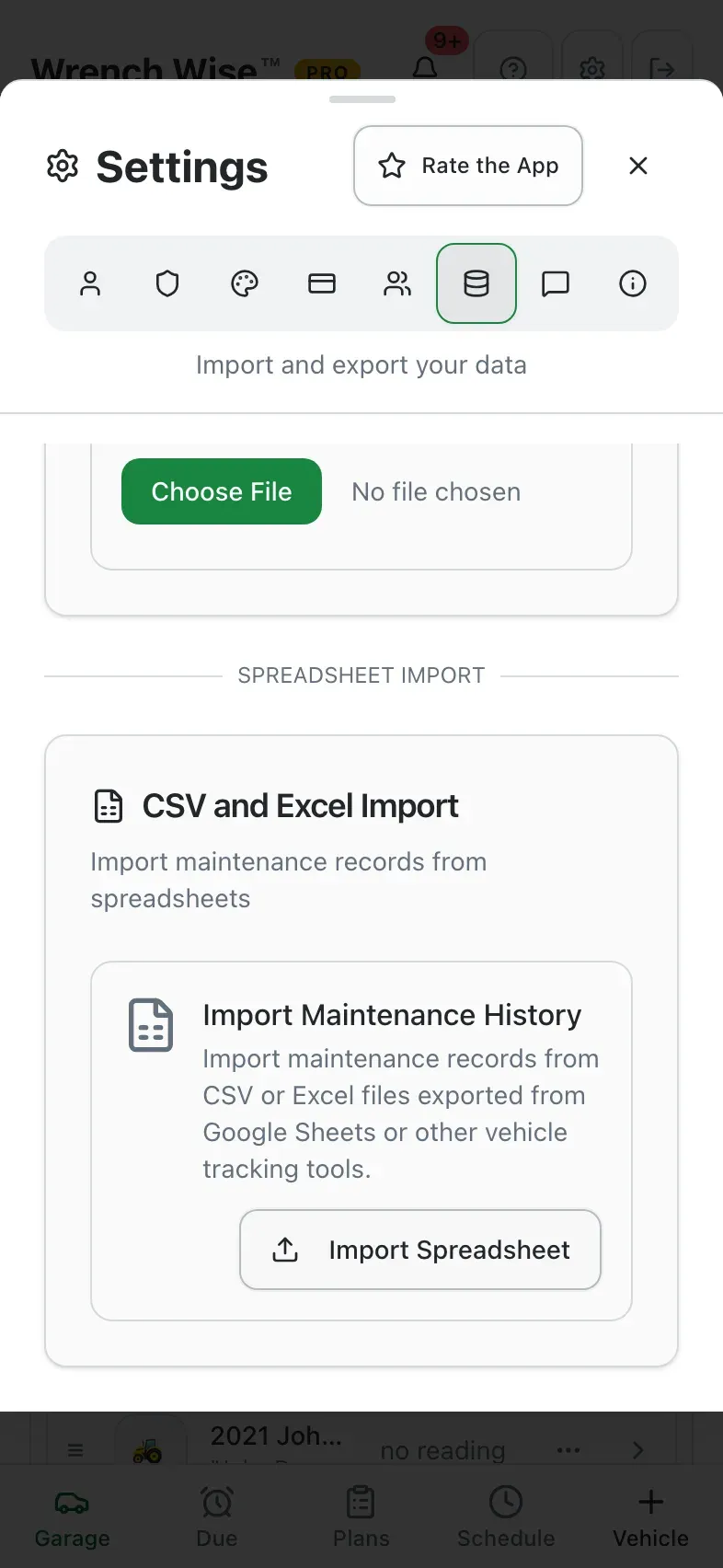
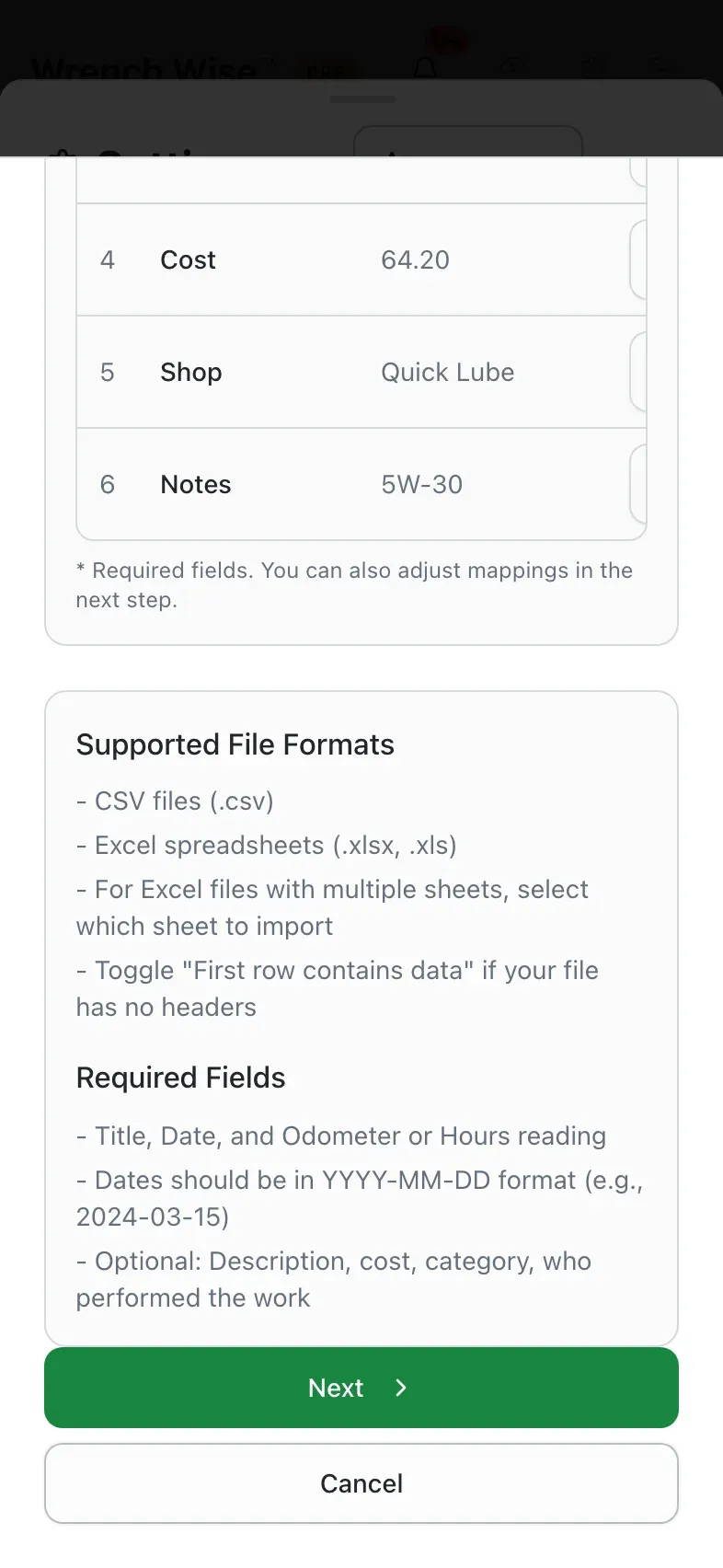
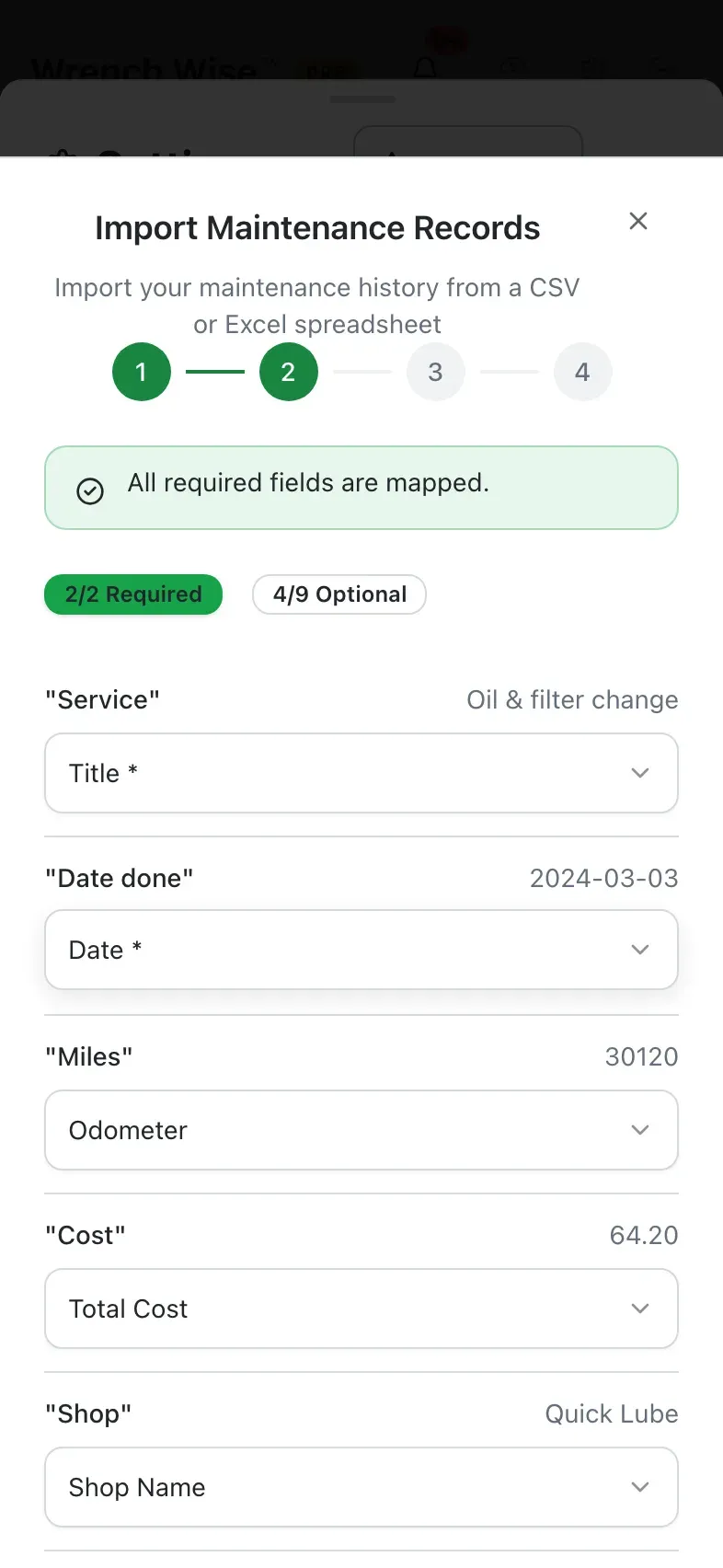
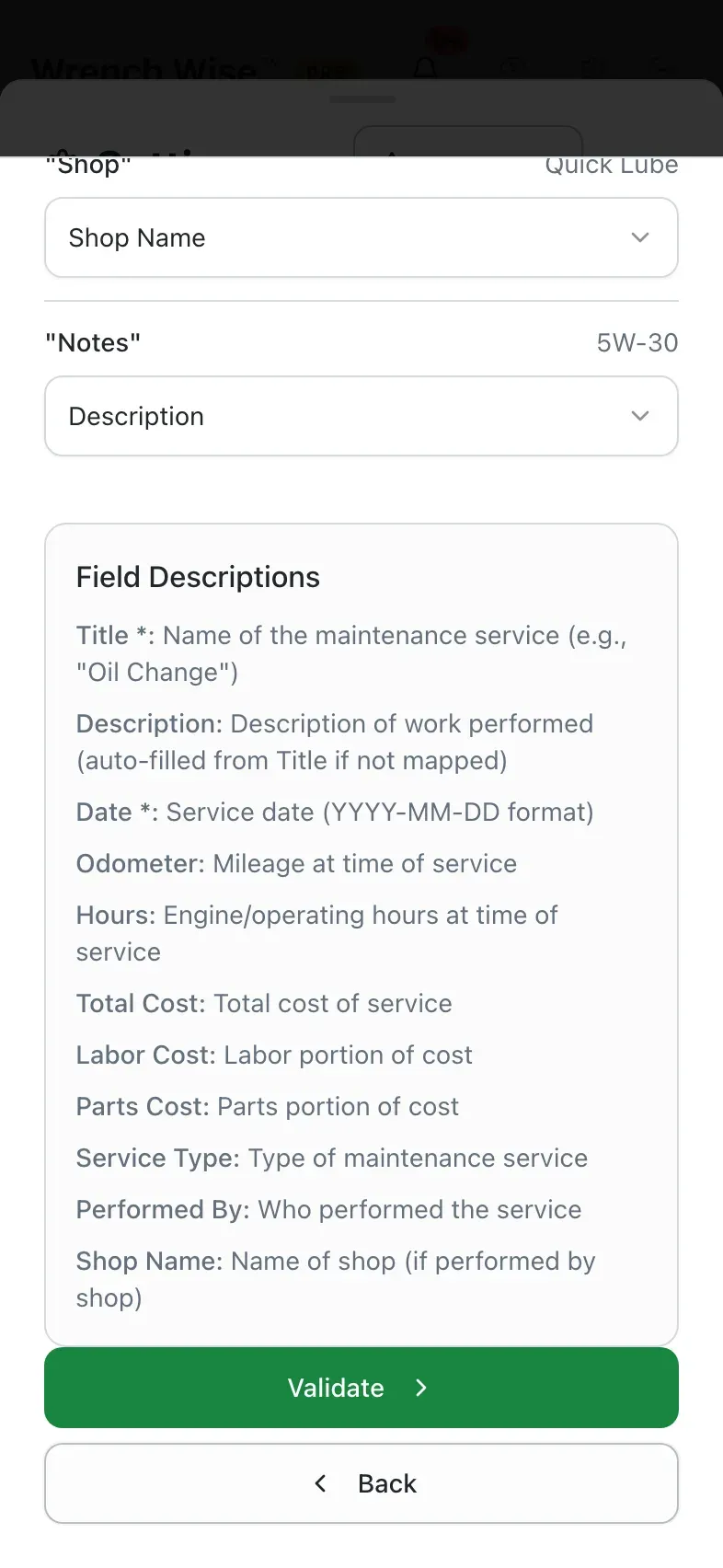
    Upload a .csv, .xlsx or .xls file. Columns are matched automatically, every row is previewed, and duplicates of records you already have are flagged. Up to 500 records per import, free on phone and tablet (and on the web with Pro).
  • Scan the VIN.
    Point the camera at the VIN barcode to fill in the year, make, model and engine.
  • Documents with the vehicle.
    Keep the registration, insurance card and window sticker as photos or PDFs.
  • Scan shop invoices. Pro
    Snap the invoice and the work, parts and costs are read for you to review.
  • Import your owner’s manual. Pro
    Turn the maintenance section of a PDF manual into schedule items you review first.
Wrench Wise™ app: Bring your spreadsheet: open Settings.
Wrench Wise™ app: Under Data…
Wrench Wise™ app: …import a CSV or Excel file of past services.
Wrench Wise™ app: Pick the vehicle and drop in the file.
Wrench Wise™ app: The file is read in a moment.
Wrench Wise™ app: Your columns are matched to the app’s fields automatically.
Wrench Wise™ app: Check the matches, then validate: every row is previewed before it’s saved.

Real screens from the Wrench Wise™ app, captured with a demo garage.

Why Wrench Wise™

One app instead of three, plus the spreadsheet.

Most trackers are built for one kind of vehicle. If you own more than one kind, you end up juggling apps.

CapabilityWrench Wise™Car-only trackersRV-only appsBoat logbooksSpreadsheet or paper
Cars, RVs, boats, bikes, tractors and generators in one app
Starter schedule for every vehicle type
Engine-hour tracking (generators, boat engines, tractors)
Several engines or a generator on one vehicle
Import intervals from your owner’s manual
Safety recall checks
Works offline
Share with your household

“Some” means some apps in that group do it. Based on public app-store listings and websites we reviewed in October 2026; individual apps vary. Recall checks cover US vehicles (NHTSA).

Free vs Pro

Start free. Go Pro when your records matter.

The free version is the real app, not a demo. Pro adds backup and sync, sharing with your household, and manual import, whether you own one boat or a whole fleet.

Free

$0 forever

  • 2 vehicles, or 1 with up to 3 add-ons (engines, generator, implements)
  • Starter schedules, What’s Due and reminders
  • Unlimited service logs with photos
  • Tires, guides and seasonal checklists
  • 1 active plan · 10 boat inventory items
  • Works offline, with no account needed
  • Export your data from your device
14-day free trial

Pro

$29.99 / year

About $2.50 a month, billed $29.99 once a year. Or $4.99 / month. Prices in the US

Everything in Free, plus:

  • Unlimited vehicles and add-ons
  • Owner’s manual import, and factory schedules for supported makes
  • NHTSA recall checks for vehicles and tires (US)
  • Parts catalog, unlimited plans and boat inventory
  • Reports, PDF export and invoice scanning
  • Automatic backup, multi-device sync and the web app
  • Household sharing for up to 5 people
  • History links and record transfer when you sell
  • Fuel economy trends and digest emails

Start your 14-day Pro trial

  1. Get the free app below.
  2. Create a free account in the app, or sign in. Pro needs one, so your records follow you.
  3. Go to Settings › Subscription and tap Start 14-Day Free Trial.

Wrench Wise™ is available in the US, Canada and Australia. The trial is for first-time subscribers and needs a payment method; it becomes a paid subscription unless you cancel at least 24 hours before it ends. Billing is through the App Store or Google Play, and you can cancel any time from your store account.

Features

Everything a careful owner tracks, in one app.

Built by an owner who wrenches on his own RV and fleet, for people who would rather fix it themselves, or at least know what the shop did.

Never miss what’s due

A schedule in seconds

Each vehicle type starts with a maintenance schedule built for it. No make or model needed.

Your manual’s intervals Pro

Import your owner’s manual PDF or, for supported makes, the factory schedule. You review every item first.

Miles, hours and months

Odometers, hour meters and the calendar, all in one What’s Due list.

Reminders

Device notifications before things come due, plus optional digest emails.

Digest emails are Pro

Keep a record that pays you back

Log in seconds

Quick log for one job, batch log for a whole shop visit. DIY or shop, with cost.

Receipts & photos

Attach receipts and photos to every service for warranty claims and resale.

Scan shop invoices Pro

Snap the invoice and Wrench Wise™ fills in the services for you to check.

Reports & PDF export Pro

Full service history and expense reports, grouped by vehicle, category or vendor.

Everything else that belongs with it

Safety recalls (US) Pro

NHTSA recall checks for your vehicles and your tires.

Tires

Positions, DOT codes and tire age, so old rubber doesn’t surprise you.

Fuel & charging

Log fill-ups and charges. See economy and cost trends over time.

Trend charts are Pro

Parts & boat inventory

Part numbers for every vehicle. Boats also get an inventory of spares, fluids and safety gear: where it’s stowed, when it expires, and what to buy.

Parts catalog is Pro

Checklists

Winterizing, into and out of storage, pre-trip, seasonal and pre-purchase.

Step-by-step guides

Your own how-tos with photos and video links, plus 37 built-in examples that work offline.

Household sharing Pro

Share vehicles with up to four family members, each with their own permissions.

VIN scan

Scan the VIN barcode with the camera to fill in year, make, model and engine.

Vehicle notes Pro

Leave a note on a shared vehicle, reply, and mark it resolved with your household.

Biometric sign-in

Sign in with Face ID or a fingerprint on your phone or tablet, or your device’s biometrics on the web.

The web app is Pro

Works offline

Everything is stored on your device. Use it at the boat ramp or the campground, no signal needed.

Phone, tablet and browser

Apps for iPhone, iPad, Android phones and tablets, with a tablet layout that uses the extra room, plus the web app in any browser.

Web app and multi-device sync are Pro

Sell with proof Pro

Share a read-only history link with a buyer or your mechanic, then transfer the records when you sell.

FAQ

Questions, answered

Is Wrench Wise™ free?

Yes. The free version tracks 2 vehicles, or 1 vehicle with up to 3 add-ons such as boat engines, an RV generator or tractor implements. It includes starter schedules, What’s Due, reminders and unlimited service logs. Pro adds unlimited vehicles, sync and backup, manual import, recalls, reports and household sharing, and comes with a 14-day free trial. Pro is $4.99 a month or $29.99 a year in the US, C$6.99 a month or C$39.99 a year in Canada and A$7.99 a month or A$47.99 a year in Australia.

Do I need an account or an internet connection?

Not for the free version. It needs no account, stores everything on your device and works completely offline, so you can log a service at the boat ramp or the campsite. Pro uses an account and works both online and offline: on your phone or tablet you keep working with no signal, and your changes sync to your other devices, with automatic backup, once you’re back online. The Pro web app needs a connection.

Which vehicles does it support?

Cars, trucks and SUVs (gas, diesel, electric, hybrid and plug-in hybrid), RVs and motorhomes of every class including travel trailers and fifth wheels, powerboats, sailboats, personal watercraft, motorcycles, ATVs and UTVs, tractors and riding mowers, snowmobiles, trailers and generators. Aircraft support is coming soon.

Where do the maintenance schedules come from?

Every vehicle type starts with a starter schedule built for it, counted in miles, engine hours or months. Pro members can import their own owner’s manual (PDF) and choose normal or severe intervals, or import the factory schedule for supported makes. You review every item before it’s saved, and you can edit any interval.

Can it track engine hours instead of miles?

Yes. Boats, personal watercraft, tractors, ATVs and generators are tracked by their hour meters. A boat or catamaran can have several engines and an onboard generator, each with its own hours and marine schedule, and an RV’s generator runs on its own hour meter while the chassis runs on miles. Aircraft, coming soon, will track the airframe, each engine and each propeller separately.

Can I track solar panels, a wind generator or house batteries?

Not with a built-in template yet. Add your own schedule items to the boat or RV (clean the solar panels, check the charge controller, service the wind generator, test the house batteries) on any interval you choose; on a boat, keep the spares in its inventory. Fuel-burning generators are built in: on boats they get a marine schedule with the raw-water impeller, zincs and heat exchanger.

How does selling a vehicle work?

With Pro, share a read-only history link so a buyer (or your mechanic) can see the service history for 30 days without an account; costs and notes stay hidden unless you include them. When you sell, transfer the records: choose what goes, and give the buyer a one-time code or QR code that expires in 14 days. The buyer needs a Wrench Wise™ account and Pro to accept. They get their own copy, and yours is kept read-only.

Is the aircraft support a compliance tool?

No. Aircraft support, coming soon, will help owners keep track of maintenance on the airframe, engines and propellers, but Wrench Wise™ is not an airworthiness system. It does not track Airworthiness Directives, inspection sign-offs or compliance. Keep your logbooks and required records as you do today.

Where is it available, and does it work in kilometres and litres?

Wrench Wise™ is available in the US, Canada and Australia, with more countries coming. Pick miles or kilometres, quarts, gallons or litres, and °F or °C in settings, and see fuel economy as L/100 km, km/L, US mpg or UK mpg. One thing is US-only today: recall checks use the US NHTSA database. Everything else works the same in every market.

Can my family use it too?

With Pro you can share vehicles with your household, up to 5 people including you. Invite people with a link or QR code, choose which vehicles each person sees, and let them read only or leave notes and log fuel and service. Every entry shows who made it.

Does it check for recalls?

Pro checks the US NHTSA database for open safety recalls on your vehicles and their tires. Recall checks are not available in countries without a supported recall source.

Can I get my data out?

Yes. Free users can export from their device. Pro adds service-history and expense reports as PDF, and lets you transfer a vehicle’s history to its next owner when you sell.

Which devices can I use?

iPhone and iPad, Android phones and tablets, and the web in any modern browser. Phones and tablets each get their own layout. The free app works on one device with no account; Pro adds an account that backs up your garage and keeps it in sync across all your devices, including the web app.


Your next oil change is already on the calendar.
Download Wrench Wise™, add your first vehicle, and see its schedule in under a minute. Free, and no account needed.